Participant
March 23, 2020
Question

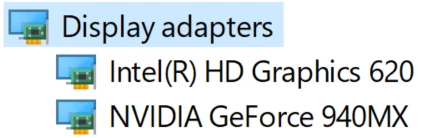
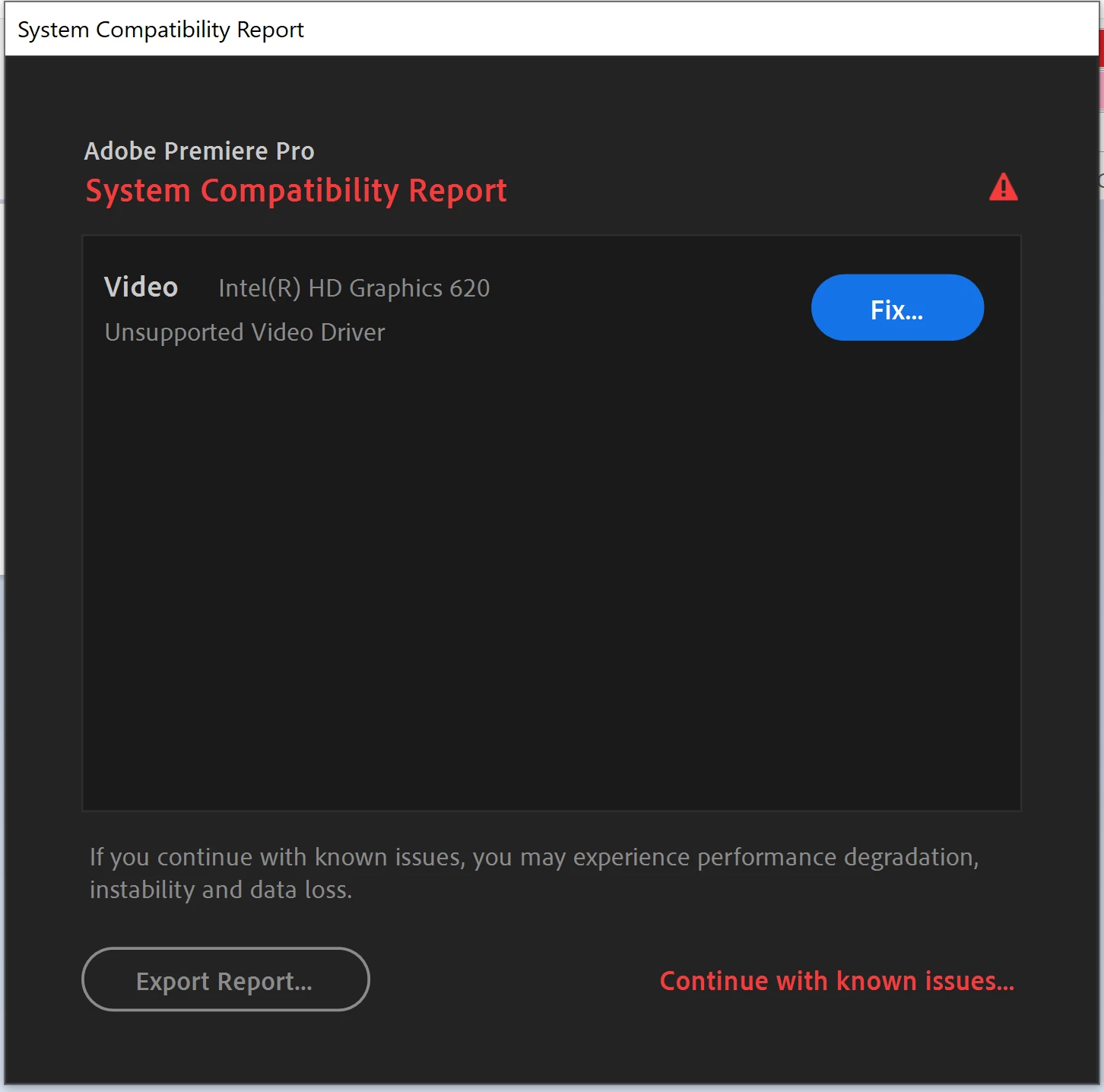
videocard issue, Premiere Pro doesn't laptop's graphics GeForce 940MX

  • March 23, 2020
  • 2 replies
  • 2653 views

videocard issue, Premiere Pro doesn't laptop's graphics GeForce 940MX

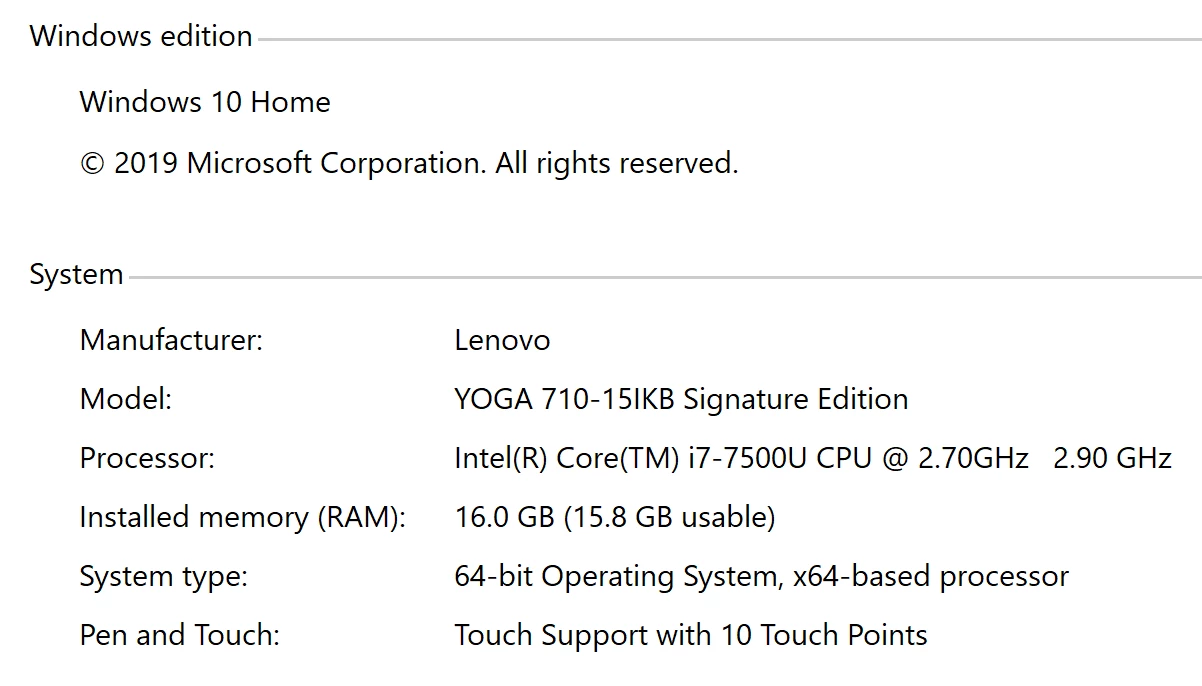
I am an owner of Lenovo Yoga 710

How to solve this problem?


Also I haven't any problems with Dell XPS 9560 with GTX1050
 

This topic has been closed for replies.

2 replies

Legend
March 23, 2020

Actually, the lack of an error message for the GeForce 940MX is a good thing. It just means that the driver that was installed for that GPU is valid. If it didn't, then it would have displayed an error message for that GPU - "Unsupported Video Driver" or "Missing Video Driver."


The Intel driver, however, is a different story. Most big-name laptop manufacturers do not use generic Intel drivers at all - but an OEM-specific customized version of that driver. And unfortunately, the last Intel driver that was verified to work with your laptop dates way back to May of 2018 - version 23.20.16.4973. That's too old to be even supported in Premiere Pro 2019, let alone Premiere Pro 2020. You cannot just upgrade that driver with one that's from the Intel site (without temporarily disconnecting from the Internet, completely uninstalling all traces of the OEM-specific Intel driver, and then performing a clean install of the new driver - all before reconnecting to the Internet): That installation will fail with the error message "The driver version has not been verified by your computer manufacturer."

Ann Bens
Community Expert
Community Expert
March 23, 2020

The only thing you can do (if possible) is to disable the intel in the bios.

role.ruleAuthor
Participant
March 23, 2020

Oh... I found a solution:

Go to NVIDIA Control Panel >  desktop - enable "run with graphics proceessor"

Then go to Manage 3D setting, select Program setting and enable CUDA GPU's for NVIDIA graphics card... 

And run an application via "run with graphics processor"