Participating Frequently
July 31, 2023
Question

Videos exported to YouTube never get ready

  • July 31, 2023
  • 4 replies
  • 515 views

Hi.

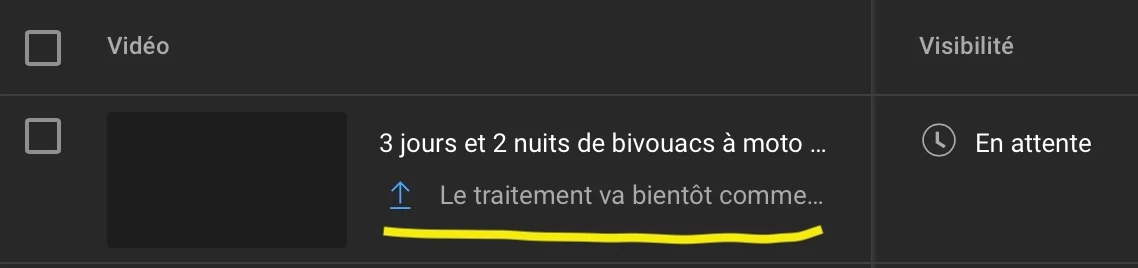
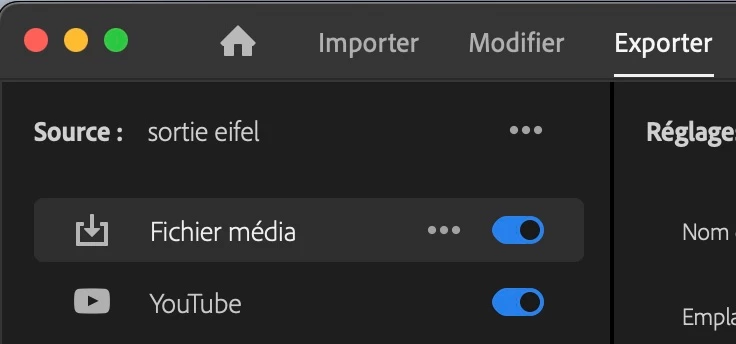
When I export videos directly from Premiere to YouTube, the latter looks like if it received the video but says it will soon prepare the video. Actually it never starts. 

I don't face this issue when I upload the video manualy to YouTube.
 

My Mac

macOS Monterey
Version 12.6.7
iMac (Retina 5K, 27-inch, Late 2015)
Processeur 3,2 GHz Intel Core i5 quatre cœurs
Mémoire 32 Go 1333 MHz DDR3
Graphisme AMD Radeon R9 M390 2 Go


Adobe Premiere Pro

Version : 23.5 French


Videos

Several sources of video files :

4K from iPhone, 1080p from Insta360 Studio 2023.app exported videos or from actioncam Wolfang.


Export settings are : 

H265, 1080p, 29,7 fps, bandwidth 16 


Thank you

This topic has been closed for replies.

4 replies

Participating Frequently
July 31, 2023

Thank You Rob. It's good (and bad) to know I am not alone 😊. Probably YouTube would complete the process after a couple of hours. Since the upload succeeded we can figure out that Premiere is not guilty. Things show that YouTube acts as if videos received from Premiere get the lowest priority. 

Community Expert
July 31, 2023

I've had the same issues and have reached the decision to upload from outside of Premiere. Not ideal but it saves some frustration.

Participating Frequently
July 31, 2023

I forgot to write that the .mp4 montage which I automatically uploaded to YouTube by Premiere, is 20 minutes long and 2.2 Gb

Participating Frequently
July 31, 2023

I tried with a 30 seconds long file and it worked fine. Nevertheless, I got the message about a (very long) delay for preparation which I don't get with a manual process.