Participant
May 9, 2017
Answered

VR PROGRAM MONITOR only displaying 1:1

  • May 9, 2017
  • 1 reply
  • 256 views

Hi,
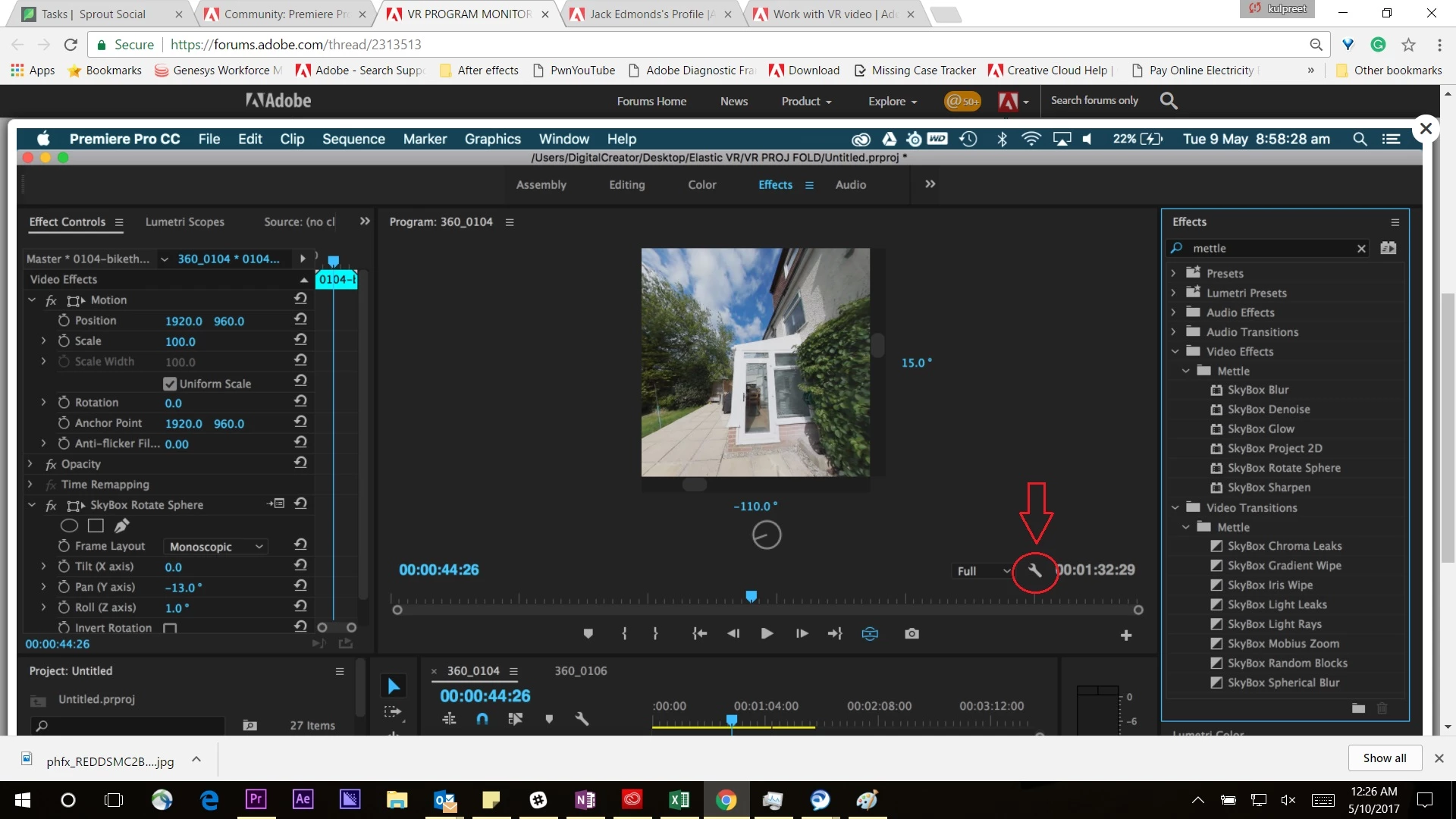
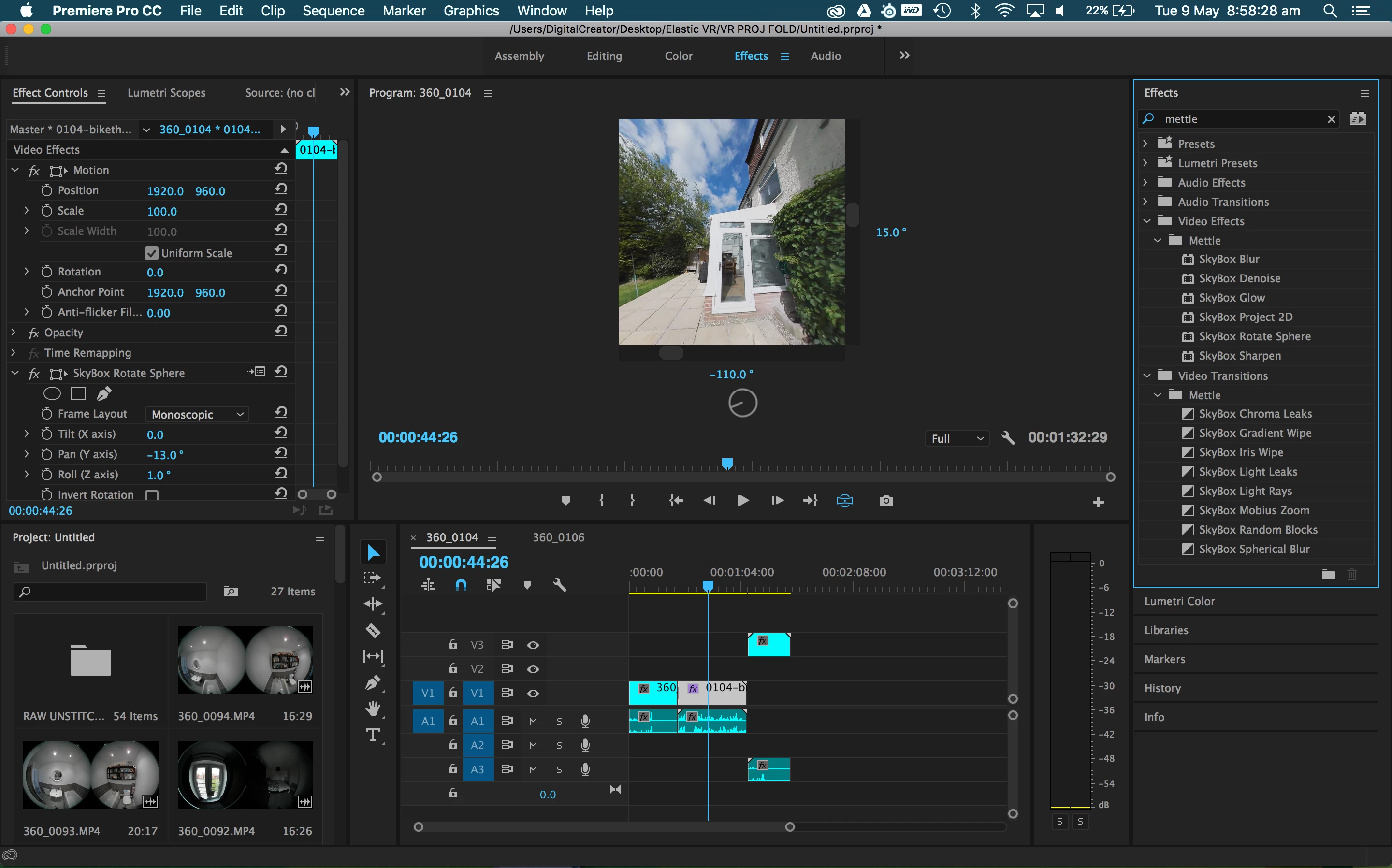
I'm having an issue with the VR display as it will only show me a 1:1 aspect ratio.

I have seen plenty of Adobe and 3rd party tutorials that all show VR mode in a standard 16:9 aspect ratio.

Any ideas?
This topic has been closed for replies.
Correct answer kulpreet singh

Hi Jackman,

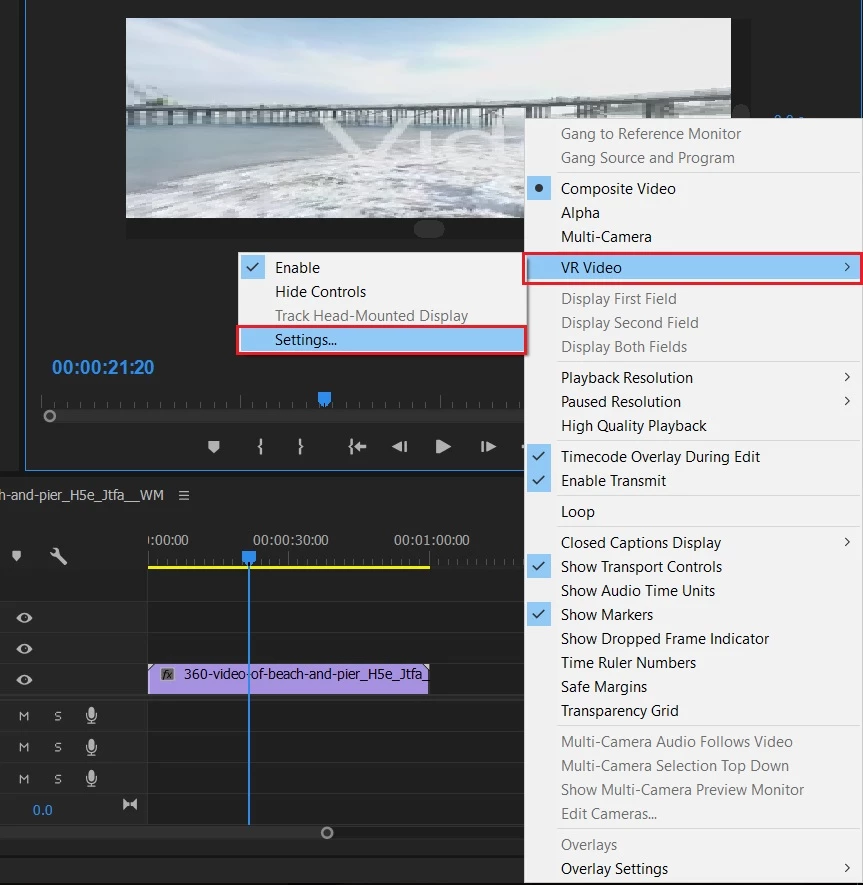
Click on the wrench icon, and adjust the monitor view in the VR video settings:

Work with VR video |

Let me know if you have any other question.

Thanks,

Kulpreet Singh

1 reply

kulpreet singh
kulpreet singhCorrect answer
Inspiring
May 9, 2017

Hi Jackman,

Click on the wrench icon, and adjust the monitor view in the VR video settings:

Work with VR video |

Let me know if you have any other question.

Thanks,

Kulpreet Singh