
digitalohm
Participant
September 3, 2017
Answered

VST Startup Scan Freezes

  • September 3, 2017
  • 2 replies
  • 3406 views

Hi,

I'm having some issues when starting adobe premier cc, it goes through the vst scanning and gets stuck on some of the plugins.  If I hit cancel the application opens up, but I have to do this each time?

I've tried disabling all the plugins in the preferences and it still scans at startup :/. Is there a way to disable VST scanning?  Removing them is not an option since I use them for audio production purposes.

I've also tried reinstalling adobe premier.

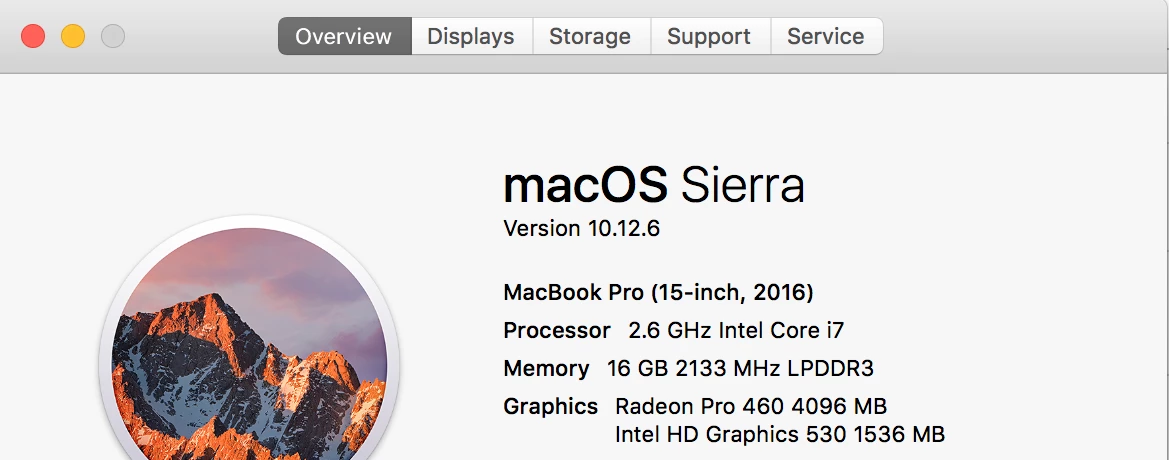
System specs and screenshots below:
This topic has been closed for replies.
Correct answer digitalohm

I was able to fix the issue.

I basically had to watch the process and see which file it was sticking on.  I had to remove two 32bit plugins from my VST directory (Valhalla DSP Plugins).  I don't need or want to use 32bit if I can avoid it, and the two removed both have 64 bit versions.  The default installer options for Valhalla installs both.

I then had to remove the Reaktor Audio Unit from the Component directory.  Since I move between PC and MAC I try to stick to VSTs as much as possible. 

Everything seems to work now with starting adobe.  I still get some crashes when closing but ill search or open a new thread for that.

2 replies

Inspiring
August 2, 2021

Actually, Adobe Premiere should be able to isolate plugins causing issue, quarantine them and then continue the scan. Scanning works in every DAW and Software I use. They all scan without issue. Only Premiere gets stuck all the time. I gave up on this feature and just keep canceling it. It's just another one of those sloopy integrations a la Adobe. 

digitalohm
digitalohmAuthorCorrect answer
Participant
September 3, 2017

I was able to fix the issue.

I basically had to watch the process and see which file it was sticking on.  I had to remove two 32bit plugins from my VST directory (Valhalla DSP Plugins).  I don't need or want to use 32bit if I can avoid it, and the two removed both have 64 bit versions.  The default installer options for Valhalla installs both.

I then had to remove the Reaktor Audio Unit from the Component directory.  Since I move between PC and MAC I try to stick to VSTs as much as possible. 

Everything seems to work now with starting adobe.  I still get some crashes when closing but ill search or open a new thread for that.