sixkiller73
Participant
September 20, 2018
Question

Warp stabilizer export bug

  • September 20, 2018
  • 4 replies
  • 1193 views

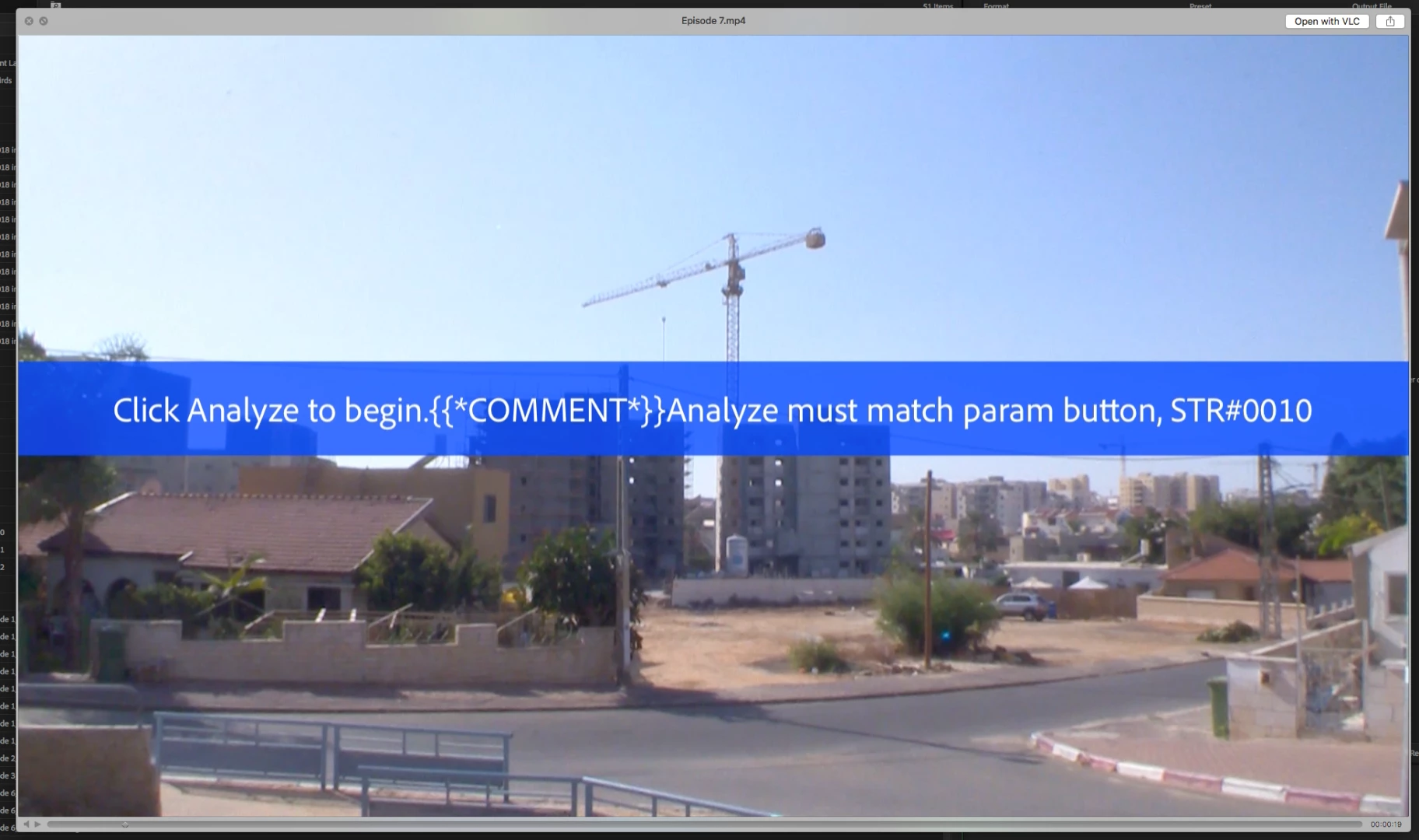
Hi, I needed several shots stabilized and I must have interrupted the analyze/stabilize process on one of the shots so it didn't complete, which is fine, but the problem is that I'm still allowed to export the sequence without an error message, instead what Premiere does is keep a banner on top of that shot and still lets me export it, without stabilizing first. This should be fixed asap, good thing I noticed it relatively fast, but this could have been a 2 hour long sequence with thousands of shots and could have gone un-noticed. If there's a fix for this I'd appreciate it.

See attached screenshot.
Thanks

This topic has been closed for replies.

4 replies

Ann Bens
Community Expert
Community Expert
October 1, 2019

Addressed? Well never seen this before so cant tell you if it has been fixed.

I am on the latest version (13.1.5) with no issues when it comes to WS

If Premiere is acting weird:

FAQ: How to reset (trash) preferences.


malbutnotbad
Inspiring
October 1, 2019

This has happened to me several times recently. And some have gotten by me to where clients were the ones pointing them out. Kind of embarassing! But I haven't updated premiere in a while because I'm in them middle of a massive project. Any idea if it's been addressed in the latest version?

Participant
December 7, 2018

It would be sooo great to have a warning: "You have un-analyzed clips in your timeline.", when you go to export something. It is really not cool to export something and than have a giant blue stripe with the "Click Analyze to begin." across the thing you thought is finished, and it maybe took you hours to export. Al that time for nothing, just becasue you don't have a simple warning. I really really hope that will change. I can just imagine how many deadlines would have been saved with this. In the end, it would be way better that the shot was unstabilyzed other then with this message.

Not sure if I got in the right topic, and sorry for my bad english.

Ann Bens
Community Expert
Community Expert
September 20, 2018

Never seen this before, and I use WS quite a lot.

You can check your timeline: WS that is not analyzed have a red render bar.

Delete clip from timeline, insert and do the WS. Then export.

sixkiller73
Participant
September 20, 2018

Yeah, I just re-analyzed it, that wasn't a problem.

But what I'm upset about is that media encoder didn't give any warnings about it.

Inspiring
September 20, 2018

I had the same error message today on an export. Using PPro 2018 on Windows 10. Today was the first time I've seen it.