
Question
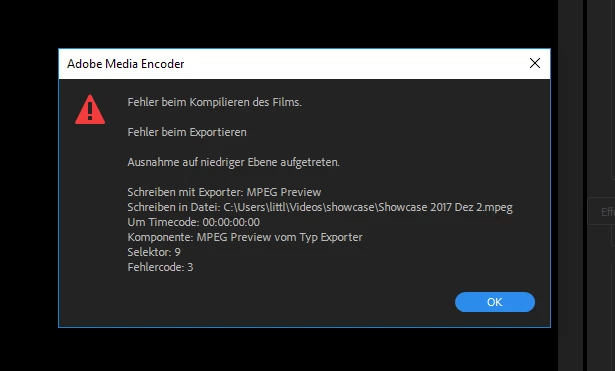
.wav file plays in very low quality when in Timeline, Error Code 3
Hello!
I recently re-subscribed to Premiere Pro CC, and I've run into this annoying issue I can't fix.
I just wanted to add a .wav audio file under my video. But it plays in the lowest quality? When played in Premiere in the "Imported media" Window, it is fine. Also when it plays in VLC, iTunes or Media Player.
Only when it is under my video in the timeline it sounds like I recorded it with my phone.
When I try to render I get Error Code 3 Section 9.
I've been googling for hours since English isnt my first language I'm very lost here.
Please help it is urgent. Thanks in advance
 AdChoices