


Participant
January 30, 2025
Answered

Waveforn part of audio clip has a different color/label from the rest of the clip

  • January 30, 2025
  • 3 replies
  • 531 views

Hey,


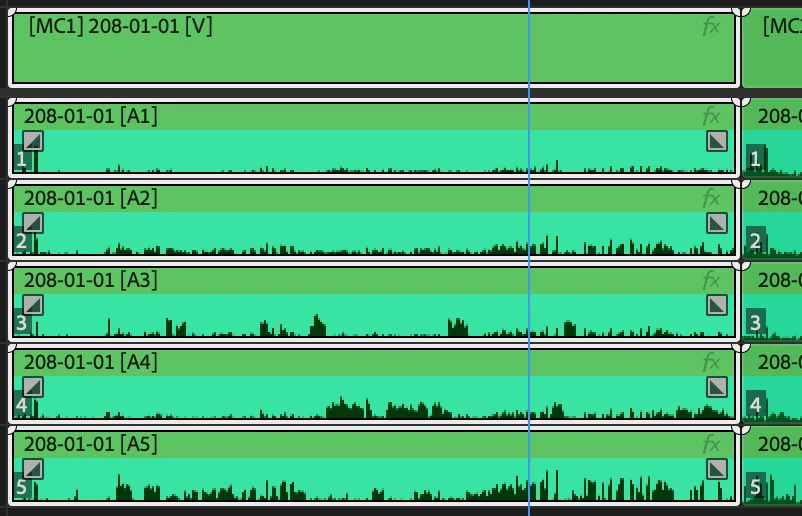
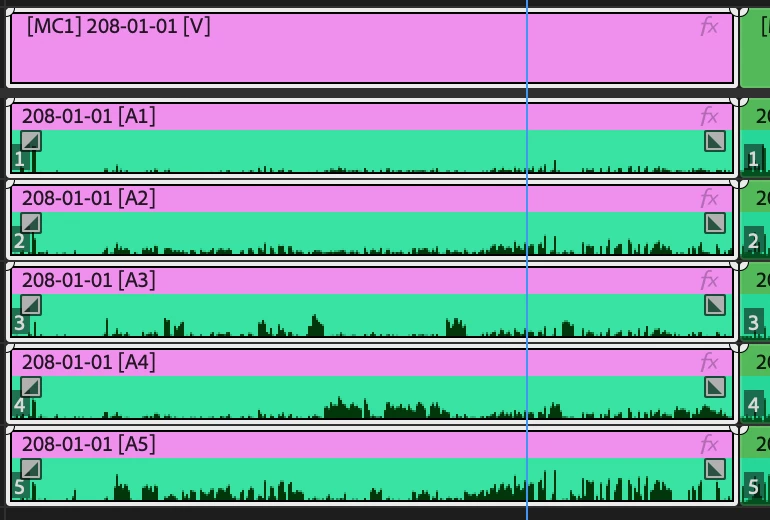
When i change the label of my Multicam clips in the timeline, it only changes part of the audioclip and keeps the defualt color on the part where the waveform is. Ill add a picture for reference.


Is there a fix for this? to make it so the whole clip is the same color?
Correct answer Ann Bens

Might want to uncheck Audio Waveform use label color in the timeline panel menu.

3 replies

Ann Bens
Community Expert
Ann BensCommunity ExpertCorrect answer
Community Expert
February 5, 2025

Might want to uncheck Audio Waveform use label color in the timeline panel menu.

Gard3nAuthor
Participant
February 6, 2025

Its actually that easy, huh? Thanks for this, its been driving me nuts for two weeks 🙂

Ishan Y
Community Manager
Community Manager
January 30, 2025

Hi there,

Sorry for the issue. Do you only see this problem in Multicam sequences? Does switching to a different workspace (Window > Workspace) make any difference? Please also let us know if you use a Windows or a macOS system. 


Thanks,

Ishan

Please tag me (@) in your replies so that it notifies me and helps me respond promptly.
Gard3nAuthor
Participant
January 31, 2025

Hi @Ishan Y 


I am on a 2022 M1 Max Mac studio running Sonoma 14.5. 


Switching workspaces does not change anything and i do have the same problem across the board (even on .wav files with no video). 


Thanks for you help!

Ishan Y
Community Manager
Community Manager
February 4, 2025

Thanks for sharing the info. Please go to Documents/Adobe/Premiere Pro/25.0 and move the Profile-username folder to another location. Launch Premiere Pro and create a new project. Let us know how it goes.

Gard3nAuthor
Participant
January 30, 2025

Sorry, i forgot to mention im on V25.1.0 (build 73)
