
Participant
April 16, 2024
Question

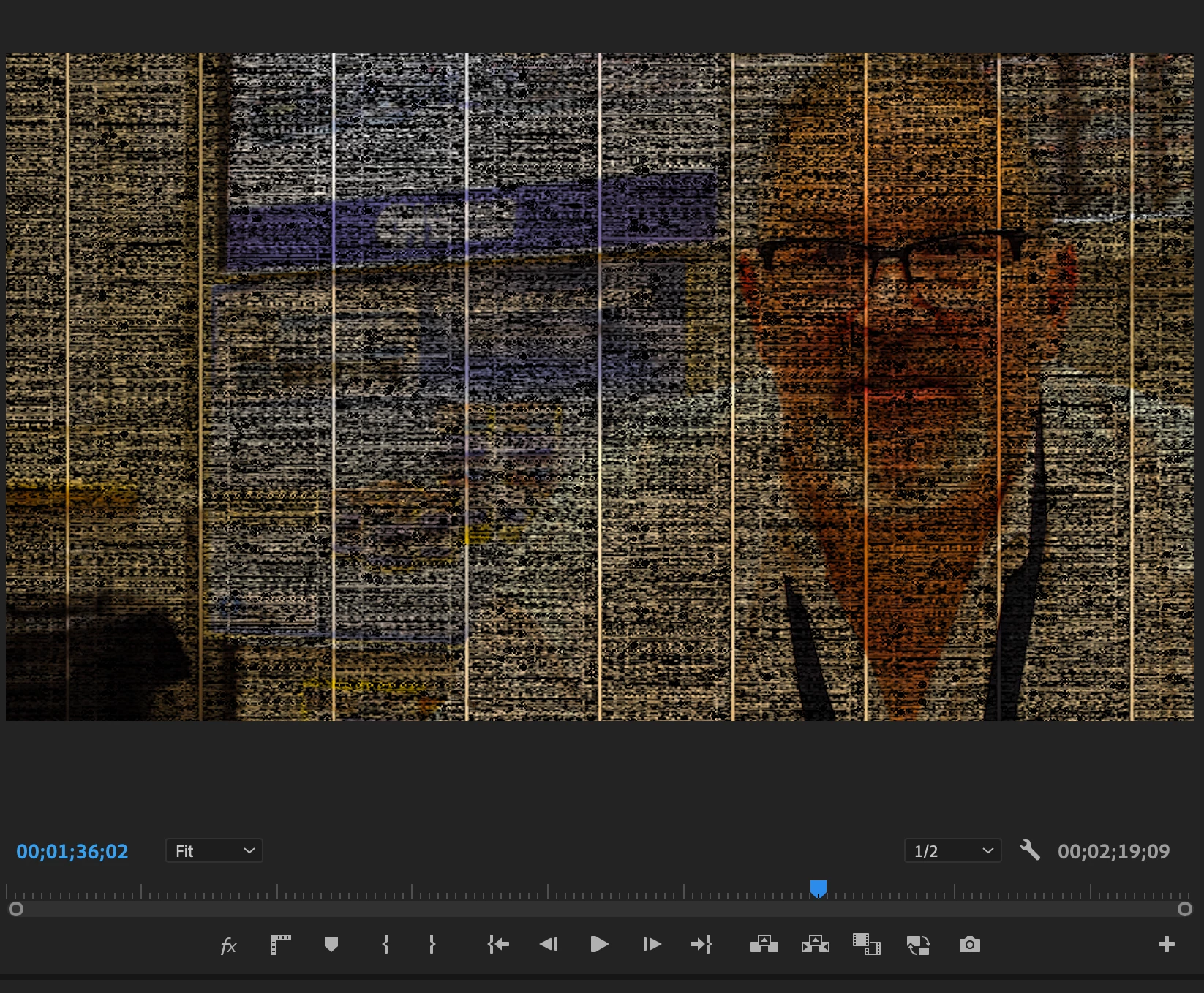
Weird playback issues, glitchy screen

  • April 16, 2024
  • 5 replies
  • 1820 views

Hi. The last week or so I've been getting strange video corruption on the playback and program monitors. The files themselves are fine, they play well outside of Premiere. The will render  with the glitches present as well. I've attached a screen shot of what it looks like. I'm using a 27" iMac, 2020. Any ideas? Thanks.
This topic has been closed for replies.

5 replies

Ishan Y
Community Manager
Community Manager
July 9, 2024

Hi there,

The engineering team is currently working on a similar issue. If restarting the system does not help, you can try changing your Renderer (File > Project Settings > General > Set the Renderer to Mercury Playback Engine Software Only). This might affect the playback performance. 


Thanks,

Ishan

Please tag me (@) in your replies so that it notifies me and helps me respond promptly.
Participant
July 9, 2024

I have the same glitch here! Started happening after updating MAC OS to Sonoma 14.5. The only thing that works for me is resetting my PRAM. It work for a few weeks, but then it comes back.

Legend
April 18, 2024

Have you installed any new programs, updated Premiere or your OS recently?  Are you running any other programs at the same time?  What peripherals do you have connected besides a mouse and keyboard and hard drive(s).   Try creating a new user account with administrative privileges and sign in to the new account and see if that fixes things...  If you need help doing this, post back...

Peru Bob
Community Expert
Community Expert
April 16, 2024

Also, please use the free MediaInfo and post a screenshot of the properties of your media in tree view:
https://mediaarea.net/en/MediaInfo

Many users are having issues with VFR. If the file is variable frame rate, use Handbrake to convert to constant frame rate before importing into Premiere Pro:
https://handbrake.fr/downloads.php
Here is a tutorial:
https://www.youtube.com/watch?time_continue=34&v=xlvxgVREX-Y

Shutter Encoder may also be used to convert to Constant Frame Rate:
https://www.shutterencoder.com/en/

andyfilmAuthor
Participant
April 17, 2024

Thanks for the replies. I tried everything you suggested and it would work for a few minutes then start slowing down showing the screen glitches, like the attached. The source file doesn't matter, I've tried every file type, format, etc. 

Peru Bob
Community Expert
Community Expert
April 17, 2024

Is your operating system up to date?

Try updating.

Peru Bob
Community Expert
Community Expert
April 16, 2024

Delete the Media Cache and Media Cache files:
https://community.adobe.com/t5/premiere-pro/faq-how-to-clear-your-media-cache-in-30-seconds-in-premiere-pro-2020/m-p/11017257/thread-id/260446?page=1

If that doesn't work, try resetting the preferences:
https://community.adobe.com/t5/premiere-pro/faq-how-to-reset-trash-preferences-in-premiere-pro/td-p/8236158?page=1

If that doesn't work, try resetting the Workspaces:
Reset a workspace
Reset the current workspace to return to its original, saved layout of panels.
1. Do one of the following:
• Click the Workspace menu icon and select Reset to Saved Layout.
• Choose Window > Workspace > Reset to Saved Layout.
from here:
https://helpx.adobe.com/premiere-pro/using/workspaces.html

If that doesn't work, try Preferences > Audio Hardware and set Input to None.

If that doesn't work, try creating a new project and import the old one into it.