Kevin-Monahan
Community Manager
Community Manager
July 20, 2021
Question

Welcome to Premiere Pro 15.4!

  • July 20, 2021
  • 9 replies
  • 13875 views

Welcome to Premiere Pro 15.4!


Hello and welcome to July release of Premiere Pro! Premiere Pro 15.4 is now available for download from the Creative Cloud desktop app. Premiere Pro 15.4 introduces Speech to Text, the first integrated and automated workflow for adding and customizing captions for video. This release also adds native support for Apple M1 devices, new tools for stylizing titles and captions, and other workflow improvements that help you work faster and deliver content that connects with your audience.


This update is recommended for all users. 


If you are experiencing any issues, please create a new post explaining your issue so we can help.

If you have a bug to report or any complaint, please do that on User Voice. 


New Features in Premiere Pro 15.4
Speech to Text

The industry’s only integrated NLE solution for captioning videos, includes automated transcription, a dedicated Captions track on the Timeline, design tools for customizing captions, and a full range of export options.
More info
 

Transcript editing tools

Review and edit transcripts easily, with tools like search and replace, insert pauses, the ability to distinguish between speakers, and an option to export text files from the Transcript panel.
More info


Generate captions automatically

Powered by Adobe Sensei, Speech to Text transforms transcripts into caption items on the timeline, matching the pacing of your dialog. If needed, you can apply broadcast captioning presets or create your own.
More info


Native support for Apple M1 computers

For macOS users, everything is faster on the Apple M1 - from launch times to export, and editing is buttery smooth. Premiere Pro allows you to take advantage of the latest hardware advances.
More info


New titling and caption tools

Even more tools for stylizing text and captions, including multiple shadows for text, text background enhancements, and expanded font substitution for 28 different international alphabets.
More info


Upgrade Legacy Titles to Source Graphics

Convert Legacy Titles into Source Graphics within your Premiere Pro projects. Source Graphics are displayed in the Project panel where you can track and sort them like any other project item. 
More Info


Color improvements: Tetrahedral LUT interpolation

Tetrahedral LUT interpolation in Premiere Pro offers more precise interpretation of color information for better consistency when grading footage with difficult lighting conditions, such as strong shadows and highlights in the same shot, and reducing the chances of introducing banding during post-production.
More info


Faster Team Projects

Premiere Pro offers faster saving for Team Projects, thanks to a lean new project file structure. Now in public Beta, progressive project loading means you can start working faster after opening existing projects and improved media relinking makes it easier to keep local assets organized..
More info

Label colors and clip names

Customize label colors and clip names on the timeline with the option of  limiting the change to the current sequence, or applying the change to your source media – helpful for editors working on shared Productions.
More info


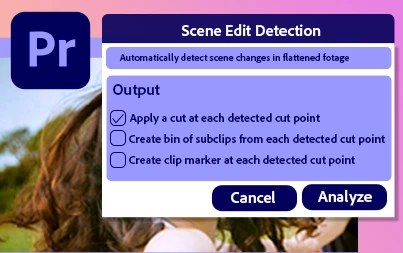
Faster Scene Edit Detection

Scene Edit Detection, powered by Adobe Sensei, is up to 2x faster on macOS and Windows, and 3X faster on Apple M1 devices.
More info

Automatic audio device switching

Premiere Pro on Windows now detects changes and switches automatically when you swap out audio devices, such as interfaces, microphones, or headphones.
More info

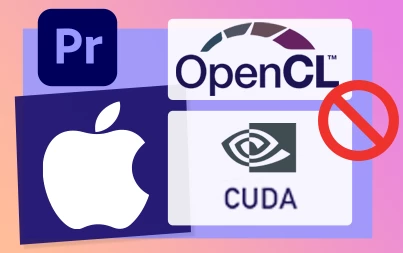
Discontinued CUDA and OpenCL support on macOS

As macOS moves towards modern Metal-based graphics, we are discontinuing our support for CUDA and OpenCL graphics.

More info


Complete documentation for 15.4 features

New Features

Fixed Issues

Known issues

This topic has been closed for replies.

9 replies

Randune23
Inspiring
September 1, 2021

Label colors and clip names

Customize label colors and clip names on the timeline with the option of  limiting the change to the current sequence, or applying the change to your source media – helpful for editors working on shared Productions.


I don't know why they even included this in the big 15.4 rollout...we've been able to do this for YEARS!  Right click on clip, go to label, and change the color.  Or am I missing something Kevin?


Randy

R Neil Haugen
Legend
September 3, 2021

You missed a key point ... this was for Productions work, not stand-alone projects. So yea, you missed something.


In Productions, they were looking at an issue where if someone changed their pref for this, and modded label colors, it would mod them for all others working in the same project. Ticking off other editors royally, right?


So in Productions, you were had limits to what label changes you could do. Which solved the above problem, but created others.


So now ... they're letting the users decide in Productions projects. (And perhaps fight it out within a team ... lol.)


Neil

Everyone's mileage always varies ...
Legend
August 18, 2021

Kevin, hello! 
I really want that when viewing in the viewing window, when the frame is cropped, the function of displaying the sound wave is added. Determining the entry/exit points would be as accurate as possible. Now you are flipping through the game head for a very long time to focus the right place for cropping. This function is needed to prioritize the selection of material and display it in the preview window.

Kevin-Monahan
Community Manager
Community Manager
August 18, 2021

Great feature request, Baffy. Make that here, please.


Thanks,
Kevin

Kevin Monahan - Sr. Community & Engagement Strategist – Pro Video and Audio
Participant
August 18, 2021

你好,我的转录文字功能为什么显示收到不良网络

Kevin-Monahan
Community Manager
Community Manager
August 18, 2021

Hi,

Sorry for the issue. Please refer to this FAQ.


Regards,
Kevin

Kevin Monahan - Sr. Community & Engagement Strategist – Pro Video and Audio
Participant
August 17, 2021

How do I get this update? Have tried everything to prompt the update but nothing. Still shows 15.2. 


I could really do with the transcribing feature for a project, especially as you removed it from 15.2!

Kevin-Monahan
Community Manager
Community Manager
August 17, 2021

Hi there,

Sorry for the issue. Have you tried signing out of the Creative Cloud app and then signing back in?


Thanks,
Kevin

Kevin Monahan - Sr. Community & Engagement Strategist – Pro Video and Audio
Participant
August 18, 2021

I have tried uninstalling premiere and restarting, signing out and in. Uninstalling everything, and uninstalling creative cloud and sownloading the lastest one.

Still wont show me 15.4 😞 

Loft54
Known Participant
August 10, 2021

And it does not work with BM Ultra Studio 3G Monitor. Just informed by Adobe tech support!!

gdwalton
Participating Frequently
August 3, 2021

Hello -  Does the 15.4 update completely remove legacy titles?  I'd like to ease my way in project-by-project with the "upgrade" command.  But in the middle of too many things right now to take the full plunge.  Is it safe to upgrade still?

Kevin-Monahan
Community Manager
Community Manager
August 5, 2021

Hi GD, 

No, it's still included along with obsolete video effects and other items you need to carry your projects forward. It's a great idea to ease out of the old and into the new. Let me know if you need any help with strategies for migration moving forward. Only too happy to help.


Thanks,
Kevin

Kevin Monahan - Sr. Community & Engagement Strategist – Pro Video and Audio
Legend
August 17, 2021

Kevin, hello.
Consider getting rid of the old text already. It's time to make the product more modern and reliable.
With respect.

JamisonArgent
Participating Frequently
July 21, 2021

Automatic audio device switching

Premiere Pro on Windows now detects changes and switches automatically when you swap out audio devices, such as interfaces, microphones, or headphones.

More info

Finally! By far my favourite feature. Now I can edit away with my headphones and when the boss asks me how it's going, I can just pull out my headphones and play the preview!

Kevin-Monahan
Community Manager
Community Manager
July 22, 2021

JA,
I'll pass along the kudos. This is going to solve a lot of troubleshooting sound problems for everyone, as well. I'm glad of that!

Kevin

Kevin Monahan - Sr. Community & Engagement Strategist – Pro Video and Audio
Inspiring
August 14, 2021

Kevin,


Will Premiere run well on an M1 macbook air and/or mac mini?


John Putch

Mo Moolla
Legend
July 21, 2021

Discontinued CUDA and OpenCL support on macOS

As macOS moves towards modern Metal-based graphics, we are discontinuing our support for CUDA and OpenCL graphics.


So first Mac Pro users had to get Radeon cards because of zero support for Nvidia and now this?

It seems older mac hardware is pretty much going to obsolete because of the M1.


Sad day indeed as new hardware costs a small fortune


Mo

FlyingFourFun
Inspiring
July 21, 2021

The same is coming for Windows/Intel machines.  Nvidia has been showing off arm processers with RTX 3070 like video cards.   A shift in the ground below is within site of the horizon.  Might work out that Adobe software is 'as a service' / subscription based as the hardware changes out.  I hope that doesn't give them ideas to change the subscription to tie it to platform.

Community Expert
July 20, 2021
-------------------------------------------------------------------------JVK | Editor/Designer/Software Instructor. Pr, Ae, Ch, Ps, Ai, Id