

Welcome to Premiere Pro 22.2!
Welcome to Premiere Pro 22.2!

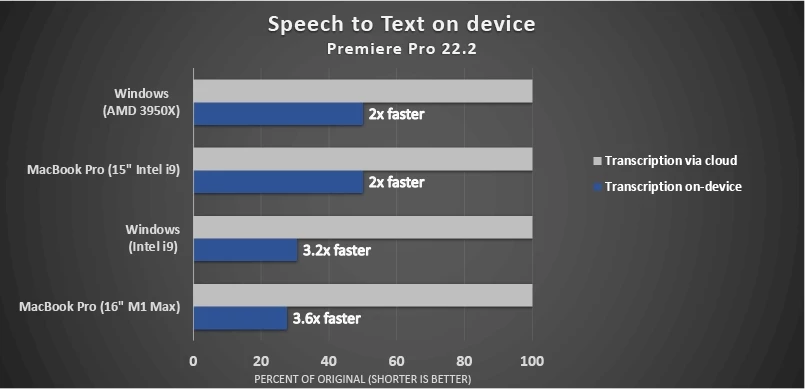
Hello and welcome to the February release of Premiere Pro! Premiere Pro 22.2 is now available for download from the Creative Cloud desktop app. With the new " Remix " feature, Premiere Pro 22.2 helps you remix audio tracks to custom lengths. This release also improves new efficiencies for professional speech-to-text workflows by allowing you to work offline with downloaded libraries. It's now up to three times faster. Check out recent hardware acceleration for 10-bit 4:2:0 HEVC on Intel CPU/GPU and NVIDIA GPU systems on Windows, along with other performance enhancements.
This update is recommended for all users.
If you are experiencing any issues, please create a new post explaining your problem rather than placing it here so that we can help. If you have a bug to report or any complaint, please do that on User Voice.
New Features in Premiere Pro 22.2
Editing and Workflow
Premiere Pro version 22.2 introduces Remix for retiming music to match video content, faster Speech to Text, performance enhancements, and a whole lot more!
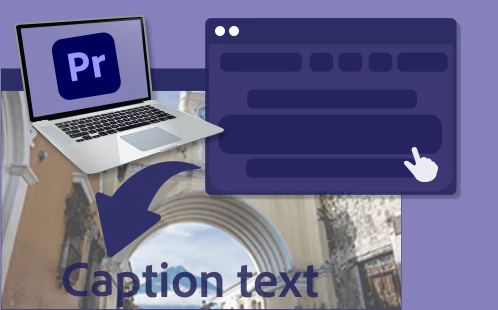
Speech to Text on-device lets you work without an internet connection, generating transcriptions up to 3x faster.
Remix, powered by Adobe Sensei
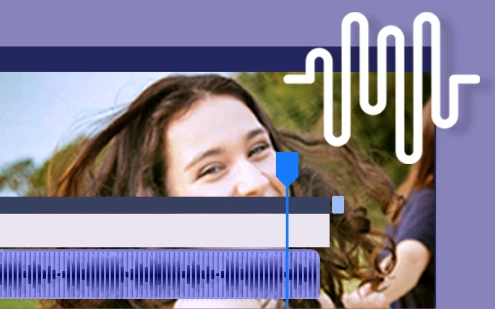
Use Remix to retime songs so that your music matches your videos intelligently. Remix analyzes a song and creates a new arrangement in seconds.

Newly GPU-accelerated effects include Linear Wipe and Block Dissolve.

Premiere Pro automatically adjusts the fullscreen display to account for the notch in 2021 MacBook Pro models.

This release includes support for footage from the new Canon EOS R5 C camera.
Performance improvements
Check out the following performance improvements in Premiere Pro 22.2.
Faster 420 HEVC exports on Windows
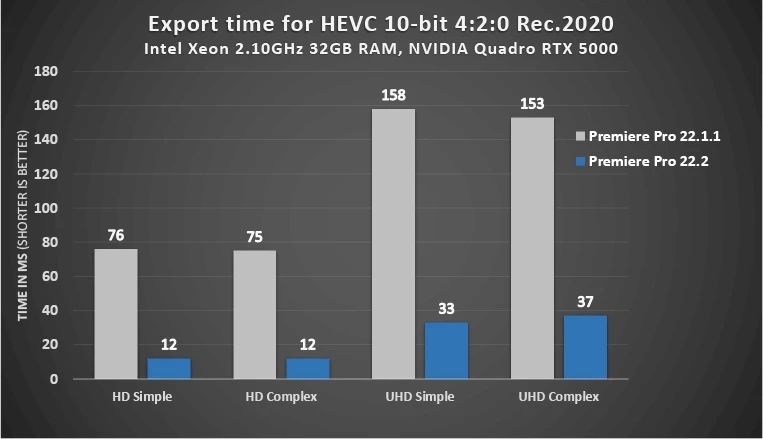
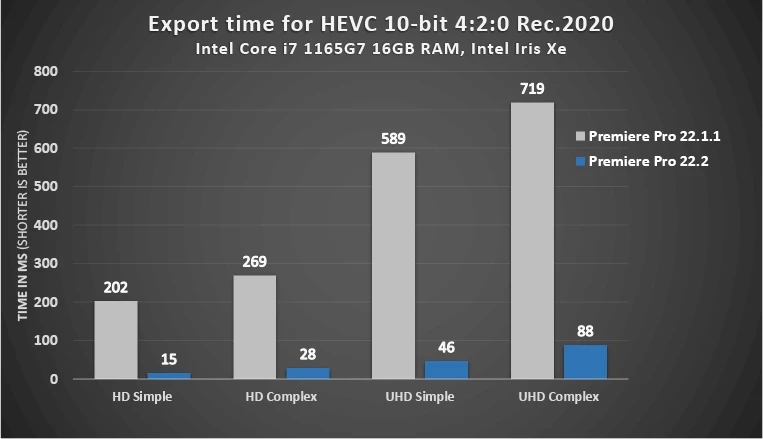
Thanks to new hardware encoding, 10-bit 420 HDR footage exports are now up to 10x faster on Windows systems with Intel or NVIDIA GPUs.
Premiere Pro Beta
Here are some of the many new features currently found in Premiere Pro Beta!
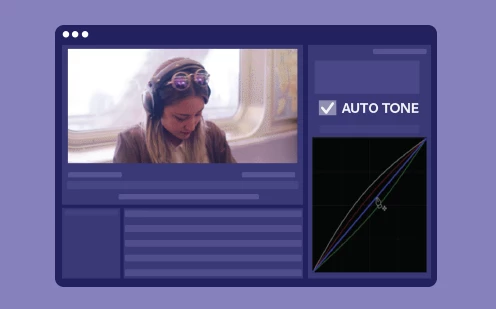
Auto Tone uses new technology to apply intelligent color corrections in the Lumetri Color panel. Auto Tone adjustments are reflected in the Lumetri sliders so that you can fine-tune the results.

Improvements for new Import mode
In Premiere Pro (Beta), the new import mode includes UI refinements, sorting options, marquee selection, a playhead for scrubbing thumbnails, copying import files, and more.


 AdChoices