
bartonlew
Legend
March 21, 2022
Answered

what controls zoom and pan speed?

  • March 21, 2022
  • 4 replies
  • 1948 views

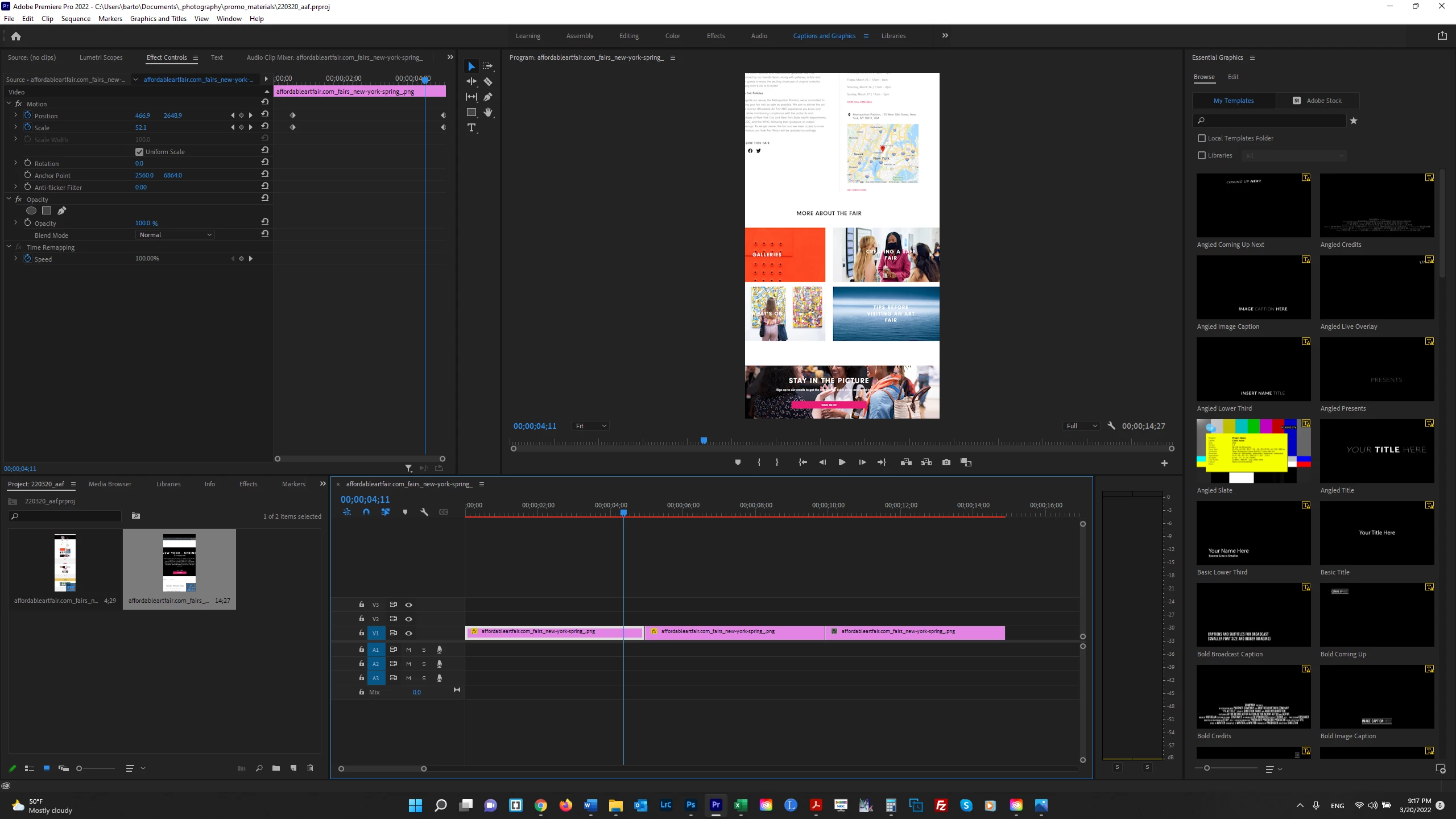
I am zooming out and vertically and horizontally panning on a still image; as the timeline runs, the rate of the zoom/pan increases so that it's a good bit faster towards the end.  What controls the *rate* at which the pan and zoom occur and why isn't it even between those 2 points?  My assumption is it has something to do with how Position and Scale work together but I really don't know.  Thank you!


This topic has been closed for replies.
Correct answer R Neil Haugen

Zoom and pan and other effects like that are complex enough you really should go through the help files on using them .


The controls of course are in the Effects Contol Panel, and that's where you control keyframe behavior for the type of "easing" you want, if you want faster/slower motion and sucn.


Neil

4 replies

Community Expert
March 22, 2022

you can twirl down the arrows for any keyframed property and adjust the animation curves

just like the graph editor in after effects.


as Ann mentioned, you can also keyframe the Transform Effect properties instead of Motion properties,

since you can also add the Transform to an adjustment layer that affects the clip under, so you can

set up a transform on the clip, then another one on the adjustment, one for zooming and another

for a faster zooming... it needs some practice, with lot of trials and errors, but it is definitely achievable.


and don't forget about Time Remapping

bartonlew
bartonlewAuthor
Legend
March 24, 2022

Thanks.  I think I need a good tutorial on how to use these various tools.  Maybe I can find something on youtube.  

Participant
March 24, 2023

The simplest solution is to change Preferences (Edit->Prefences->Timeline->Timeline->Still Images Duration Time).
By default it is 6 sec. If you set time=12 sec, it will slow down the panning and zooming speed in two times, Time=18 sec - three times slower, etc.

Richard van den Boogaard
Community Expert
Community Expert
March 21, 2022

Please select both point and use the context menu (right click on a PC) to see what type of animation is happening. If it is set to linear, the level of pan/zoom should be just that. If it is set to Bezier, an S-curve will be applied.


Hope this helps.

bartonlew
bartonlewAuthor
Legend
March 24, 2022

Thanks.  The uneven pan/zoom rate is happening regardless of what type of animation is chosen.  I probably need to do something else.  But thank you.  

Ann Bens
Community Expert
Community Expert
March 21, 2022

Try and use the Transform effect instead of the properties in Motion.

Or split the properties: position in Motion and Scale in Transform effect or vv.

R Neil Haugen
R Neil HaugenCorrect answer
Legend
March 21, 2022

Zoom and pan and other effects like that are complex enough you really should go through the help files on using them .


The controls of course are in the Effects Contol Panel, and that's where you control keyframe behavior for the type of "easing" you want, if you want faster/slower motion and sucn.


Neil

Everyone's mileage always varies ...