Answered
What do these numbers mean?
These numbers just appeared in my clips. Just wondering what I did to cause them.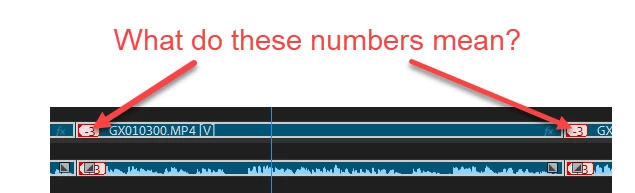

These numbers just appeared in my clips. Just wondering what I did to cause them.
You don't need to unlink them, with nothing selected, alt-click the audio or video track you want to move, and then alt-left or right arrow to nudge the clip into sync. Also, if you right-click the out of sync marker you can select one of the options to put it back into sync.
Already have an account? Login
Enter your E-mail address. We'll send you an e-mail with instructions to reset your password.
 AdChoices