Known Participant
October 2, 2019
Question

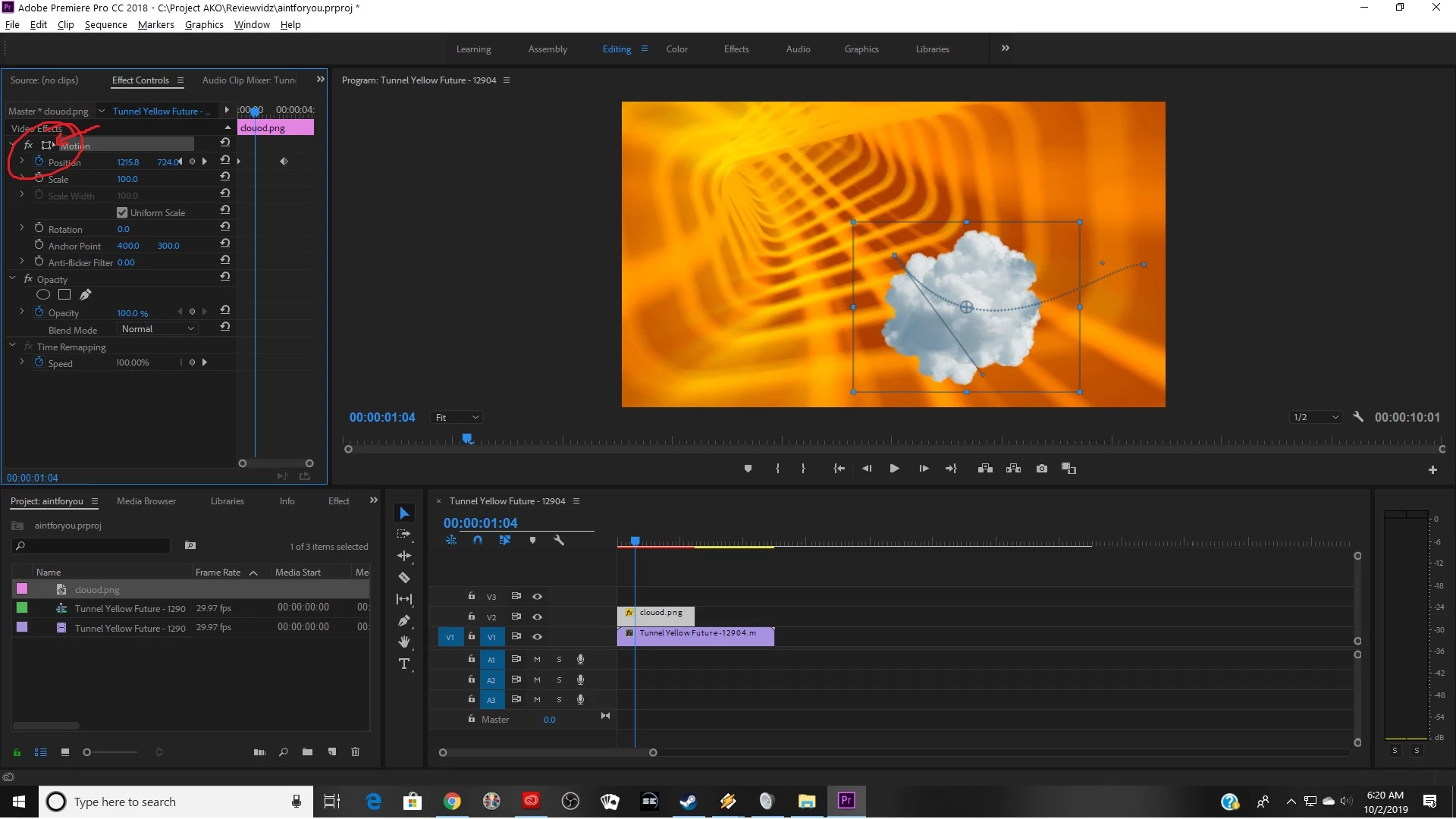
What happened to the motion transformation icon in Pr2019?
  • October 2, 2019
  • 2 replies
  • 601 views

The thing in the red circle, I see it in older verison of Preimere Pro (2018) but when I open up the 2019 edition, it has somehow vapourized. 

Im trying to see the motion path in cc2019 but afaik the only way to see the motion path is to have that icon clicked. I have a feeling this is blissfully obvious but I cant figure it out. Helpe!

    This topic has been closed for replies.

    2 replies

    Ann Bens
    Community Expert
    Community Expert
    October 2, 2019

    Make sure in your OS the display is set to 100% or the recommended scale. (125% is usually a no show).

    You can also resize the program window manually to make the wireframe appear.

    Known Participant
    October 2, 2019

    That might be my issue. Thank you very much! I'll try that.

    edit: Yep, that was it. For now i just did the short workaround of rezizing the window as needed. Really appreciate you 🙂

    Ann Bens
    Community Expert
    Community Expert
    October 2, 2019

    Gone: just click on the word Motion or the entire line which is basically the same as the transform icon.

    Known Participant
    October 2, 2019
    Hm. . . so when I click motion, no motion path is displayed. . when you click motion i assume, the motion path is displayed as it is in this picture?