S_ A
Inspiring
March 3, 2025
Answered

What is the definition of source file?

  • March 3, 2025
  • 1 reply
  • 819 views

Hi, I am having difficulty understanding something. 


I am learning about Master clip color correction. So the tutor duplicated a sequence, and he cuts it into several pieces and he named it 'multiple clip', and then he goes back into the source- lumetri color and if he changes it's lumetri it affetcs all the pieces in the time line. and he also gets red lines under the fx of all those pieces. 


now here where am lost. 


suppose in my priemer pro  the main  sequence's name is 'A'  and  duplicated one's name is 'Z', and I cut Z  into several pieces.... .  now  in my case which one is the master clip and which one is the source file? 

A= the original one= master clip and also source file?


Or


B= the duplicate one = master clip, not source file. 


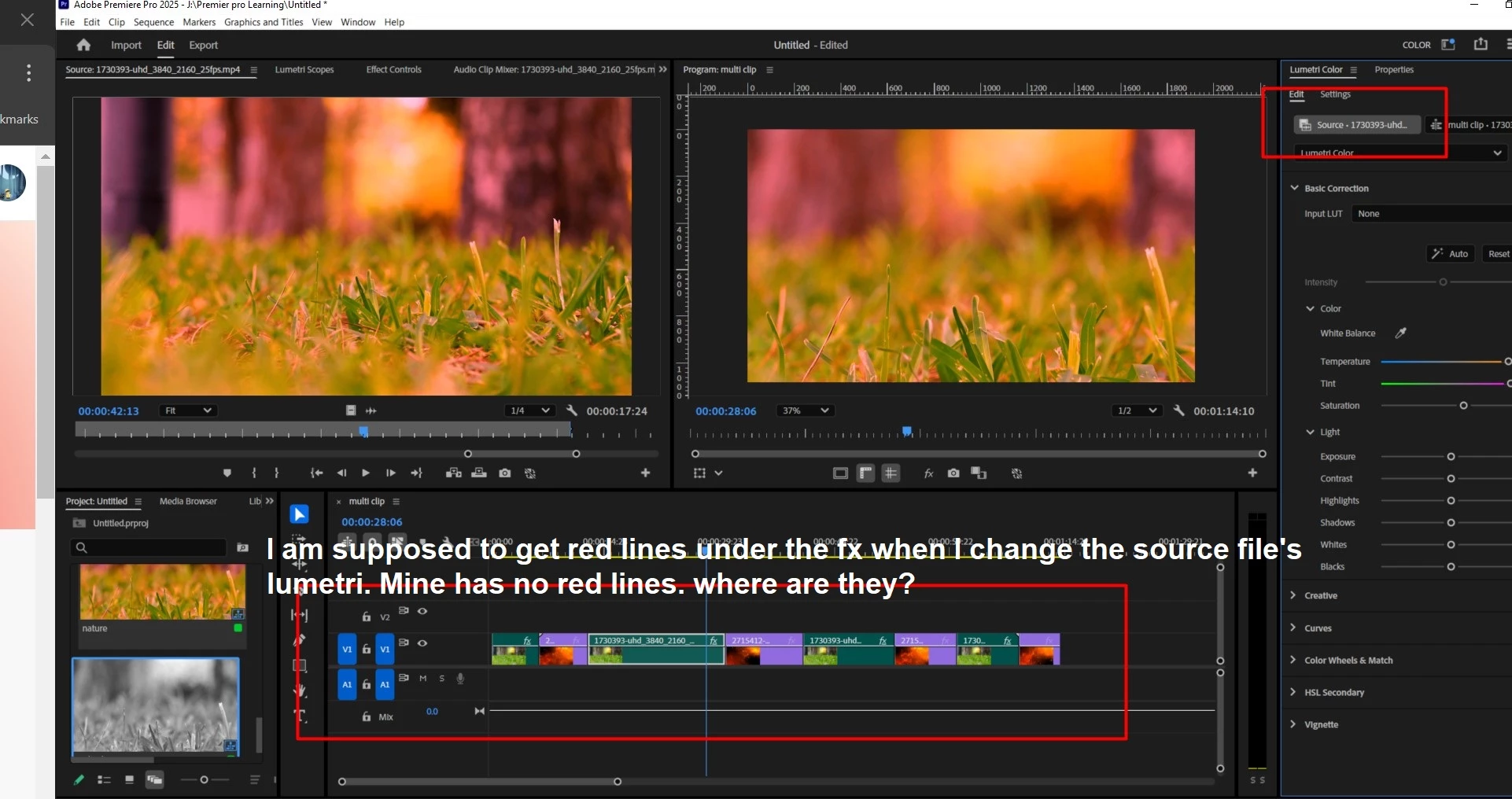
and also I am not having any red lines under my fx  in time line panel. I want the red lines. What I have to do to get it?
thank you.


Correct answer Ann Bens

In 2025 you do not get a red line rather a black line for the source clip effect as shown in your screenshot.

When following tutorials, make sure they match the version you are using.

Premiere changes rapidly.


Might want to read this doc on how the Source Clip Effect works

https://helpx.adobe.com/premiere-pro/using/master-clip-effects.html?x-product=Helpx%2F1.0.0&x-product-location=Search%3AForums%3Alink%2F3.6.6


1 reply

Kevin J. Monahan Jr.
Community Manager
Community Manager
March 3, 2025

Hi @S_ A,

Thanks for the question. Can you give us more information about your system and media? Let us know, so we can help.


Thanks,
Kevin


Kevin Monahan - Sr. Community and Engagement Strategist – Adobe Pro Video and Audio
S_ A
S_ AAuthor
Inspiring
March 3, 2025

Hello,


I am using adobe premier pro 25 and and My system is Windows 10.


Thank you. 

Kevin J. Monahan Jr.
Community Manager
Community Manager
March 3, 2025

And what kind of media (the camera you shot with, the format it recorded, etc.)? Thanks for the information.


Kevin


Kevin Monahan - Sr. Community and Engagement Strategist – Adobe Pro Video and Audio