


what’s the best way to make proxies that don’t bake in the wrong color space in Media Encoder?
The Apple ProRes 422 Proxy preset that I usually use on my footage is locked into a color space which doesn’t work for the footage. If I make proxies like that, the overexposure gets baked in and whatever Color settings I have on source clips or sequence settings will fail to right them. This is especially crucial because I’m working in a workflow where I will hand the project off to the editor with proxies only for them to cut (low budget project, all of the footage of the feature cannot fit on one drive)
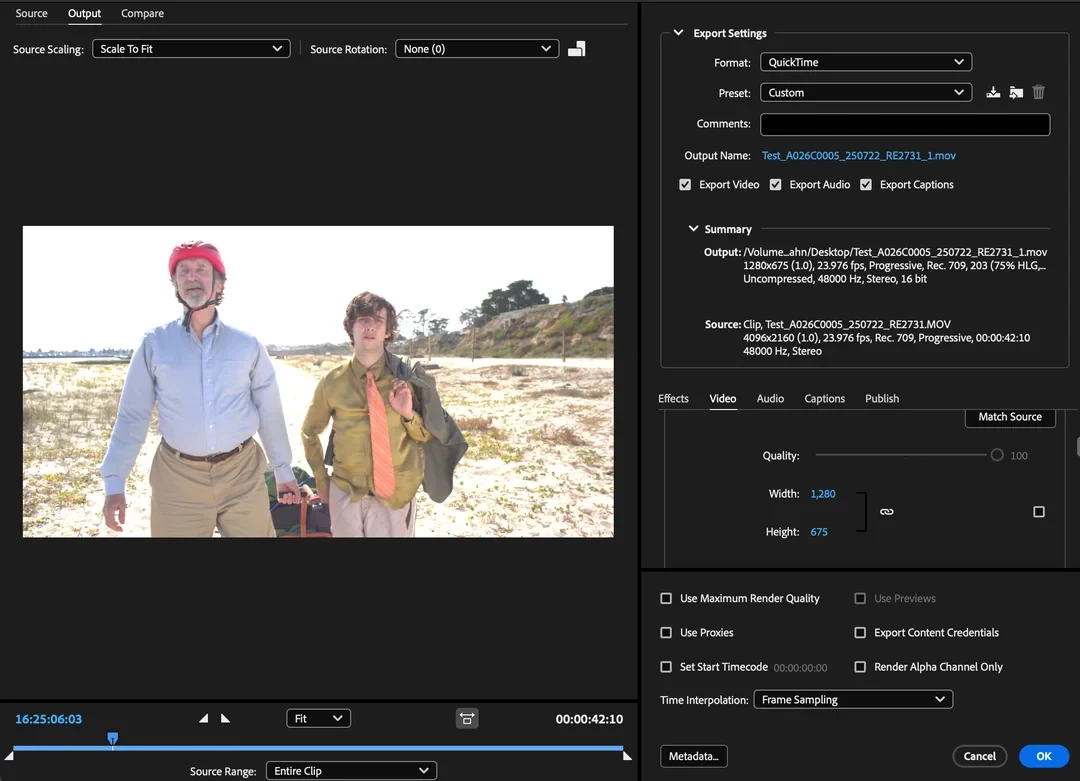
The overexposed look baked into proxies using the preset Apple ProRes 422 Proxy with dimensions downscaled to 1,280x675.
The only settings that allow the export color space to be changed are the non-proxy presets meant for transcoding. IE this Adobe Stock 4K DCI with Audio (Apple ProRes 422 HQ), where I change the Export Color Space to Rec 2100 PQ to get the raw, flat look (which then creates a proxy which works better with the Auto Detect project setting in Lumetri Color). Even when I set that proxy’s dimensions to 1280x675, the proxy export is still 1.4 GB large which feels much larger than it should be for a proxy - with the original overexposed Apple ProRess 422 Proxy preset, the same video was only 290 MB.
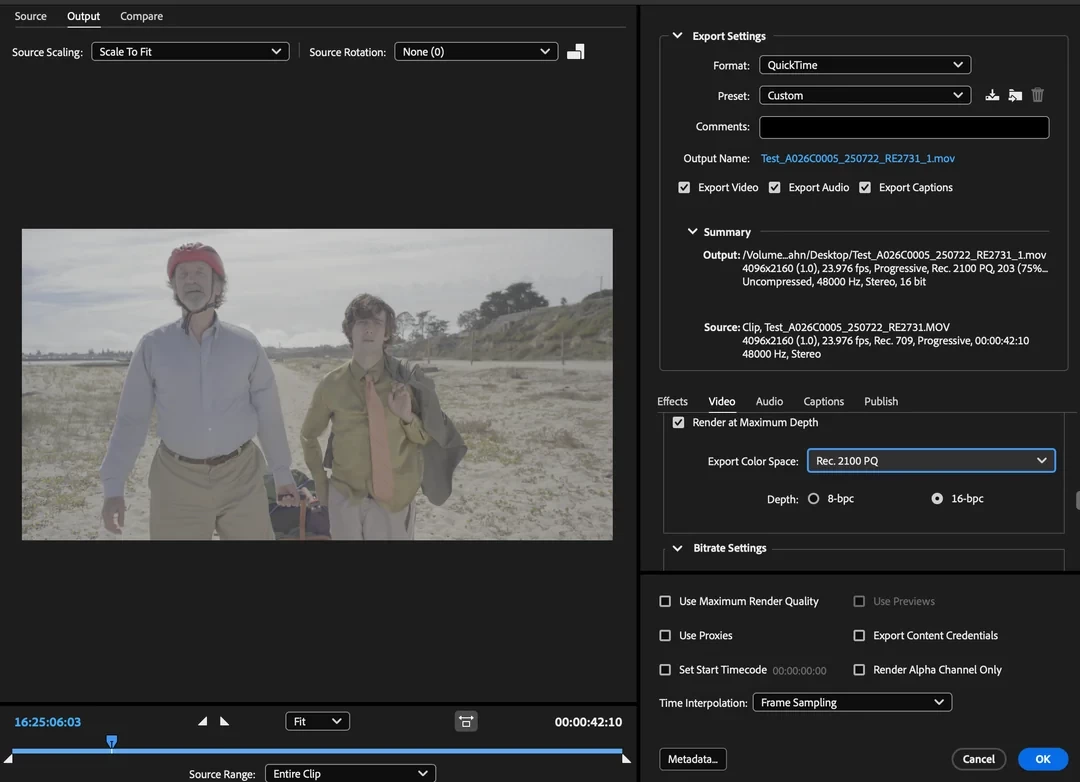
The raw color space preserved but makes too large a proxy even at 1280x675.
TLDR: what’s the best way to make proxies that don’t bake in the wrong color space in Media Encoder?
Computer Specs:
Apple M2 MacBook Pro; MacOS Tahoe 26.2; GPU; Bus: Built-In; Total Number of Cores: 10
Premiere Version:
26.0.0 (Build 72)
Media Encoder Version:
26.0
Footage:
Ronin 4D 8K Camera; stored on HDD external drive, ProRes (RAWHQ)
Ultimate goal is to have the proxies and project file on an SSD once all the proxies are made on the HDDs and brought over. Will only online with the original media and those HDDs after picture lock.
 AdChoices