
Participant
June 24, 2017
Answered

When importing files, how do i sort by filename?

  • June 24, 2017
  • 2 replies
  • 3676 views

Whenever I import my files into Premiere, it doesn't seem to arrange the files properly by filename
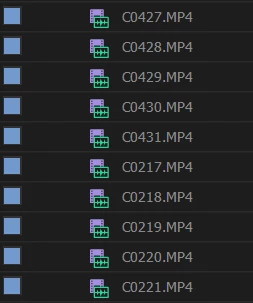
From file C0431 it back tracked to C0217
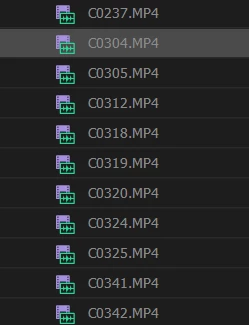
Then from file C0237 it skipped to C0304 then skips again files.

Premiere doesn't seem to have a "sort by filename" tab like Windows

I want my files to appear chronological and sorted by filename, how do i fix this?

Thank you
    This topic has been closed for replies.
    Correct answer Ann Bens

    2 replies

    Ann Bens
    Community Expert
    Ann BensCommunity ExpertCorrect answer
    Community Expert
    June 24, 2017

    R Neil Haugen
    Legend
    June 24, 2017

    In the Project panel. Enlarge it with the grave/tilde key. Then in the lower left corner are the two icons for whether it shows thumb or list view, and make sure you're in list view.

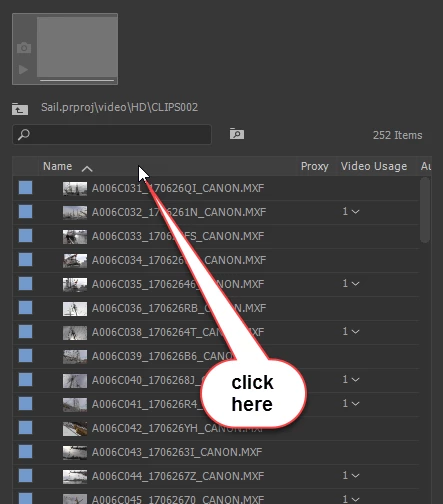
    Then just click On any column header and it will sort by that column.

    Neil

    Everyone's mileage always varies ...