



Karolina25455503d5g7
Inspiring
February 6, 2026
Answered

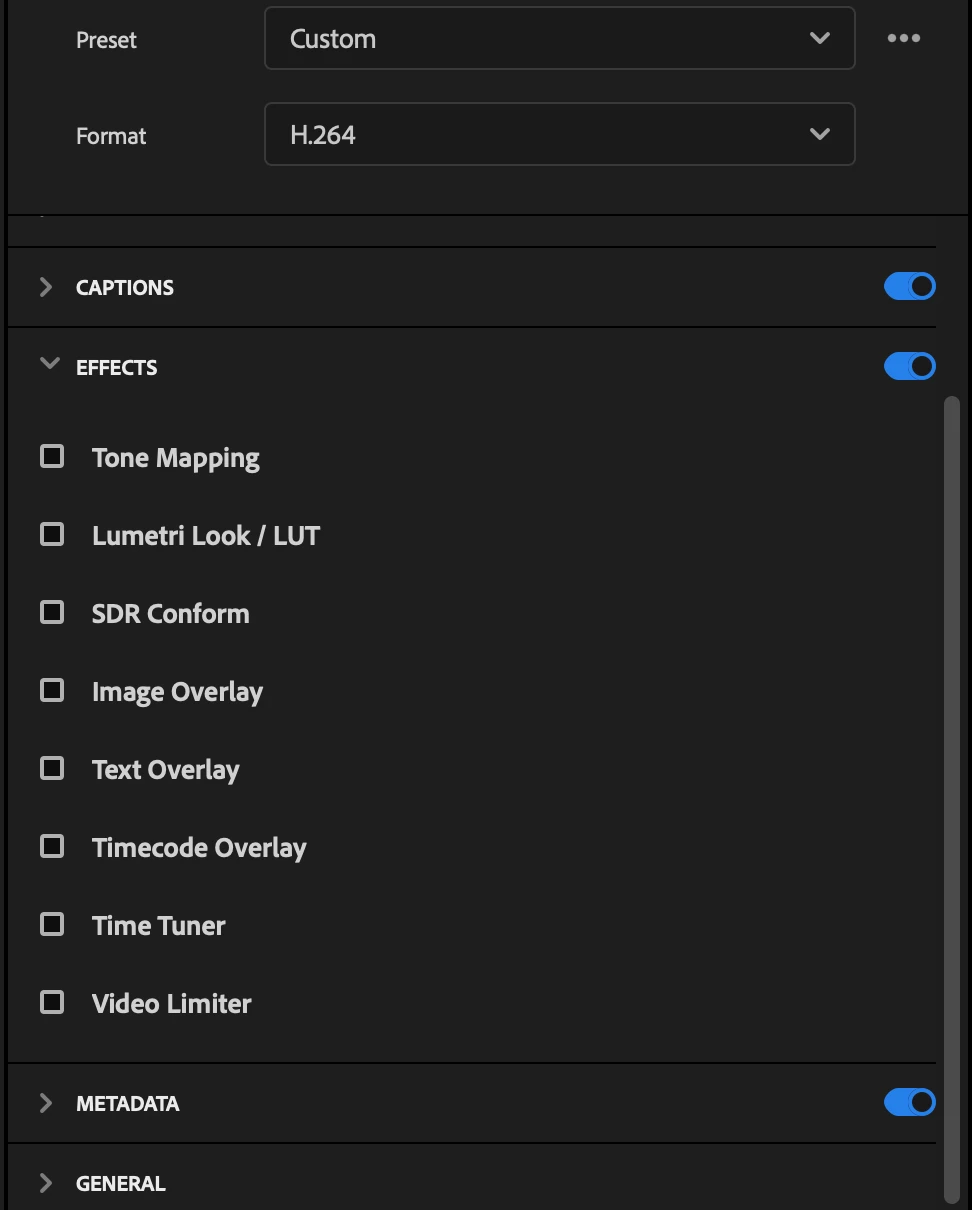
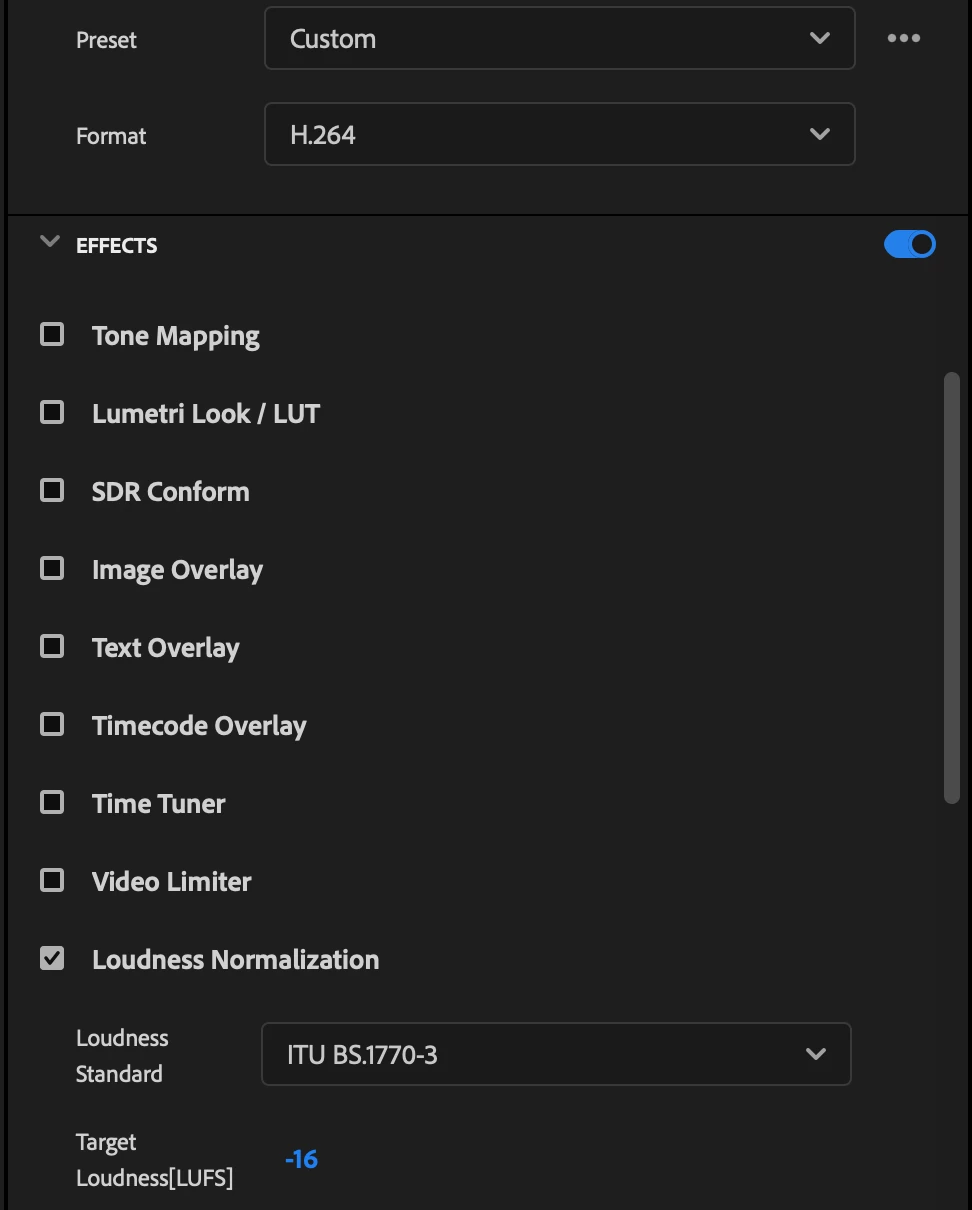
Where is Loudness Normalization effect on Export page in v.26?

  • February 6, 2026
  • 4 replies
  • 44 views

 There used to be this option in previous version where in export setting I could adjust LUFs for loudness control and now it's not there? Did they change the placement of this effect? Why would this be deleted? Is everything wrong with v26??

v26
 

v25.6.4
 

    Correct answer Karolina25455503d5g7

    Okay so when I had a “custom” set up it wasn’t there but when I changed it to something else (High Bitrate) it appeared???? 😭 what is this

    4 replies

    MyerPj
    Community Expert
    Community Expert
    February 8, 2026

    I wonder if it’s something you have set there? Like an old preset or even your user prefs?

    I just tried it on P26 and beta 26.2 b17 and I can’t make it disappear. You can start Pr from the normal desktop icon holding down shift, and you will get a dialog to reset your preferences and the media cache to default, you could try that also, to see if you still lose the Loudness effect.

    MyerPj
    Community Expert
    Community Expert
    February 8, 2026

    Well done, good find! :-)

    MyerPj
    Community Expert
    Community Expert
    February 6, 2026

    Make sure you have audio to export in that project. If I turn off audio, that particular option is left off in the Effects tab. However, mine shows up in both instances.

    MyerPj
    Community Expert
    Community Expert
    February 6, 2026

    Strange, I have it in both 26.0 and the current Beta


    Karolina25455503d5g7
    Inspiring
    February 6, 2026

    weird. I’ll try the classic turn off/on tactic then 

    Karolina25455503d5g7
    Karolina25455503d5g7AuthorCorrect answer
    Inspiring
    February 6, 2026

    Okay so when I had a “custom” set up it wasn’t there but when I changed it to something else (High Bitrate) it appeared???? 😭 what is this