
daryltjw
Participating Frequently
July 13, 2020
Answered

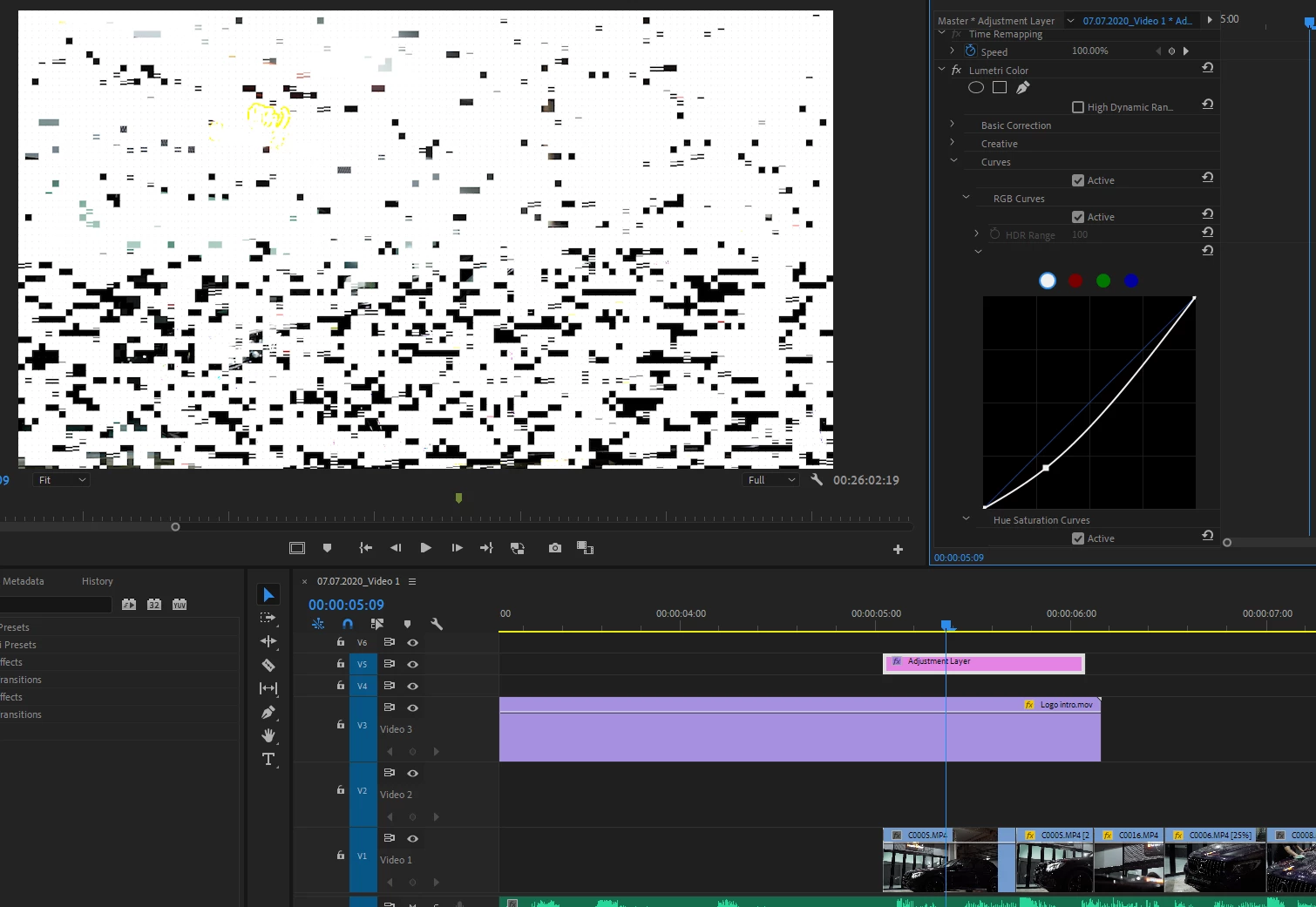
White noise, blocks and artifacts created when applying Curves in Lumetri Color

  • July 13, 2020
  • 3 replies
  • 2518 views

Hi there,


I am getting these artifacts when applying curves with the lumetri color effect.

It seems to be a GPU related issue, changing do CUDA helps however it is an inefficient workflow.


Have not experienced this before, does anyone have experience dealing with this?

Looking to meet the deadline for this project. Help is much appreciated.


Thank you,

Daryl
 

This topic has been closed for replies.
Correct answer Peru Bob

Install  NVIDIA driver version 451.67.  Do a clean install.

3 replies

Peru Bob
Community Expert
Peru BobCommunity ExpertCorrect answer
Community Expert
July 13, 2020

Install  NVIDIA driver version 451.67.  Do a clean install.

daryltjw
daryltjwAuthor
Participating Frequently
July 13, 2020

Thank you for the assistance, problem solved. Good day sir

Averdahl
Community Expert
Community Expert
July 13, 2020

Can be solved by downloading Nvidia Driver 446.14 and do a Custom install and choose to do a clean install.


It seems that the latest driver has the problem fixed but i have not tried yet.

daryltjw
daryltjwAuthor
Participating Frequently
July 13, 2020

Thanks for the response, I've updated to version 451.67 instead and it solved the issue.
good day to you sir.

Legend
July 13, 2020

Please tell us your system specs: OS version, Premiere version, amount of RAM, Hardware specs including graphics card.  This looks like a driver issue for your graphics card.  There've been lots of reports of problems with a recent nvidia driver.  Do some searching here about how to fix this...

daryltjw
daryltjwAuthor
Participating Frequently
July 13, 2020

Thank you for the assistance. It is much appreciated. Have a good day to you.