
Participant
Sep 27, 2026 3:33 AM UTC
Answered

why aspect ratio of 3440 x 1440 not set to frame size of editing window, it's always cut width even height is not fit, i tried lot please help in premier pro
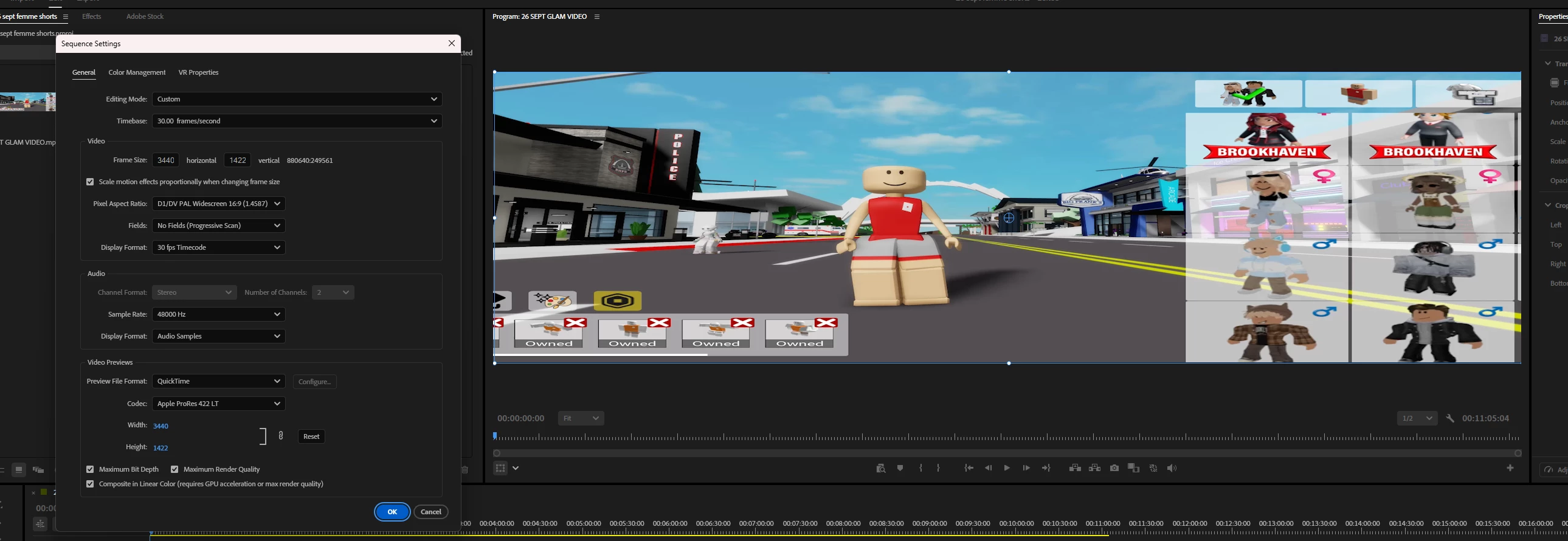
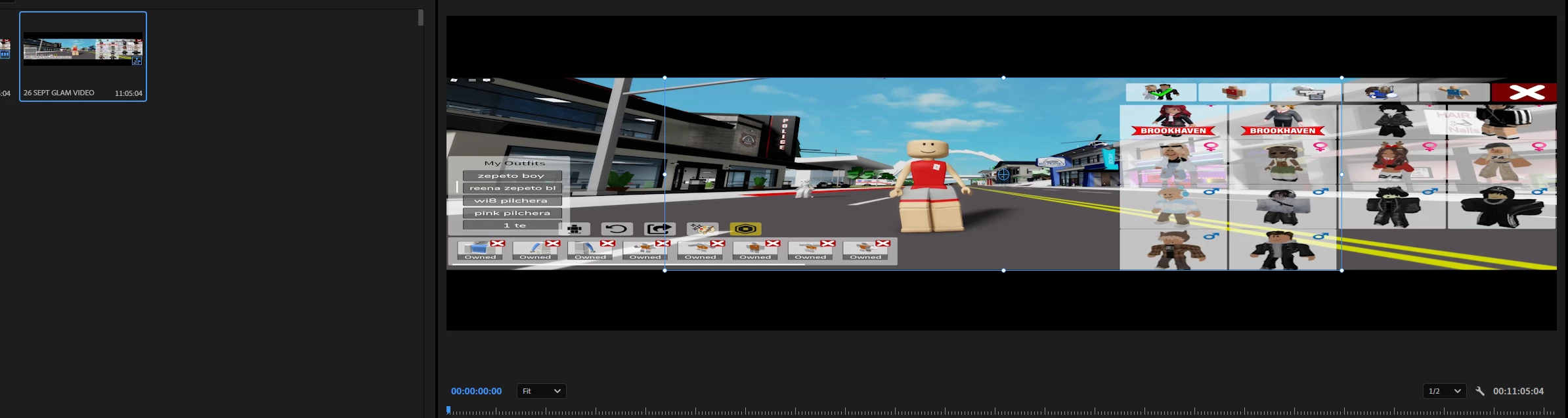
see here, width cut, in second image frame size showed in centre and both sized of width out of frame size, please help to make it fit to screen

    Ann Bens
    Ann BensCorrect answer
    Community Expert
    Sep 27, 2026 11:52 AM UTC

    Start with an empty timeline, grab a clip and drag that into the timeline. This will make a sequence that matches the footage.

    2 replies

    Ann Bens
    Community Expert
    Ann BensCommunity ExpertCorrect answer
    Community Expert
    Sep 27, 2026 11:52 AM UTC

    Start with an empty timeline, grab a clip and drag that into the timeline. This will make a sequence that matches the footage.

    Translate
    R Neil Haugen
    Legend
    Sep 27, 2026 5:24 AM UTC

    Why are you using that preset? Note that the pixel aspect ratio is not square, but 1.45 wider than tall. Choose a preset with square (1.0) pixel aspect ratio.

    Translate
    Everyone's mileage always varies ...