

Answered
Why did my labels/color scheme change when I upgraded my Premiere project file from 24.1 to 26.2
Can anyone tell me why this happened, and how I can get the color scheme and labels back to exactly how they were before I upgraded?
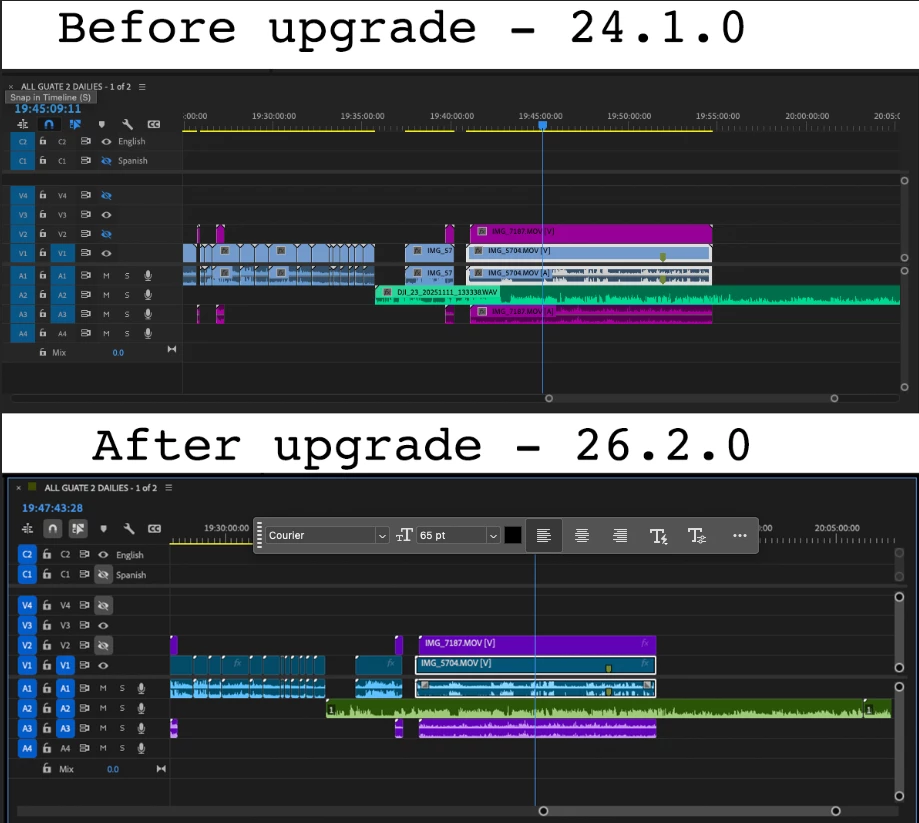

Can anyone tell me why this happened, and how I can get the color scheme and labels back to exactly how they were before I upgraded?
Already have an account? Login
Enter your E-mail address. We'll send you an e-mail with instructions to reset your password.
 AdChoices