
Why do the colors on my clip look so different on my timeline?
I'm editing a short video for a client, they send me a premiere file with folders with all their assets and what not, and I do further editing. This has never been a problem before, but for some reason today one of the clips color looks VERY messed up. Here's a picture of what I'm seeing on my preview screen: 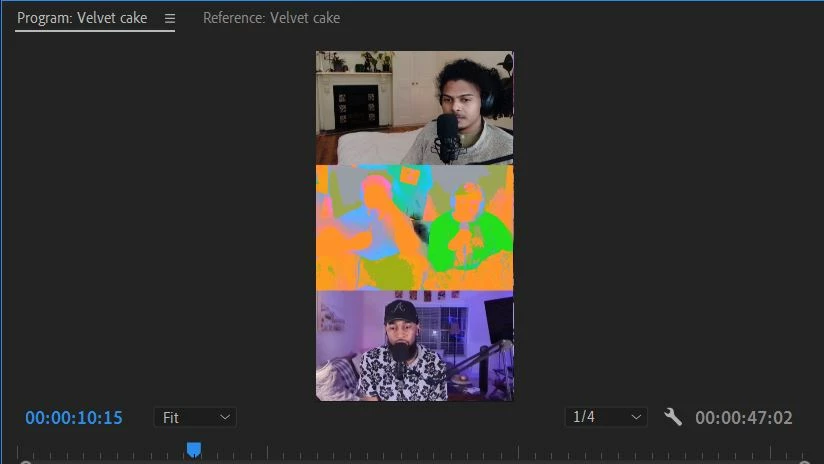
The middle screen is (obviously) the one with the problem. They use a multicam setup, and all the cameras that are set up for these subjects look this way. But for some reason, the source video both in and out of premiere looks completely normal, it's just while it's in the timeline it looks like this for some reason.
I'm waiting on a response from them if they used any LUT's or anything that I may not have that made it look like this, but I've never seen this happen before??? Please help??
 AdChoices