
Participant
June 16, 2025
Question

Why does my reconnect dialog look like this?

  • June 16, 2025
  • 1 reply
  • 218 views

The UI is all scrunched up into the top left corner. It's been like this for months, including surviving an upgrade between versions. I'm scared to mess with the window size too much, because once when I adjusted it and relinked a file it got even smaller (current state pictured here; it was similar but not quite as bad before). 


Thoughts on how to reset this?
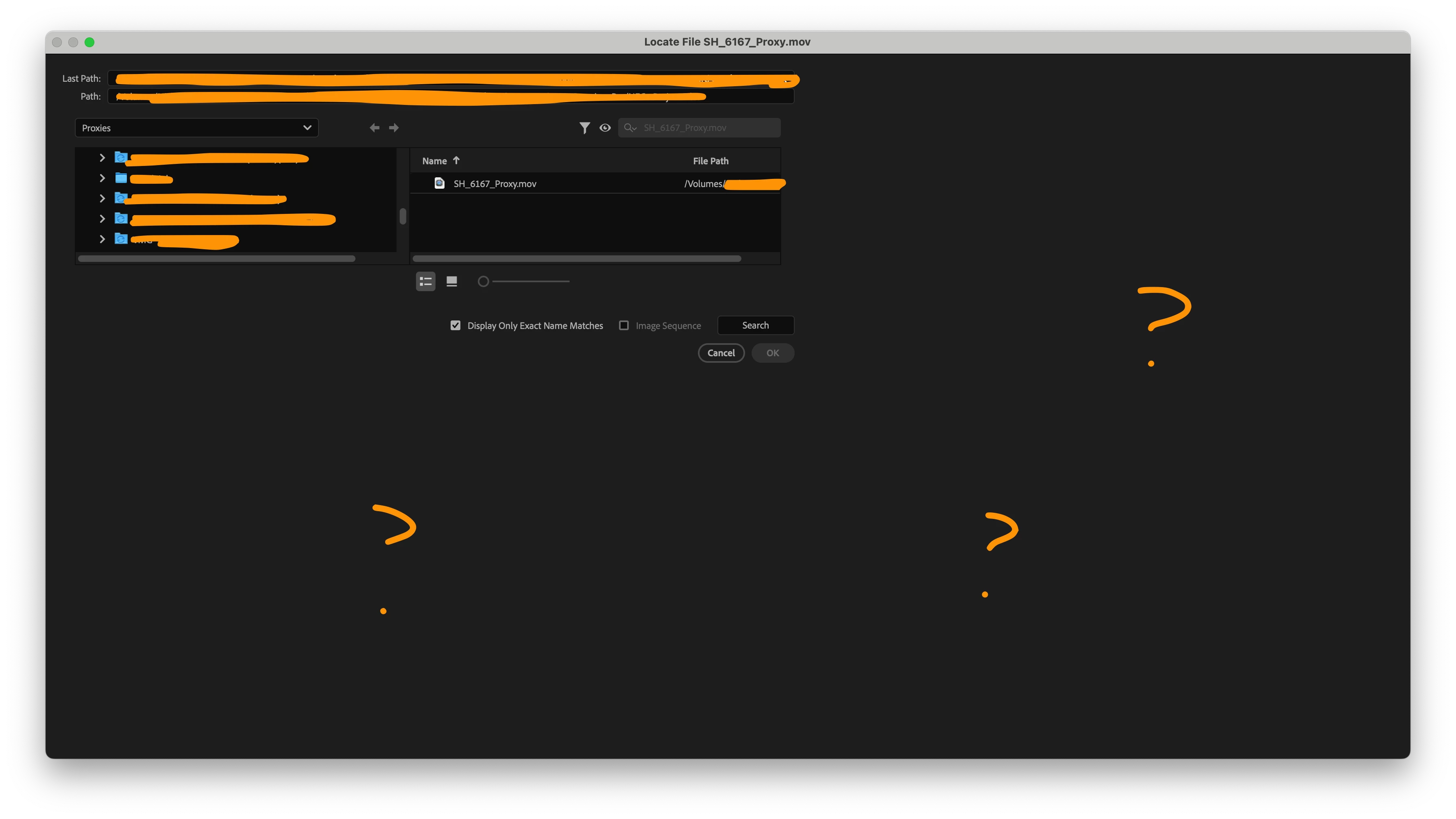
1 reply

Community Manager
June 16, 2025

Hi there,


Sorry to hear about this. What is the resolution of the monitor you are working on? Also, if you are using a custom workspace, have you tried switching to any of the default workspaces to see if it's making any difference?


Thanks,

Sumeet

Participant
June 16, 2025

Macbook Pro 15", 1,728 x 1,117 reported = 3,456 x 2,234.


Checking that revealed a solve though!


If the window spawns on the built-in display, the problem is exhibited.


If I move the window to an external 1080p display, close it, and then re-trigger it, the problem is resolved.


Similarly, if I move the display onto the built-in monitor, close it, and re-trigger it, the problem returns.


If I move the window between monitors (without closing and re-triggering), nothing happens (it maintains whatever state it had before).

Participant
June 16, 2025

Can't find how to edit post.


"if I move the display onto the built-in monitor" should be "if I move the window onto the built-in monitor"