
Why does Premiere like one of these but not the other?
So suddenly the software I use to record, OBS, has been outputting files that Premiere REALLY doesn't like. Takes 10 minutes of not responding to be imported, takes another 5 to go into the source box, and once it goes there I can't even playback the dang thing. But this is a new problem, SEEMINGLY none of my settings have changed. But I know there is SOMETHING that is different between these two files that causes one to be easy to use and another to break down the entire program. Firstly, let's get hardware and software outta the way:
Hardware:
GTX 970 GPU
i7-4790k CPU
16GBs RAM
Software:
Windows 1064bit
Premiere Pro CC 2017
OBS v.0659b 64bit
Alright, so here we have two files.
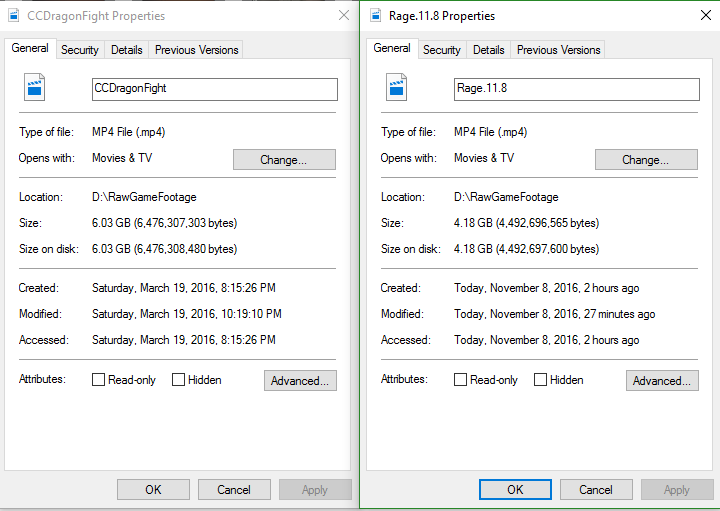
And here are there details:
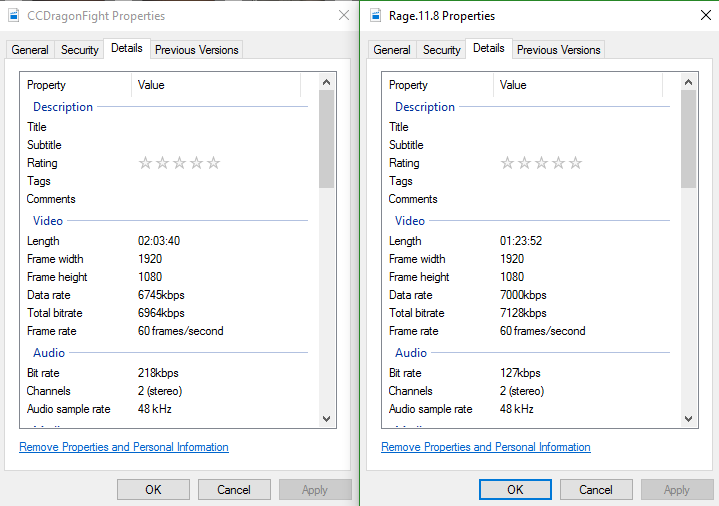
Details (cont.):
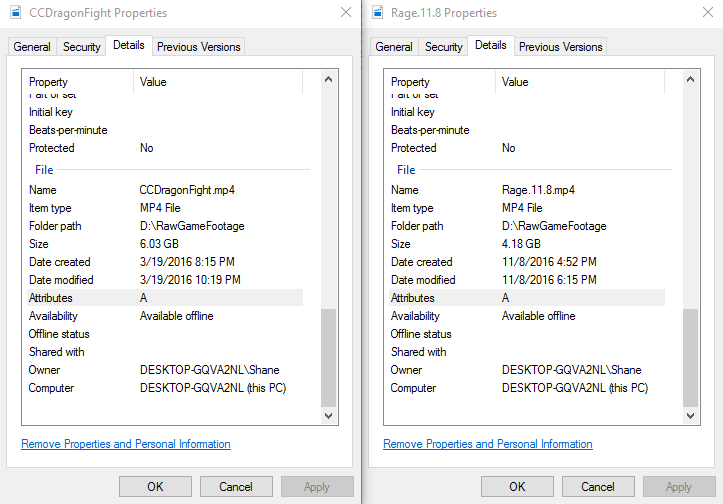
---------------------------------------------------------------------------------------------------------------------------------
CCDragonFight.mp4 is perfect in every way. Quickly imports, quickly plays back, and all around greatness. It is Rage.11.8 and every file I record with OBS lately, that is the problem.
While I admit I do not have the OBS settings to the CCDragonFight file, let's call it "CC", I DO have my current, broken, OBS settings, which I will share now.
Encoding:
Video Encoding:
Encoder: Nvidia NVENC
Constant Bit Rate: True
Quality Balance: 10
Max Bitrate: 8000, sometimes 7000.
Audio Encoding:
Codec: AAC
Format: 58kHz
Bitrate: 128
Channel: Stereo
Video:
Resolution: 1920x1080
FPS:60
Downscale: False
Audio:
Default Microphone Device (I know I used the same mic in both clips)
Force Microphone to Mono: True (My stereo Microphone only records on one channel)
Advanced:
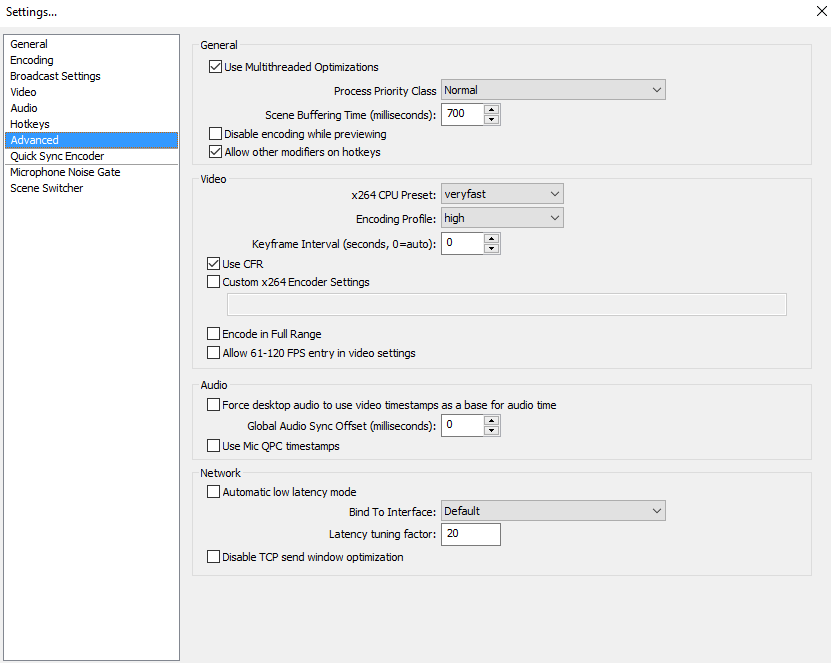
I don't use the quick sync Encoder
Noise Gate is also disabled.
I am unable to use ANY recent footage in Premiere, and it is vexing me what is making all these files unusable, while old ones are fine.
Thanks for reading, and I'd love any help I can get.
 AdChoices