


Participant
October 9, 2018
Answered

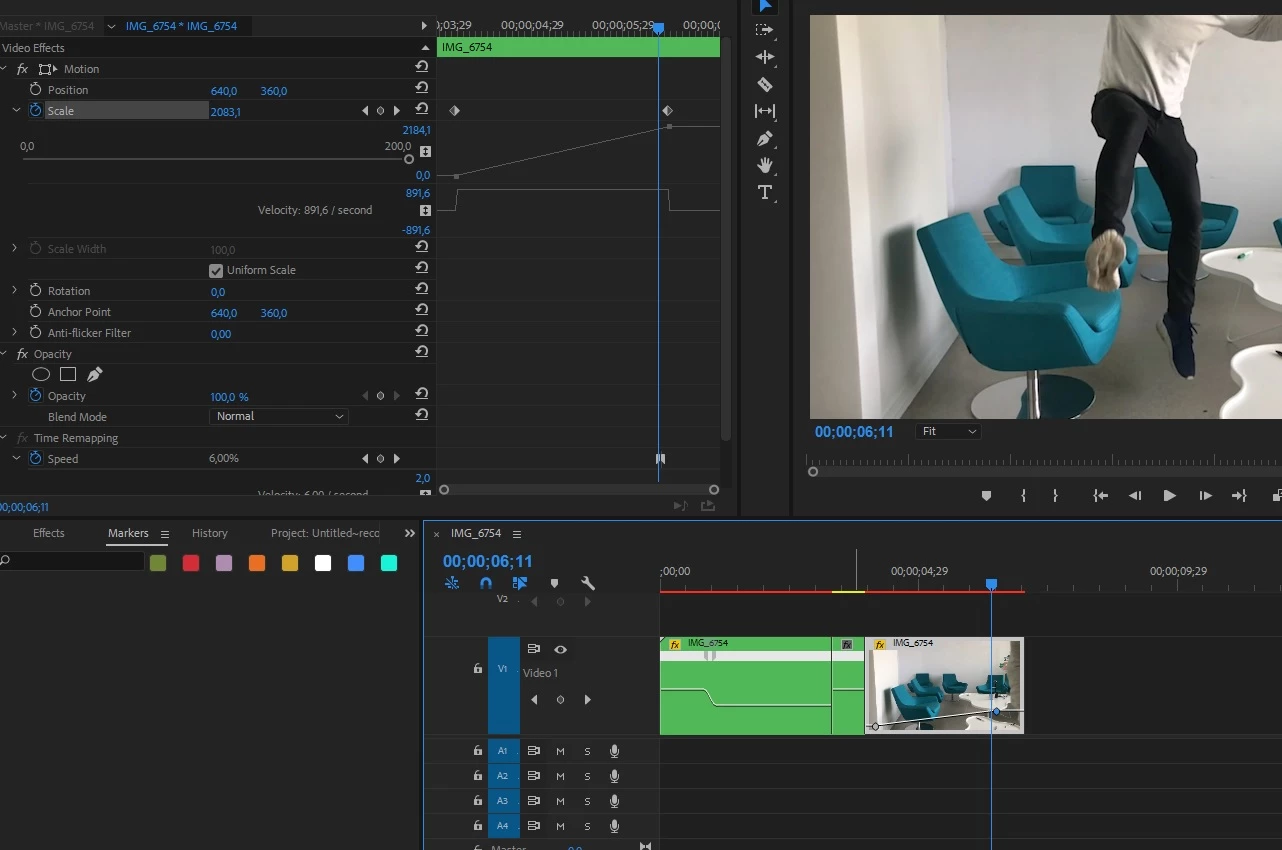
Why doesn´t it zoom in!?

  • October 9, 2018
  • 3 replies
  • 1085 views

Trying to achieve the effect of "zooming into" picture....

As you can see I have created key frames for motion:scale.... but it´s not zooming anything...!

The segment in between the two videoclips on the timeline is a inserted frame hold segment (made as if i´m stuck in the air). Dont know if this is causing my problem or not...
    Correct answer SAFEHARBOR11

    I've never used Frame Hold in my life. Going back many years, I have always just exported a STILL FRAME at the point I want to freeze something, and then work with that still frame. Try that instead, could be the issue.

    Thanks

    Jeff

    3 replies

    Participant
    July 17, 2025

    just NEST the HOLD FRAME, and you can ZOOM in and out. 

    Peru Bob
    Community Expert
    Community Expert
    October 9, 2018

    Do you have Time Remapping applied?  If so, you need to put the clip in a new sequence, apply the time remapping, and then nest the new sequence in the main sequence.

    ErikSkaneAuthor
    Participant
    October 10, 2018

    Previously I had applied ramped slow mo to the clip....is that the same as Time Remapping applied?

    "If so, you need to put the clip in a new sequence, apply the time remapping, and then nest the new sequence in the main sequence."

    Im sorry, being pretty new to Premiere I don´t understand almost anything of that sentence... can you simplify it? Sorry for the inconvinience.

    Ann Bens
    Community Expert
    Community Expert
    October 10, 2018

    Timeremapping and effects dont go well together.

    You apply the timeremapping to your clip

    When done right click on clip and nest

    Now do the scaling or what ever effect you want to use on that nest.

    SAFEHARBOR11Correct answer
    Participating Frequently
    October 9, 2018

    I've never used Frame Hold in my life. Going back many years, I have always just exported a STILL FRAME at the point I want to freeze something, and then work with that still frame. Try that instead, could be the issue.

    Thanks

    Jeff

    ErikSkaneAuthor
    Participant
    October 10, 2018

    Ah. And by doing that you get a still image of the video? How do you export a still frame?