Question
Why is my clip broken?
I opened Premiere Pro 2022 and saw this:
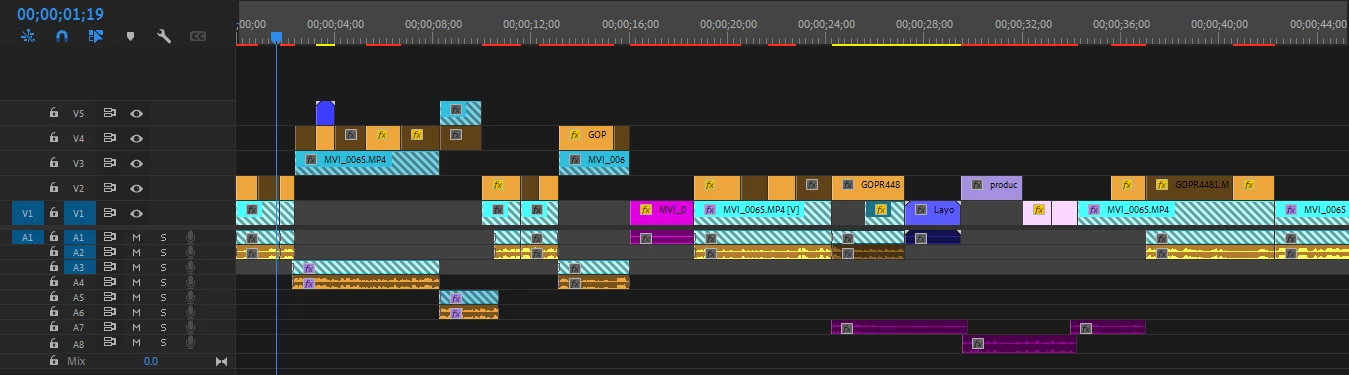
Do you see how the blue clips are marked out like that? Now they don't show when I play my video in the timeline. Does someone know how to fix this?

I opened Premiere Pro 2022 and saw this:
Do you see how the blue clips are marked out like that? Now they don't show when I play my video in the timeline. Does someone know how to fix this?
Already have an account? Login
Enter your E-mail address. We'll send you an e-mail with instructions to reset your password.
 AdChoices