tggivens
Known Participant
September 24, 2017
Question

Why is my timecode drifting when exporting from Premiere?

  • September 24, 2017
  • 3 replies
  • 2092 views

Hi all,

I have an 81-minute documentary film that I edited in Premiere CS6 and i'm trying to export the film into 3-4 separate reels to a professional sound mixer.

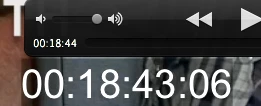
He wants a burned in timecode, and the file to be exported as a .mov file. Which is easy to apply, but whenever my reel is exported, the .mov file timecode is drifting, and not matching up with the reel time.

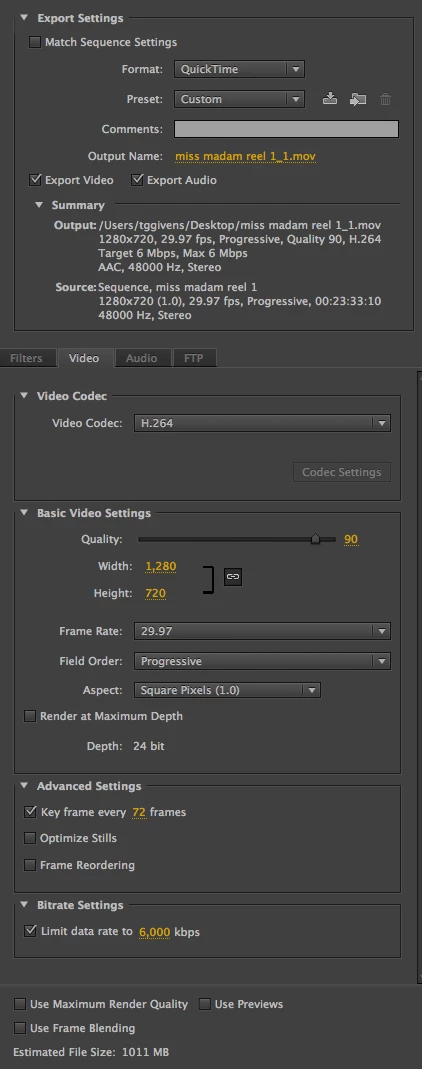
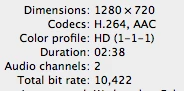
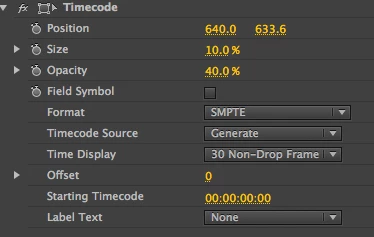
I've attached several screenshots which are:

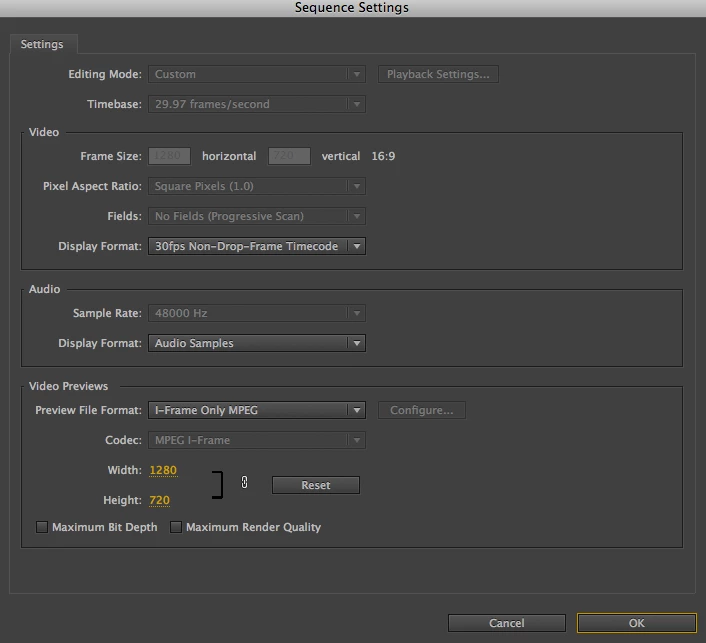
1. My project sequence settings

2. Screenshot of the .mov file and timecode difference

3. My export settings

4. My timecode settings

5. A screenshot of my video/footage information

I have applied a transparent and adjustment layer separately to my reel when trying different methods of exporting, and each time the timecode is still drifting and not matching.

Does anyone know what the problem could be?
This topic has been closed for replies.

3 replies

Inspiring
September 25, 2017

Did you try the test I suggested?

MtD

tggivens
tggivensAuthor
Known Participant
September 25, 2017

Not yet. I will definitely reply once I do.

Thanks again for your suggestions.

Inspiring
September 24, 2017

Are you on Windows? What player are you using to play the exported file back?

Yes, import the exported WTC file back into Premiere and load it to the viewer to see if the TC and the WTC match.

MtD

tggivens
tggivensAuthor
Known Participant
September 25, 2017

No, I'm working on iMac 10.6.8.

Once the .mov file is exported out of Premiere CS6, I open the file in Quicktime, and that's where I see the unmatched/drifting timecode.

Inspiring
September 24, 2017

Don’t try to verify the visible timecode accuracy in QuickTime X, instead import one of your exported files with visible timecode back in to Premiere Pro, load it to the source monitor, and check it there.

MtD

tggivens
tggivensAuthor
Known Participant
September 24, 2017

So if I'm understanding you correctly, you're saying to:

1. Export the reel as a Quicktime .mov file with the burned-in timecode

2. Import .move back into Premiere, and check to see if time is accurate

I don't have Quicktime X, nor Quicktime 7.

Did you see anything else from my screenshots that would show a problem?