Rise_up_marketing
Known Participant
March 14, 2019
Answered

Why is my video suddenly not dragging into the timeline, but audio is?

  • March 14, 2019
  • 4 replies
  • 748 views

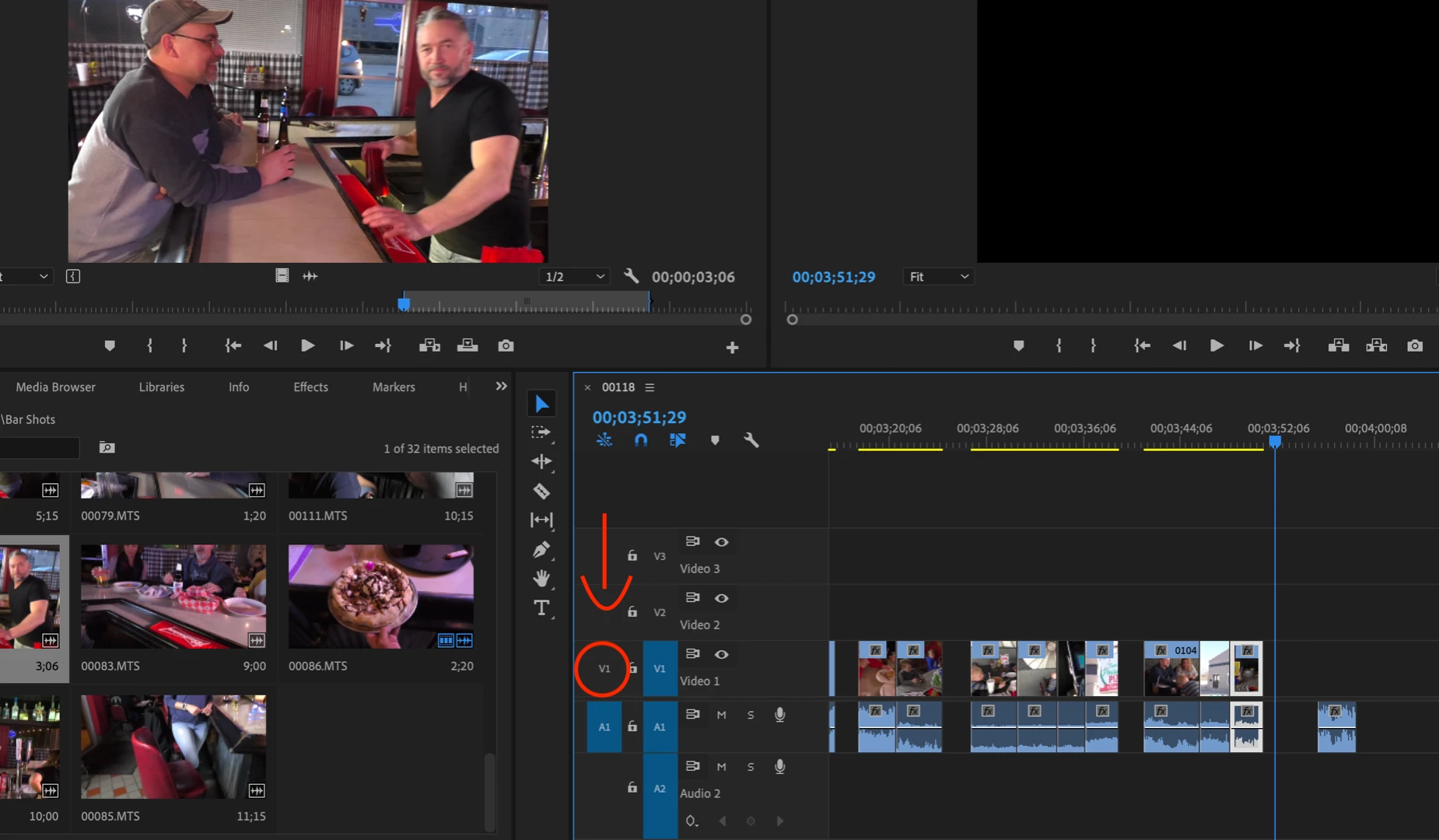
Here is a screen shot. I am not sure what I clicked to do this but I worked all day on this project no problems nut now the clips I want to drag onto timeline will only

register audio.

You can see in far bottom right corner what I mean.

Thanks!!
    This topic has been closed for replies.
    Correct answer Christian.Z

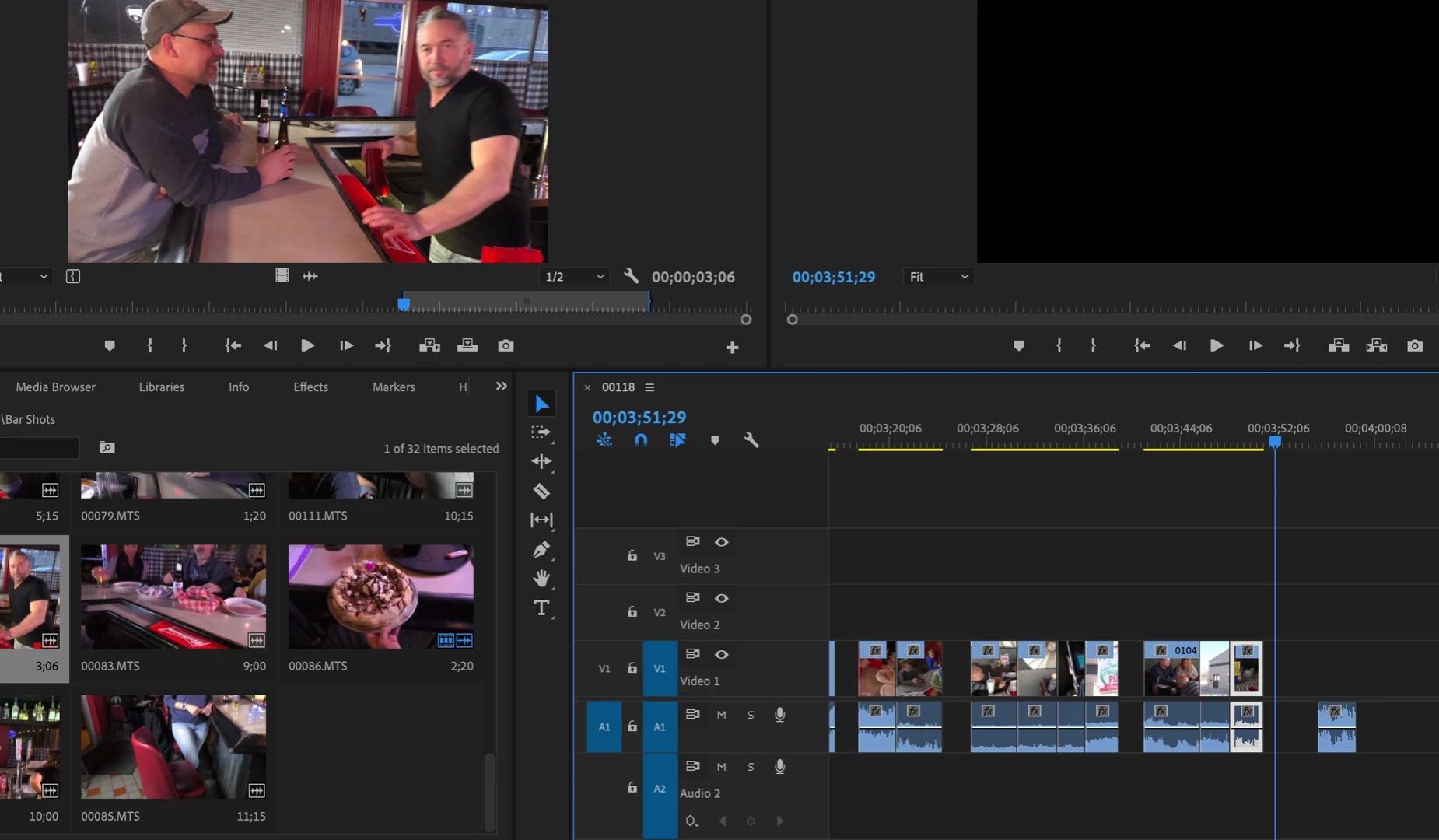
    Make sure the "source patching for inserts and overwrites" is toggled on for V1

    4 replies

    Rise_up_marketing
    Known Participant
    March 14, 2019

    hahah oh my *face palm* thanks everyone! Duh!

    JBrouwers
    Inspiring
    March 14, 2019

    Happened to me before. (It was frustrating): As Christian pointing out just above:

    1 - if V1 is not highlighted - it will only drag your audio in-out segments in your timeline

    2 - if A1 is not highlighted - you only get the video.

    I find that useful (to leave A1 off), as I often have music over clips and do not always need the audio.

    then no need to select the audio while maintaining ALT and hit delete.

    Jessie

    Community Expert
    March 14, 2019

    Try clicking here:

    Edit: I wasn't quick enough

    Rise_up_marketing
    Known Participant
    March 14, 2019

    lol duh thanks

    Christian.Z
    Community Expert
    Christian.ZCommunity ExpertCorrect answer
    Community Expert
    March 14, 2019

    Make sure the "source patching for inserts and overwrites" is toggled on for V1

    Rise_up_marketing
    Known Participant
    March 14, 2019

    haha duh oh my lol thanks