Known Participant
August 29, 2025
Question

Why is the font size metric different in Subtitle and Graphics?

  • August 29, 2025
  • 2 replies
  • 247 views

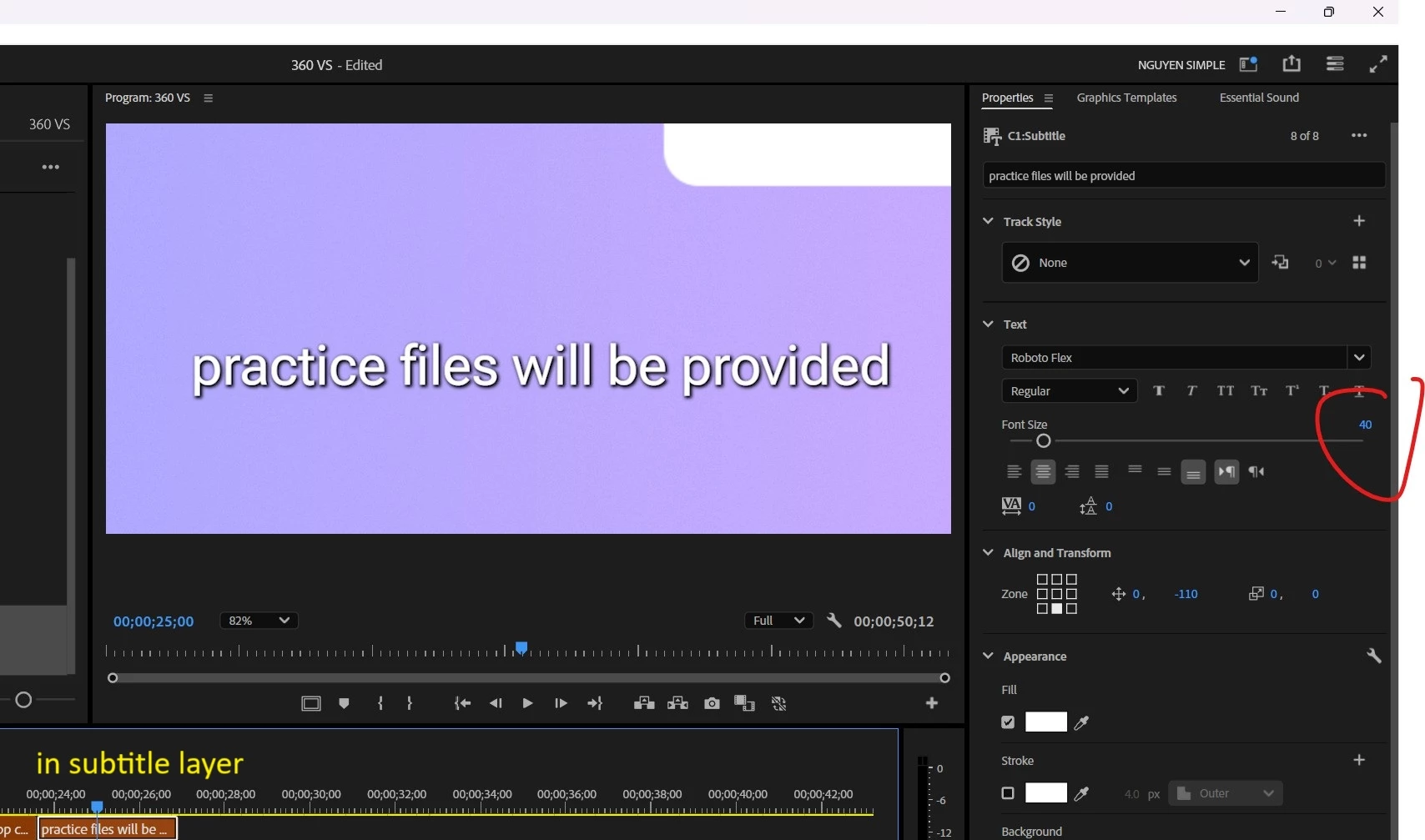
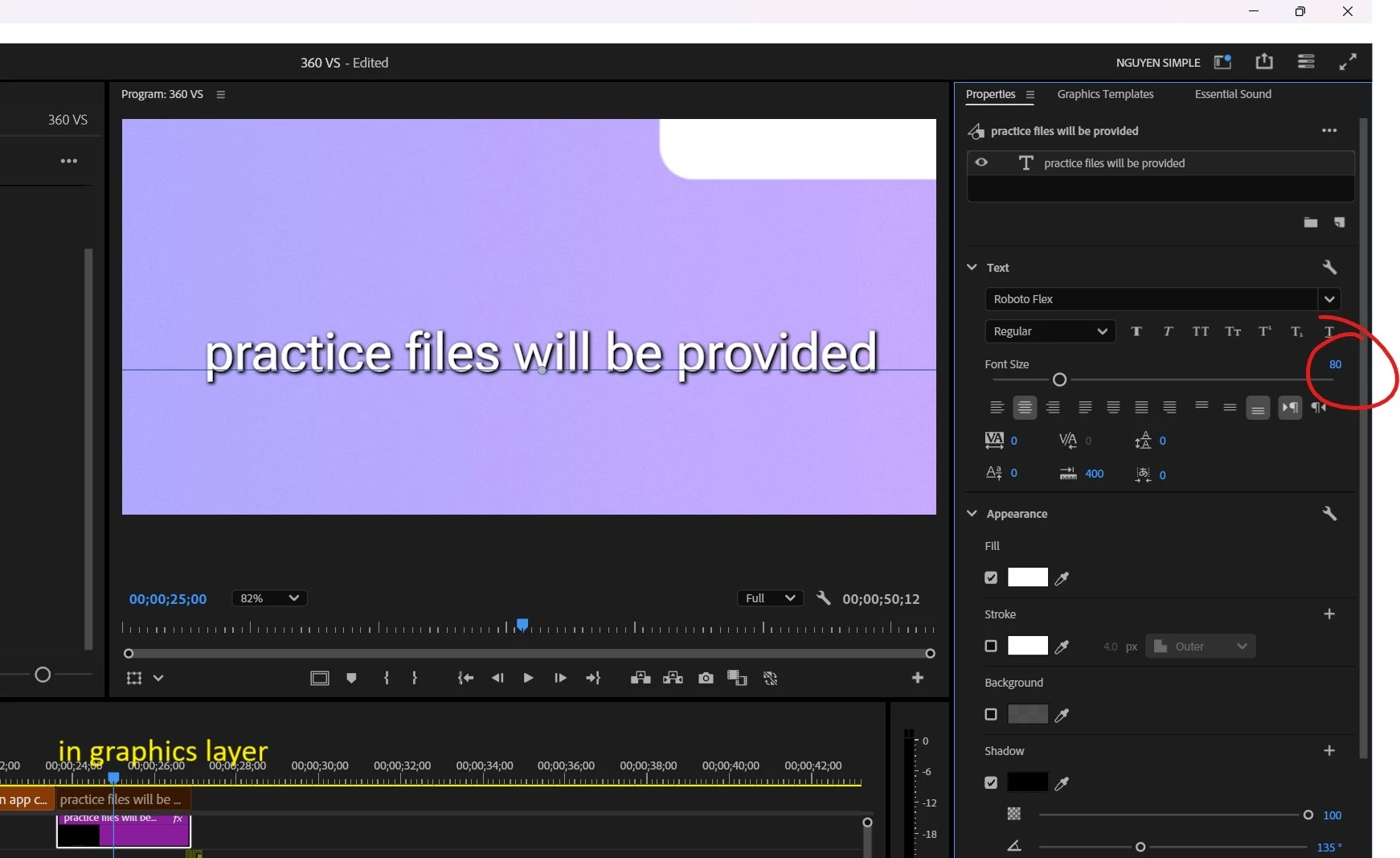
I'm confused, why 40 text size in the subtitle layer equals with text size 80 in the graphic layer?
2 replies

Stan Jones
Community Expert
Community Expert
August 29, 2025

@nguyenkt08,


Thanks for mentioning "upgrade caption to graphic." It helps to directly show the difference. But you get the same issue whether you are converting, or just typing subtitles vs graphics text. This seems very odd, and I do not know why they do it this way.


I don't see the exact relative difference in your screen shots. You show subtitle 40, graphics text 80. If I set a subtitle to 40, I get graphics text at 27. I wonder if this difference varies by font.


What I see is that the actual SIZE number in the properties of text in the caption track appears to be 150% the size number of regular graphics text when using "upgrade caption to graphic." It shows a different size number in the properties, but the actual size on screen is the same.


My quick demonstration method: duplicate a caption by alt+dragging it to the end of the caption track. Upgrade the original to graphic, and place it underneath the duplicate. You can see that they are exact matches. But they show different properties numbers. Divide the caption number by the graphics number = 1.5.


I found one other post about this, where I tested and first saw differences and then didn't. I doubt this has changed, so I have to assume that is another of my occasional mistakes!

https://community.adobe.com/t5/premiere-pro-discussions/font-size-changes-after-upgrading-to-graphics/m-p/13714353#M460198


@AnnikaKoenig Any explanation?


Stan


Known Participant
September 15, 2025

I think the problem isn't about subtitles. I think Premiere Pro sometimess messes up if you copy graphics.


Recently, I copied a set of graphics from one sequence to another an it resulted in a complete mess because somehow the sizes of the elements din't match at all and the positioning was all over the place. It affected rectangles as well.

Known Participant
August 29, 2025

I suspect something in your graphics is scaled down to 50%.

You can scale the complete graphics in the "Properties" Window.

You can scale the complete graphics in 2 different places in the "Effects Control" window (one corresponds with the "Properties" window.

You can scale the text complete element of your graphics in "Effect Controls" and "Properties".

Known Participant
August 29, 2025

no, I'm only using "Update caption to graphics" no scale apply
