


Question
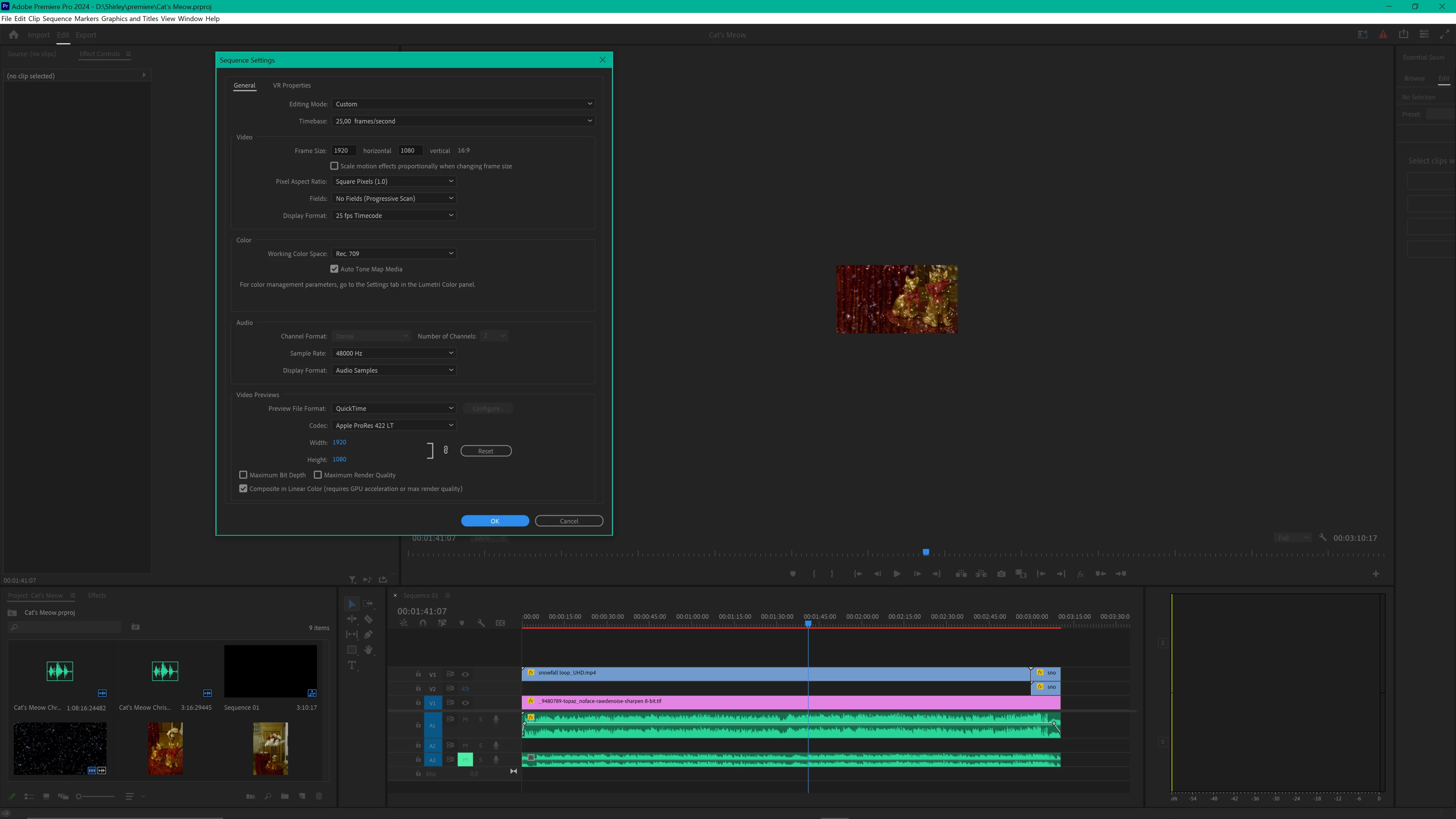
Why is video so tiny in editor window?
This has been going on for as long as I can remember, at least as long as I've had a 4K monitor.
The video in the editor window at 100% is 1/6th the size it should be. At "100%", a FHD video is 320 x 180 pixels on the screen!
Yes, I know I can select 200%, 400%, 800% or fit to screen, and have done so for years on end. But that's just a weird workaround. The real question is WHY can't Premiere Pro show the video at the original size to begin with?! This is perhaps one of the most basic functions of video editing, so basic it should be totally obvious that at 100% the video should display at 100%, not at 16,667%.
What is the deal with such a basic issue not being resolved for a video editing software?
 AdChoices