

Answered
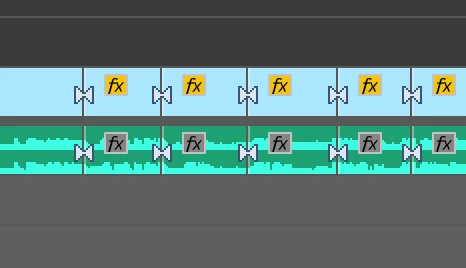
Why there are two white arrrows pointing each other during editing?
Hi there,
I'm wondering why there are two arrows pointing to each other after I splitting the clip into two? Any chance I can get rid of the arrows?

Hi there,
I'm wondering why there are two arrows pointing to each other after I splitting the clip into two? Any chance I can get rid of the arrows?
Hi,
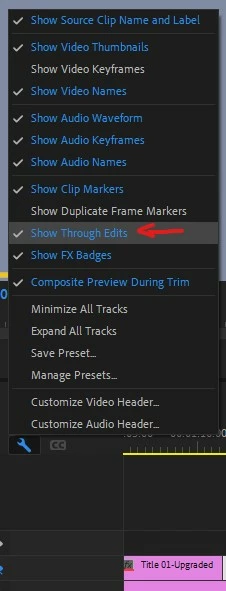
This is the Show Through Edit function.
This is made to show that there is a cut but no images as been removed or added yet. You can right click on the cut and choose " Join Through Edits ". To get rid of it, go in the wrench icon on your timeline and deselect the option.
Already have an account? Login
Enter your E-mail address. We'll send you an e-mail with instructions to reset your password.
 AdChoices