So we're back to applying transitions between two clips and not the whole timeline? One of the big features that I learned to love about Vegas was that I could apply a default video and audio transition to all clips on the timeline with one click of the mouse.
For some reason my pic never loaded in the other comment I made, but probably not necessary (fixed in edit).
You can definitely apply a default transition to multiple clips in the timeline at once. I can't say that the behavior will be the same as Vegas but that will just be an adjustment you need to make (I was a bit frustrated when I moved from Final Cut Pro to Premiere back in the day because there was a slight difference, but I got used to it.)
I made a gif showing multiple ways to select and add transitions, including multiple transitions (hopefully this loads.)
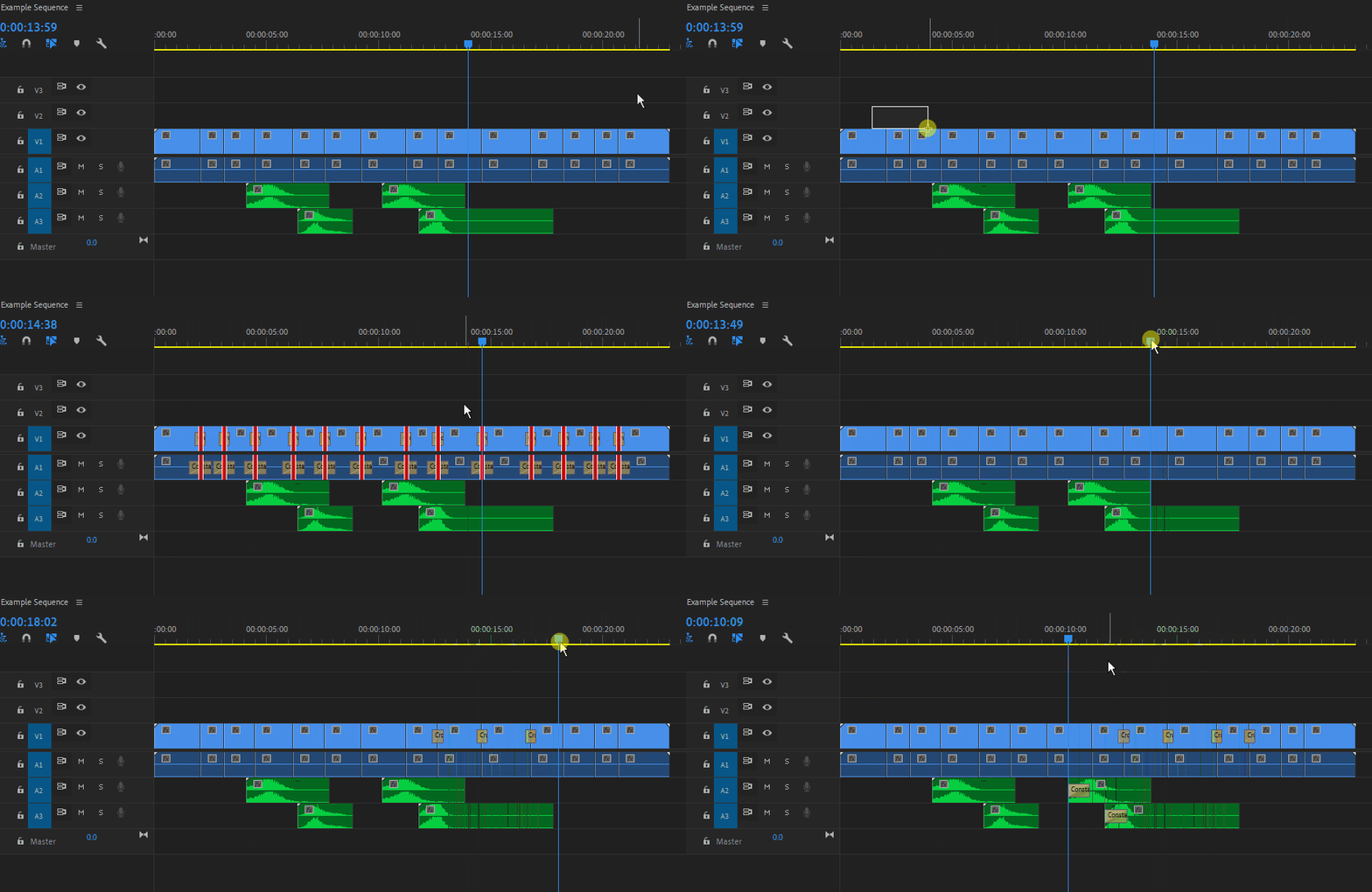
1. Select all the clips you want to add transitions to and click the *shortcut.
2. Hold Ctrl and drag a marquee over the clips you want to add a transition to to select their edges. Apply the desired default *transition. (The right click method I mentioned in my earlier comment would work in this situation, but honestly, learn the shortcuts and you'll never need to do that.)
3. To add a transition without a selection, place the playhead/CTI over the edge you wan tto add it to and apply the desired *transition. (Note that this will only work on tracks that have track targeting turned on.)
* Transition Shortcuts:
Shift + D for video/audio
Ctrl + D for video only
Ctrl + Shift + D for audio only.
 AdChoices