

Ivan Stepanov
Legend
September 1, 2025
Answered

Windows, Premiere 25.4, "IOError: I/O error" when loading extensions

  • September 1, 2025
  • 1 reply
  • 174 views

I'm getting user reports that when they opening Premiere Pro 25.4 on Windows, they get these errors
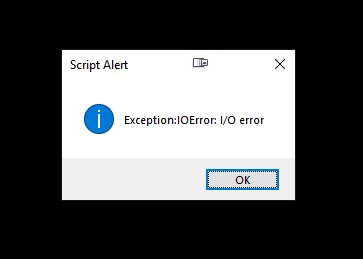
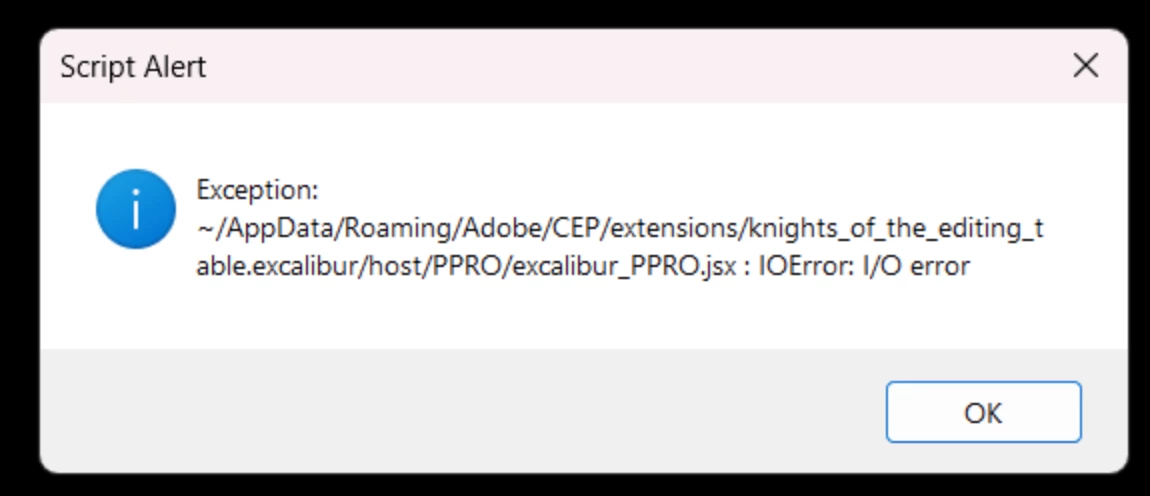


For now it happens to Excalibur and Chronicler users.

I presume this is related to script loading, I use this approach, where main script is loaded at the start and then it evaluates all other extendscript files.


If user rolls back to 25.3, error goes away.

Are there any similar reports from anyone else, are there any changes in Premiere 25.4 on Windows?


My apologies, but I can not replicate this issue on my machine, as I don't have access to Premiere 25.4 on Windows at the moment (Macbook M chip). Otherwise I would provide more details.

Correct answer bbb_999

I propose that you introduce me (via email) to one of the users who can reliably reproduce the behavior.

1 reply

bbb_999
Community Manager
Community Manager
September 3, 2025

> I use this approach,

So does PProPanel! 🙂

For the users that see this behavior, how was the extension installed? [I'm thinking maybe file system privileges, or something, is impacting the behavior]

Ivan Stepanov
Legend
September 3, 2025

they use installer executable that I provide.

It basically moves extension inside CEP folder.

For Chronicler it is:


C:\Program Files\Common Files\Adobe\CEP\extensions\knights_of_the_editing_table.chronicler


For Excalibur it is still:

C:\Users\%username%\AppData\Roaming\Adobe\CEP\extensions\knights_of_the_editing_table.excalibur
bbb_999
Community Manager
bbb_999Community ManagerCorrect answer
Community Manager
September 3, 2025

I propose that you introduce me (via email) to one of the users who can reliably reproduce the behavior.