

Question
Workaround for crop tools in Premiere Pro 25.0.0 tied to rotation in Effects Controls panel
Hi all,
I wanted to share a workaround. Per the 'Effects Control' panel, Rotation is rendered before the crop tools so when I rotate to adjust a scene the crop tools render with respect to the rotation: See screen print:
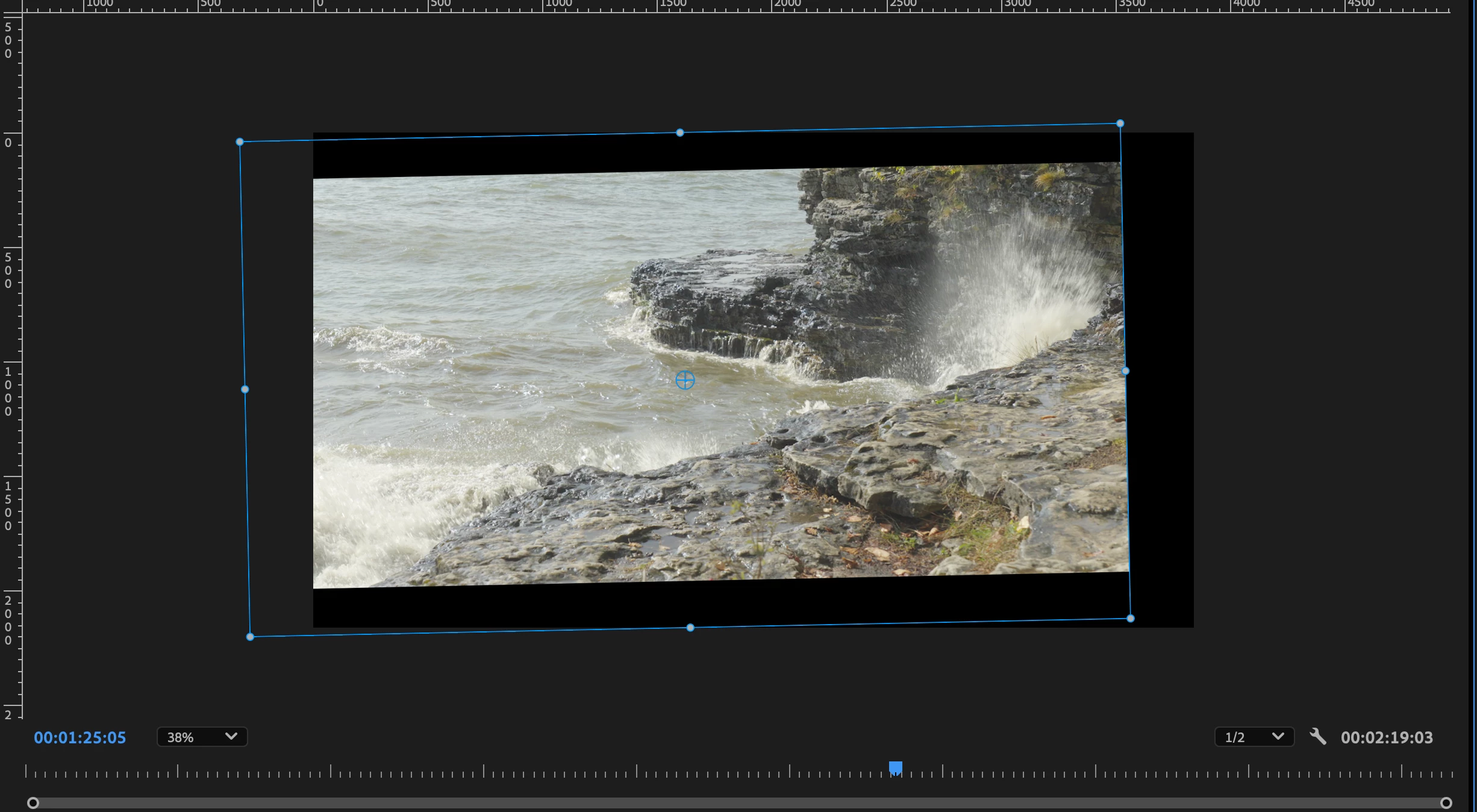
So if you rotate and want to add a letterbox it will be crooked. I fixed this by using black video clips stacked over the main clip as a letterbox and used the crop tools on them; one for the top and one for the bottom. This way the crop tools aren't related the main clip and its rotation: See next screen print:
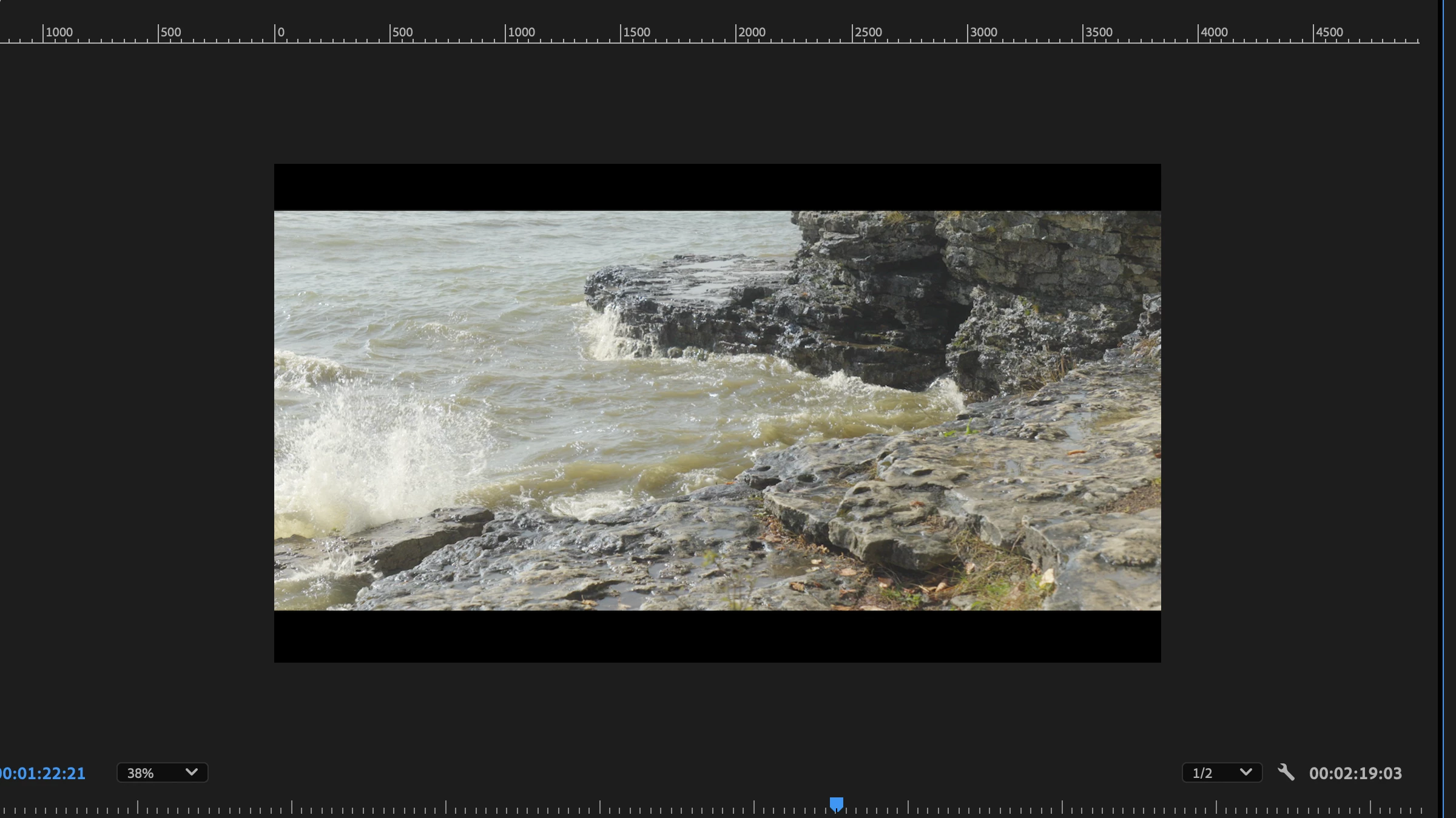
I'm sure there are more elegant ways of doing this and/or I'm probably missing something obvious but it worked for me. Just wanted to share this. Thanks.


 AdChoices