



Neko nyan
Participating Frequently
July 31, 2025
Answered

working slower due to cleaning cache - Premiere Pro 2025

  • July 31, 2025
  • 1 reply
  • 373 views

So I open Premiere Prp and a message appears with options that I must choose at least one to open the program:
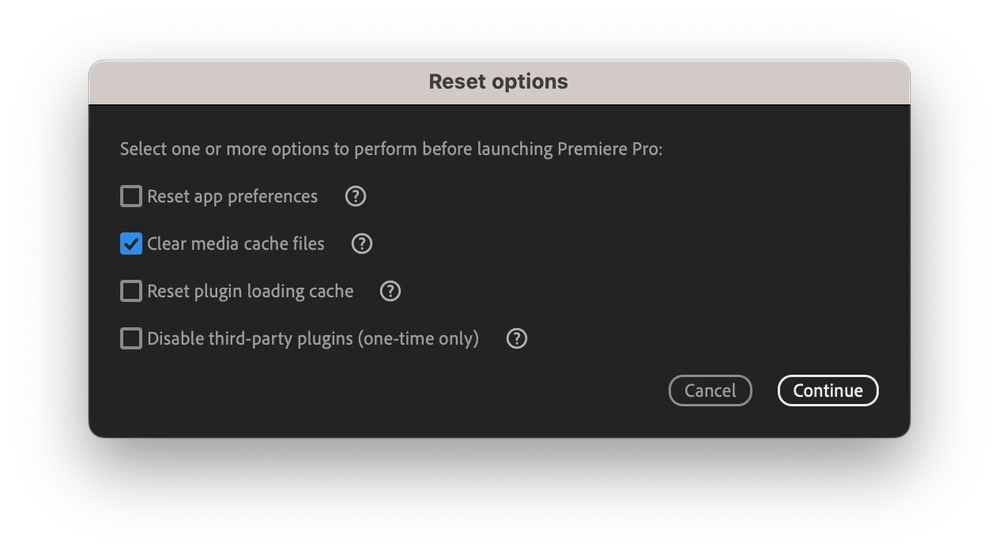

I choose the option to "Clear media cache files" and then Continue.

Now the video that I'm currently working takes longer to start playing everytime I click play, and also everytime I edit something simple, for example: just add zoom or move it a little, the timeline becomes red and it takes longer to load.


Before this "Clear cache" I didn't had this problem.

Correct answer Stan Jones

@Neko nyan,


PR must create new cache/render files. Once that has happened, the performance should be what it was before.


In your screenshot, all you needed to do was click "cancel." It would have opened PR without resetting any preferences.


Stan


1 reply

Stan Jones
Community Expert
Stan JonesCommunity ExpertCorrect answer
Community Expert
July 31, 2025

@Neko nyan,


PR must create new cache/render files. Once that has happened, the performance should be what it was before.


In your screenshot, all you needed to do was click "cancel." It would have opened PR without resetting any preferences.


Stan


Neko nyan
Neko nyanAuthor
Participating Frequently
August 1, 2025

Is there anything I can do now to make the video go as fast as it used to do?

Stan Jones
Community Expert
Community Expert
August 1, 2025

Check Window -> Progress. Is it still working on something?


Pick one small sequence. Is the render bar red, green, or yellow? 


Stan