



Brandon Menneke
Inspiring
July 23, 2021
Answered

Workspace Project Panel not following template placement

  • July 23, 2021
  • 1 reply
  • 624 views

This is a small annoyance but just seeing if anyone might have an answer for me.

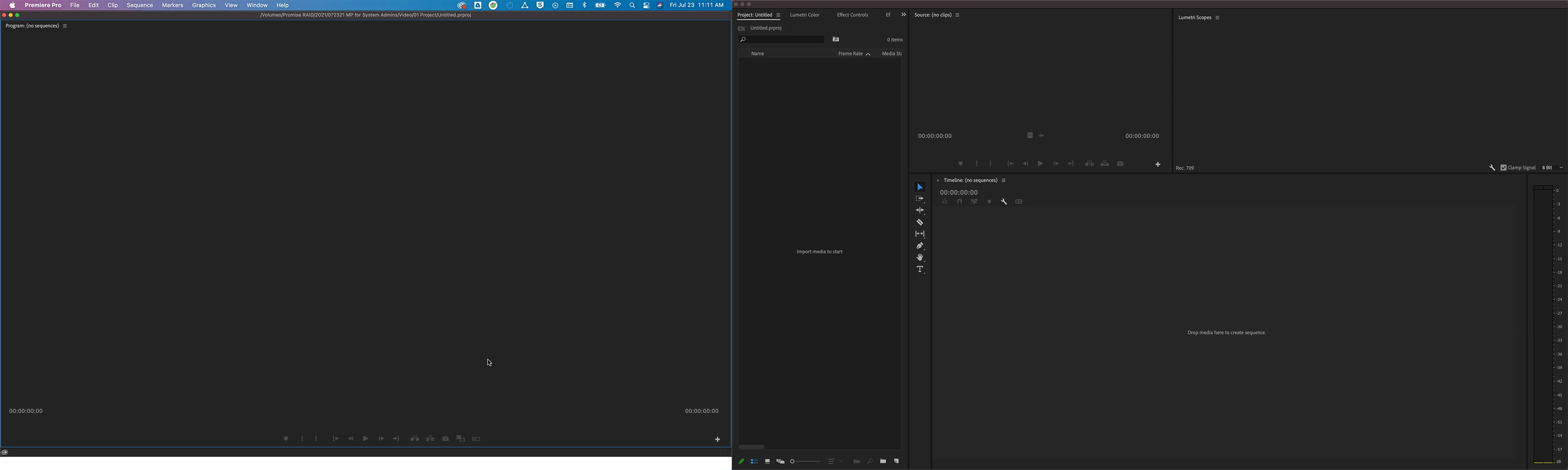
I have a workspace that I created and when I create a new project the project panel never comes in how I save the workspace.


Below is how I have saved the workspace.
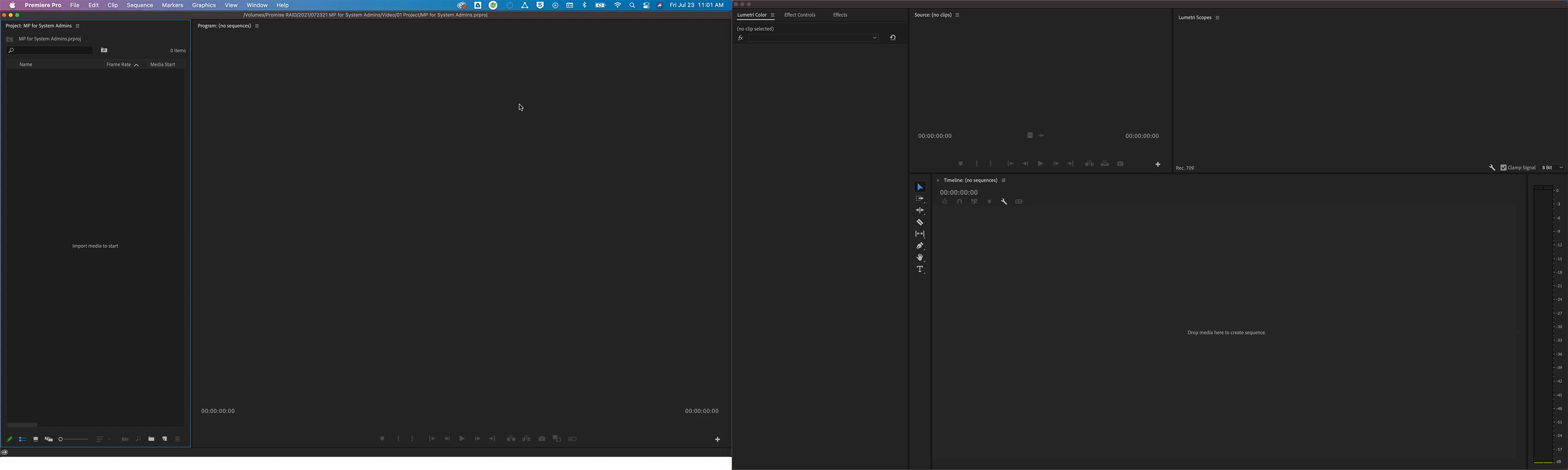
 

And here is how it comes in when I create a new project. You can see the project panel is now on my second monitor stacked with the Lumetri color panel and effects controls.
Correct answer Sumeet_Kumar_Choubey

Hi Brandon Menneke,


We're sorry about this. Please try these steps & check if it's helping.

  • Close Premiere Pro & navigate to Documents\Adobe\Premiere Pro\15.0\Profile-CreativeCloud- and rename the folder name Layouts to OldLayouts (this will cause Premiere Pro to ignore the old workspaces during the next launch).
  • Launch Premiere Pro and create a new project.
  • Rebuild your workspace and save it as a custom workspace.
  • Close Premiere Pro & launch it again to check if it's available in a new project.

Let us know if it helps.


Thanks,
Sumeet

1 reply

Sumeet_Kumar_ChoubeyCommunity ManagerCorrect answer
Community Manager
July 23, 2021

Hi Brandon Menneke,


We're sorry about this. Please try these steps & check if it's helping.

  • Close Premiere Pro & navigate to Documents\Adobe\Premiere Pro\15.0\Profile-CreativeCloud- and rename the folder name Layouts to OldLayouts (this will cause Premiere Pro to ignore the old workspaces during the next launch).
  • Launch Premiere Pro and create a new project.
  • Rebuild your workspace and save it as a custom workspace.
  • Close Premiere Pro & launch it again to check if it's available in a new project.

Let us know if it helps.


Thanks,
Sumeet

Brandon Menneke
Inspiring
July 30, 2021

Thank you that did the trick!