
Participant
January 15, 2020
Question

Workspaces window Premiere Pro 2020

  • January 15, 2020
  • 2 replies
  • 1254 views

Hi!

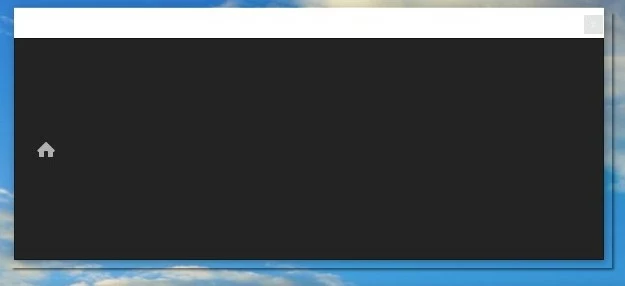
I have an issue with the Workspaces window. It works well until undocking. As soon as I drag it to a different place or undock it to make separate it became empty. All buttons except home disappearing. How to fix it, I want to move it to the second monitor but I can't.

Premiere Pro 2020 (v.14 build 572)


[Pr build corrected by mod]

This topic has been closed for replies.

2 replies

R Neil Haugen
Legend
January 16, 2020

The UI of Premiere is much more flexible than most apps ... in general. But some things you can't do. I think you can show or hide the workspaces bar, I don't think you can move it though.


Neil

Everyone's mileage always varies ...
R Neil Haugen
Legend
January 15, 2020

Do you mean the Edit Workspaces dialog box, or the "startup" dialog that lists the recent projects you've worked on?


Neil

Everyone's mileage always varies ...
AngryAdmAuthor
Participant
January 16, 2020

I mean the "Workspaces" tool tab (Windows -> Workspaces).

When I just open a workspace (for example Windows -> Workspaces -> Graphics) everything is good and I see workspaces buttons (please see screenshot 1).


But as soon as I detach this tab from the interface all workspace buttons disappear and the only one is on the place: the "Home" button (please see screenshot 2)


Kartika Rawat
Community Manager
Community Manager
January 16, 2020

Hi there!

Thank you for reaching out. I am able to reproduce this behaviour at my end also. However, let's not jump to any conclusion. Honestly, this is something new for me. We'll get in touch with our product team and update you as soon as we hear from them.

Regards,

Kartika