
Participant
August 24, 2022
Answered

Wraptor DCP export option missing from latest version of Premier

  • August 24, 2022
  • 7 replies
  • 32350 views

Hi all, the Wraptor DCP option in the "Format" tab used to be listed under "Waveform Audio" and is now gone. Please advise, thanks!

Correct answer Warren Heaton

If you're running the Apple Silicon version Premiere Pro on an M1 or M2 based Mac, Wraptor DCP isn't available.

https://helpx.adobe.com/premiere-pro/kb/premiere-pro-for-apple-silicon.html


With Premiere Pro closed, Get Info on the application in the Finder and enable "Open using Rosetta" to use the Intel version.  While using Rosetta, "Wraptor DCP" will show in the Format pop-up menu as expected.


You'll want to do the same thing for Media Encoder.
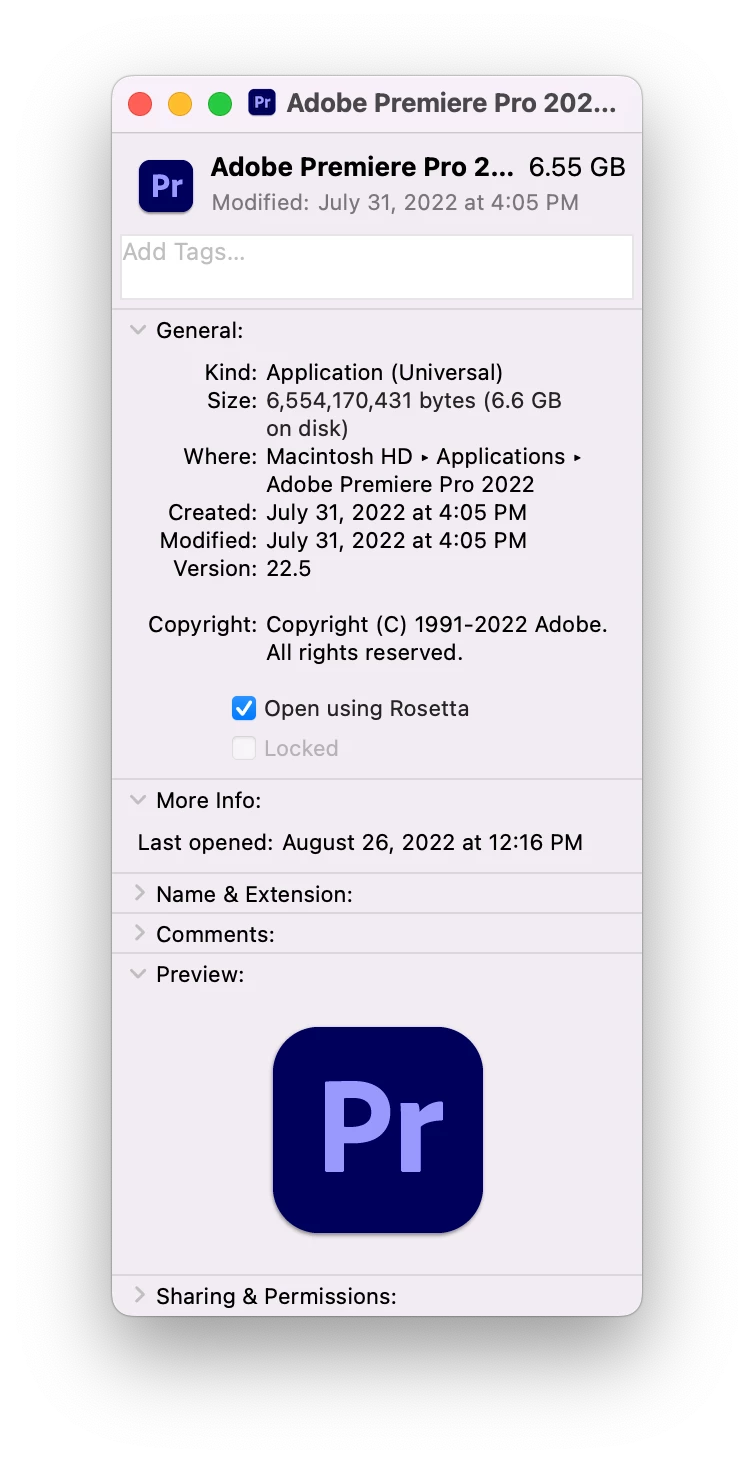


You can do your editing without using Rosetta and then enable it when you're ready to create the DCP.


Hopefully, we'll see Wraptor DCP in the Apple Silicon native version sometime soon.

7 replies

Participant
November 22, 2024

In November 2024 it still doesn't work on Apple silicon. Neither v24.x nor v25.0 include Wraptor DCP, and running them in Rosetta is not possible. I guess those are native Apple silicon apps or something like that. In the Creative Cloud App, there are no older versions than v24.0, so this is not a solution. The only thing I could do was to chat with support and they sent me a standalone installer of v23.0, I installed it, then I checked in the "Open using Rosetta". After that point, you can access Wraptor DCP inside Premiere Pro 23.0. You can use it for DCP exports and still have the latest version as well. Well, it is a solution, but a very odd and hopefully temporary one. I hope, after many years, Adobe will finally find a way to adapt the Wraptor exporter to the new Apple silicon environment.

Participating Frequently
July 15, 2024

Today is July, 15, 2024. DCP Wraptor is not working even in an Intel iMac. Crashes, 4 hours with Adobe Support. I have to deliver my film today and the only option is to do it in the DCP O Matic, or buy the license of Easy DCP. I already send an email to Quvis to see what's going on.

Myles0D4C
Known Participant
May 22, 2024

I am using Premiere v24.3

When I right click on the app and go to 'get info' there is no option for "Open with Rosetta", however when I look through creative cloud and click on the 3 dots next to the app it offers the option to "Open in Rosetta". The issue is when I do that the Wraptor DCP setting still doesnt appear in the dropdown in the exports section.

I downloaded an older version of Adobe Premiere (v23), and when I right clicked on the app icon for that and went to 'get info' it did give me the option to "Open in Rosetta". That version does indeed have the Wraptor DCP option in the exports section.

Warren Heaton
Community Expert
Community Expert
May 22, 2024

@Myles0D4C 

Thank you for sharing what worked for you.

Not seeing "Open using Rosetta" is usually a result of selecting the folder rather than the application.


Participant
December 7, 2024

i have tried all the options listed above as i am using the premier pro 25 and it doesnt show open with rosetta also tried opeing with the three dots on creative cloud there is also no option. what could could be best solution i can try now ?


Participating Frequently
April 19, 2024

2024 update! In the creative cloud you will find the 'open in Rosetta' option under the three dots.  Wraptor DCP will re-appear in Media Encoder.


Warren Heaton
Community Expert
Community Expert
November 22, 2024


It's important to note that the "Open in Rosetta" option in Creative Cloud Desktop only exists for Premiere Pro version 23.x (2023), 22.x (2022), or 15.x (2021).  Unfortunately, most of these versions can no longer be installed.

Opening Premiere Pro via Rosetta is no longer available as of version 24.x (2024).


Participant
March 25, 2024

Try this free App https://dcpomatic.com/

Participant
November 16, 2023

My. Solution (running Mac Studio M2 Ultra chip & Premiere Pro v24)

1. Export out sequence in ProRes that is to encoded as a DCP

2. Go to Creative Cloud and install Premiere Pro v23.6.2 (including coresponding version of Media Encoder)

3. Once installed, find v23 in the Apps tab in Creative Cloud, and open Intel version

4. Wraptor DCP should now be available in the export menu. Import ProRes files and take it from there.

Note: DO NOT export DCP via Media Encoder. Export directly from Premiere Pro


Good luck!

stantonfresh
Participant
November 29, 2023

Thanks everyone, thisi frustrating yeah as it's always on the deadline end of the pipeline! I had no idea Apple M's had created such a disruption in every industry. The functionality of Wraptor in PP 24.0 is limited and crashes DCP Players. I'm trying the Creative Cloud access to Intel Rosetta as the 'Get Info' gateway is long since closed.

Warren Heaton
Community Expert
Warren HeatonCommunity ExpertCorrect answer
Community Expert
August 26, 2022

If you're running the Apple Silicon version Premiere Pro on an M1 or M2 based Mac, Wraptor DCP isn't available.

https://helpx.adobe.com/premiere-pro/kb/premiere-pro-for-apple-silicon.html


With Premiere Pro closed, Get Info on the application in the Finder and enable "Open using Rosetta" to use the Intel version.  While using Rosetta, "Wraptor DCP" will show in the Format pop-up menu as expected.


You'll want to do the same thing for Media Encoder.
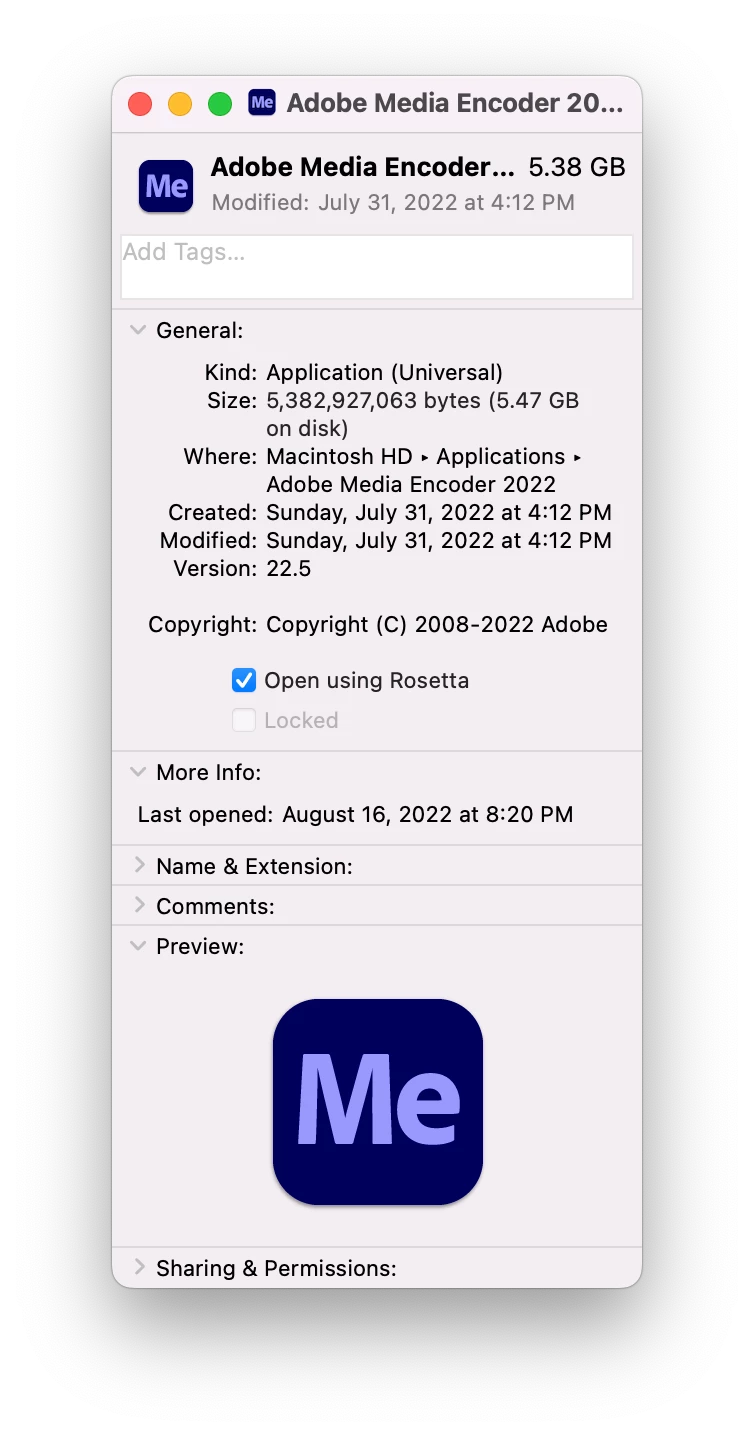


You can do your editing without using Rosetta and then enable it when you're ready to create the DCP.


Hopefully, we'll see Wraptor DCP in the Apple Silicon native version sometime soon.

MD NeelyAuthor
Participant
August 26, 2022

That was it, thank you so much!