
Wrong color on Program Monitor
Hello,
I was shooting an interview situation and have now trouble with my second cam footage.
A Sony a7s in combination with an Atomos Sumo was used to record it in 4k ProRess422HQ.
When I load the footage into Premiere something strange happens: While the "Source" monitor shows the material as it was recorded and set up at the shoot (WB and exposure seems fine, also compared to the primary camera), the colors and exposure shown on the "Program" monitor is completely off!
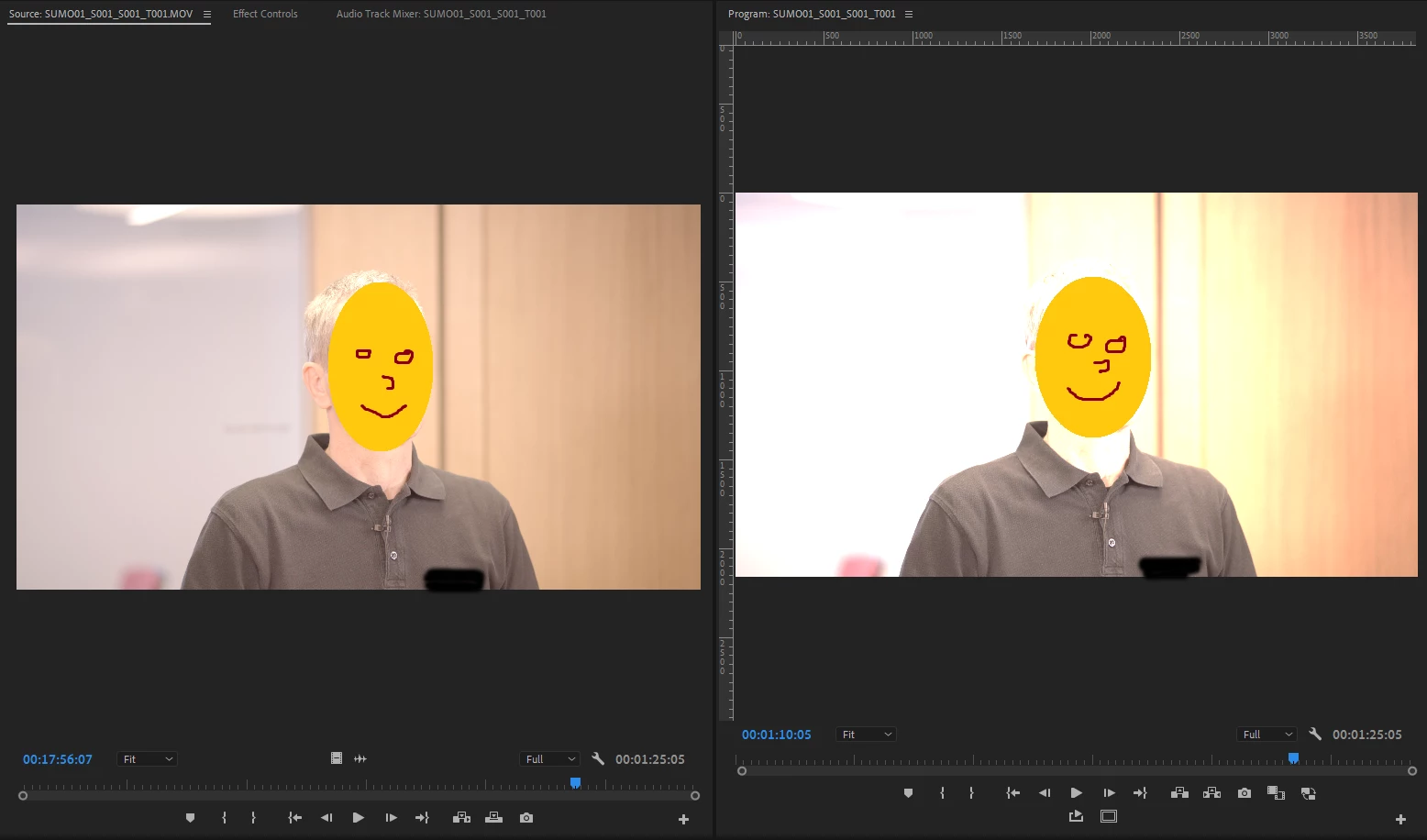
When i open the footage with VLC the material looks fine, but as soon as I render it through Media Encoder the colors and exposure way off again (Proxies even more)
I shot a similar Situation with the exact same set-up already half a year ago and even though the video data (codec, color space, bitrate, etc.) are the same, this time it doesn't work at all.
Kindest regards,
Mathias
I'm working on Premiere Pro 14.5.0 (Build 51)
Windows 10, Intel Xeon W-2125 4.0 GHz, 32 GB RAM, NVIDIA Quadro P400


 AdChoices