
Question
wrong colors with macbook screens
There is a big problem with macbooks that support the P3 color gamut (macbook air, pro m1 2020 etc.)
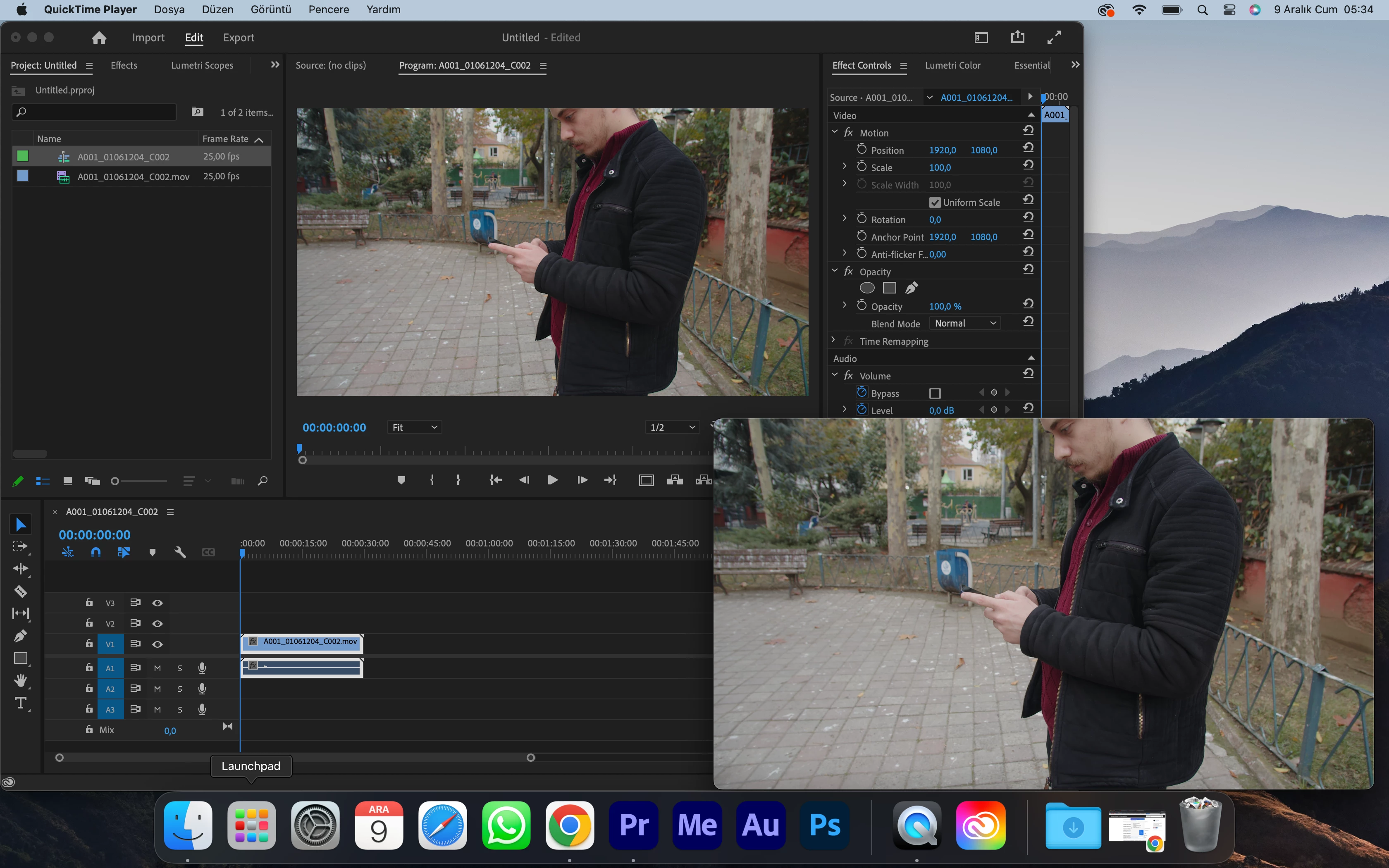
When editing video in Premiere Pro, the video appears on the monitor in more saturated colors than the original file. When exported, it goes back to its original state.
I've tried it on many macbooks and adobe versions and they're all the same.
Adobe officials remotely connected to my computer, changed the settings, but could not find a solution.
Don't say open Color Display Management. Because this time it doesn't show correctly, it makes it look darker.
PLEASE FIX THIS NOW
(The original footage at the bottom right in the sample image. The difference in saturation of the image without effect in Premiere pro is obvious.)
 AdChoices