
RoldyX
Participant
May 23, 2017
Answered

x264 Pro Codec Export Audio Only

  • May 23, 2017
  • 1 reply
  • 2143 views

Hey guys,

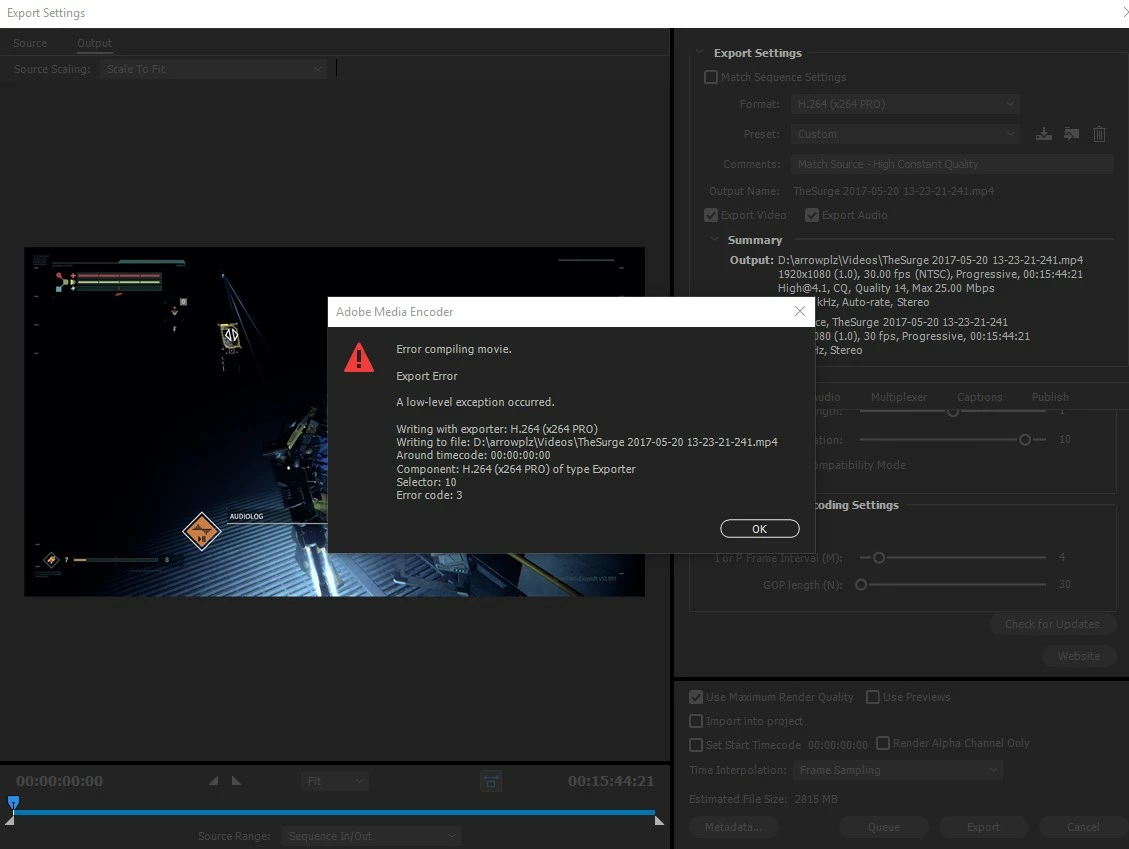
I'm new to this forum so I apologise If I don't give the correct info for my current problem. I export alot of my gameplay videos both through Premiere Pro CC & Adobe Media Encoder CC (when I have multiple clips to render) and just recently I can't export my video output for some reason. I keep getting this error. This problem started popping up the moment I updated both my premiere pro & adobe media encoder to the latest versions. Before that it worked like a charm with the x264 pro codec. Could the codec be out of date? I run a YT channel so for now I'll just use the original h.264 while I wait for a fix. If there are other solutions I appreciate any help. Also I could probably try to reinstall an older version of both Pro and AME see if that fixes it. Thanks!
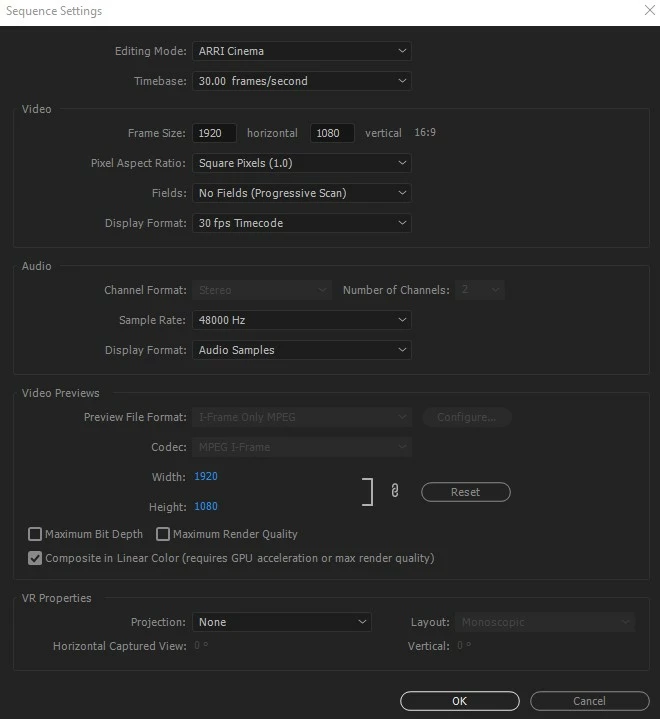
This is my sequence settings:
This topic has been closed for replies.
Correct answer Averdahl

I see the very same thing and has contacted 3am Digital Studios but did never got a reply. To workaround the issue i export to the CineForm codec and then use the latest AME or AME CS6 to encode that file to H.264 using the x264 PRO plug-in.

1 reply

Averdahl
Community Expert
AverdahlCommunity ExpertCorrect answer
Community Expert
May 23, 2017

I see the very same thing and has contacted 3am Digital Studios but did never got a reply. To workaround the issue i export to the CineForm codec and then use the latest AME or AME CS6 to encode that file to H.264 using the x264 PRO plug-in.

RoldyX
RoldyXAuthor
Participant
May 23, 2017

I'll try this. Is the Cineform codec free to download? If so where? I tried searching in google for the cineform codec installed in their gopro site, can't seem to find the codec on premiere pro after install. Probably not doing it right.

I did however find that exporting on previous versions of premiere pro did the trick but its buggy at times, but can't render in AME as it just shows that big red splash screen due to no video output. It seems only at the latest version I get the "a low level exception has occured error" from AME. I want to avoid resorting to wiping my system for a fresh install. Only at the very very last option.

Any more solutions would be greatly appreciated. Thanks for the reply!

Averdahl
Community Expert
Community Expert
May 24, 2017

CineForm is included in Premiere Pro CC.