
Yellow bar and rendered green bar give noticable different image colors
I'm editing some DSLR footage and I noticed something that never really captured my attention before. I have a NVIDIA GeForce GTX 970 for its CUDA and it helps me to play the footage perfectly even in full resolution and color corrected with the Lumetri Color panel straight from the timeline while editing. The timeline displays a yellow bar on top. So far so good.
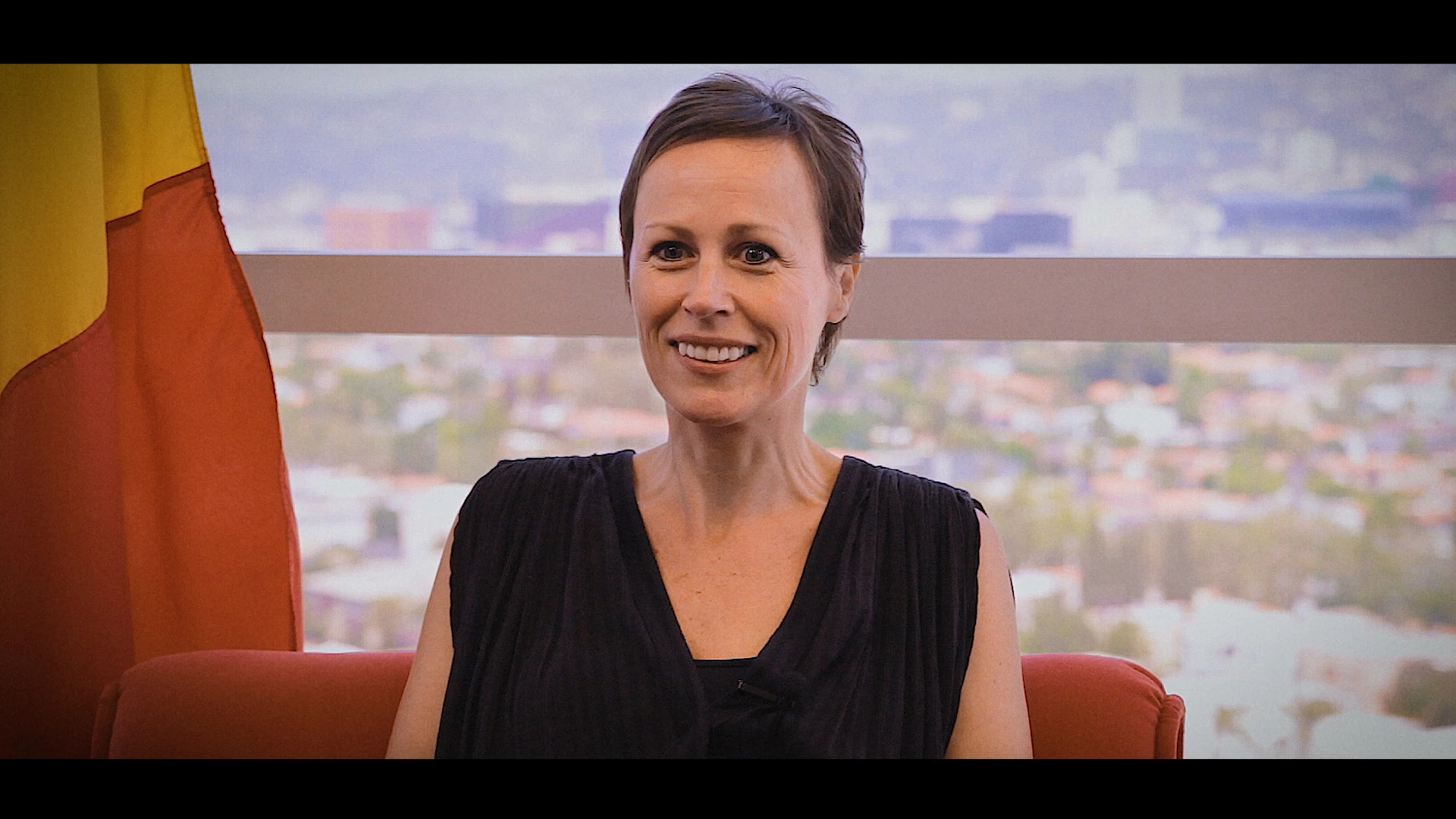
Until... I try to render some clips for smooth playback (some of them have partly an effect or a MOGRT title applied and need rendering) and I noticed once the green bar appeared on top of the timeline the colors changed noticeably, in my case with a slight orange-ish tint. To be clear: for experimenting I also tried different sequence settings and preview settings and mixed them (Arri Cinema, DNX, I-Frame only MPEG, etc...) but the color problem stays the same. In the included samples please take look at the color of the skin and the color of the flag in the back which turns more orange with the rendered version.
Yellow Bar (straight from the timeline):
Green Bar (after rendering a part of the clip on the timeline via Sequence>Render Entire Work Area):
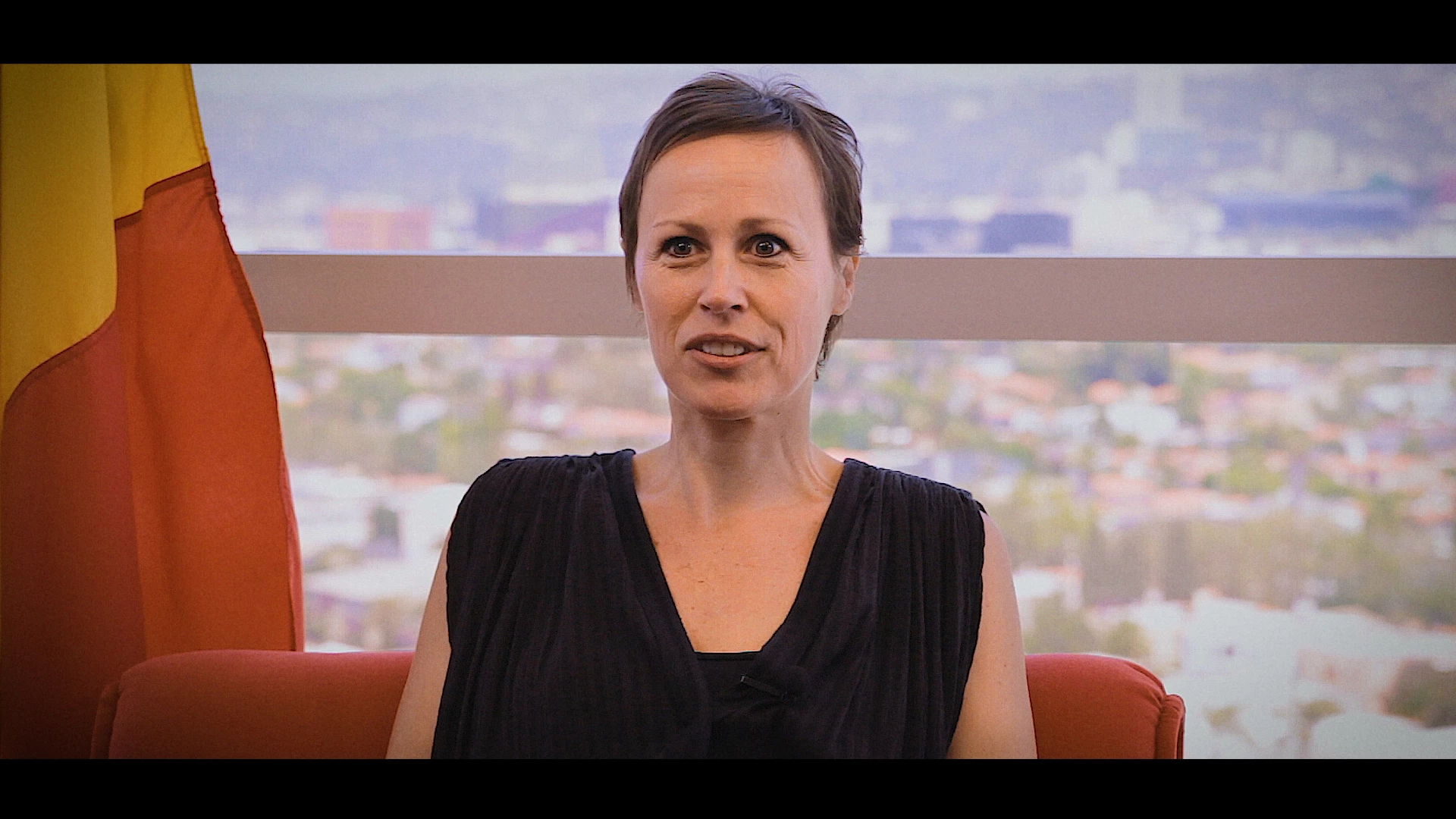
My question now is: how can I apply a correct color adjustment on my timeline if after rendering (and I assume also exporting) my colors will change? And what am I doing wrong? Does anybody have the same issue?
 AdChoices