
Participating Frequently
July 31, 2024
Question

Yet another export issue... HELP!

  • July 31, 2024
  • 1 reply
  • 339 views

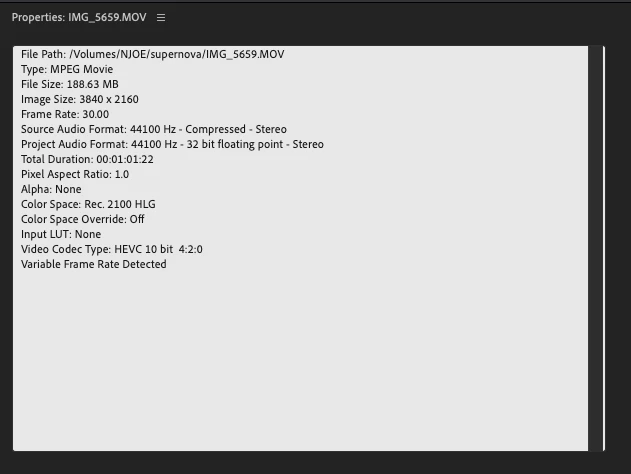
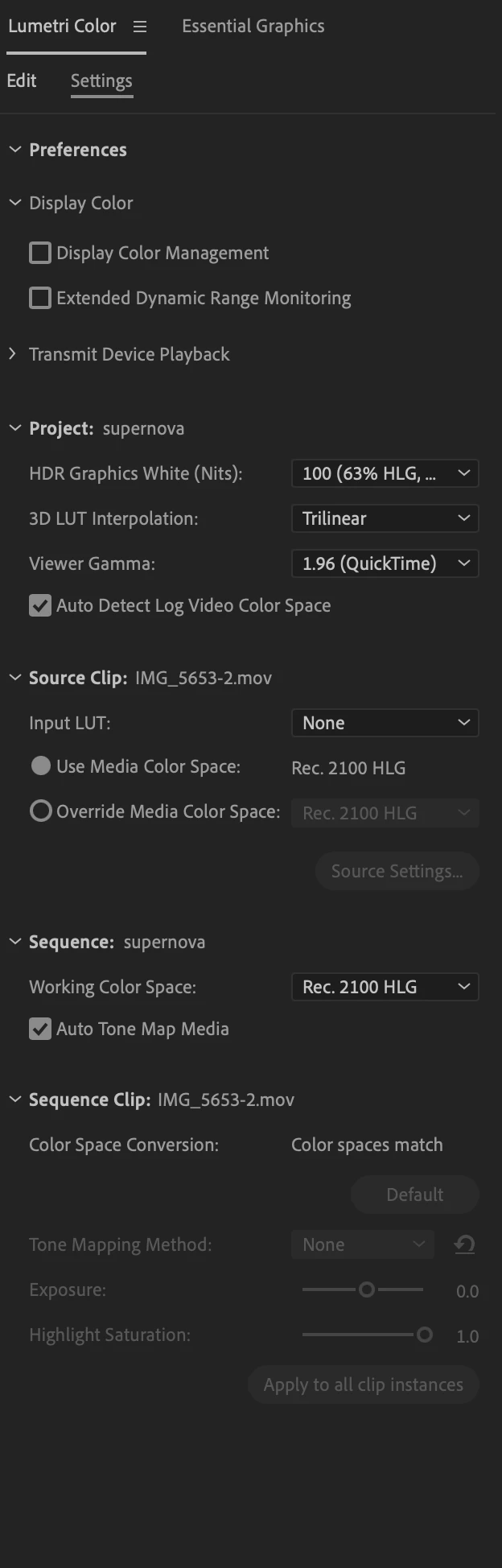
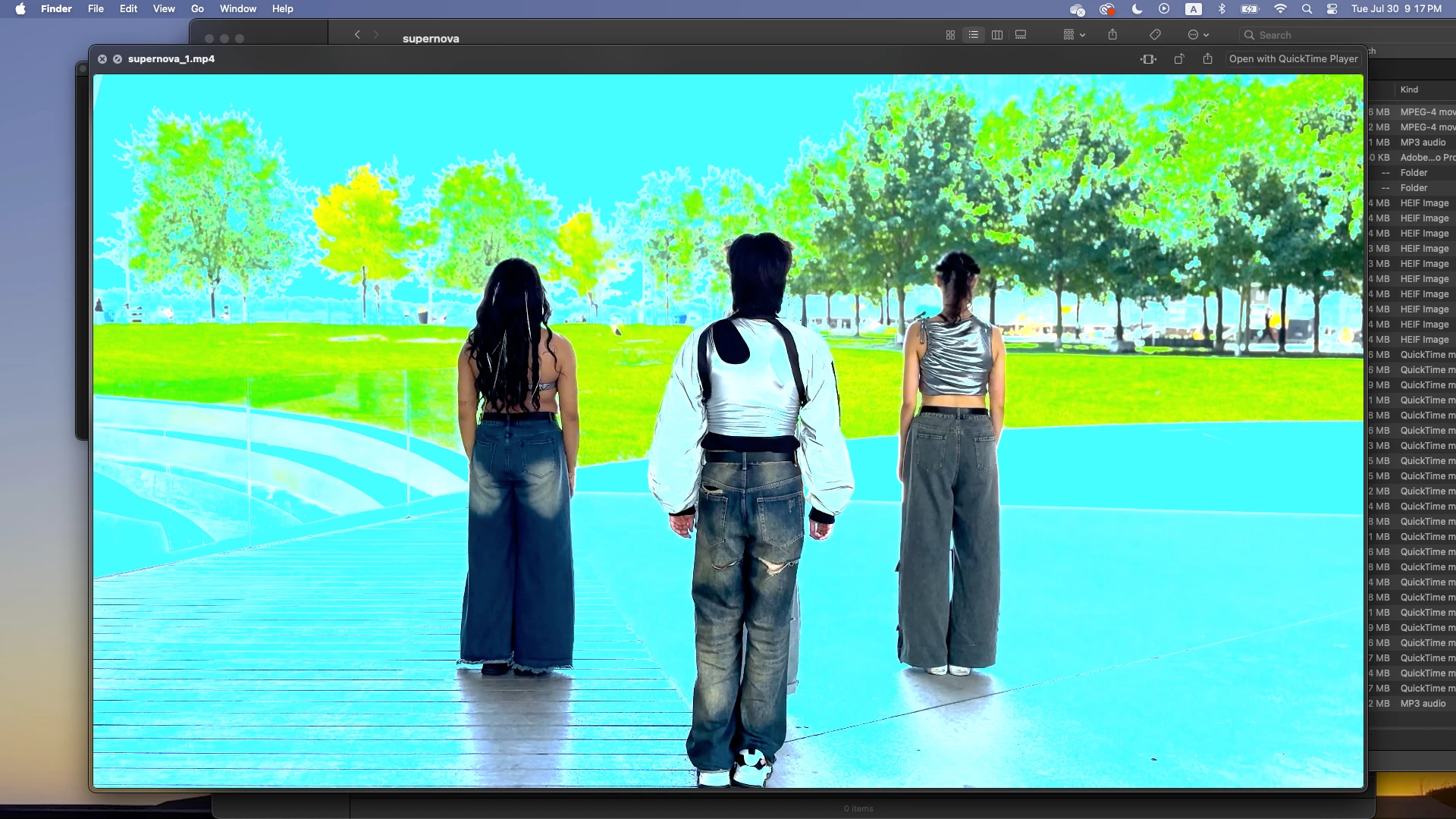
Hi friends! I'm having yet another issue with my exported footage looking CRAZY. I've checked if this issue has something to do with the color space of my files and the Lumetri settings but everything seems to match. My exported clip keeps comes out oversaturated and blue. Can anyone help me shed some light onto why this keeps happening and how to fix? Thank you! (Photo references below)


This is my clips' properties:
 

This is my project's Lumetri Color settings:
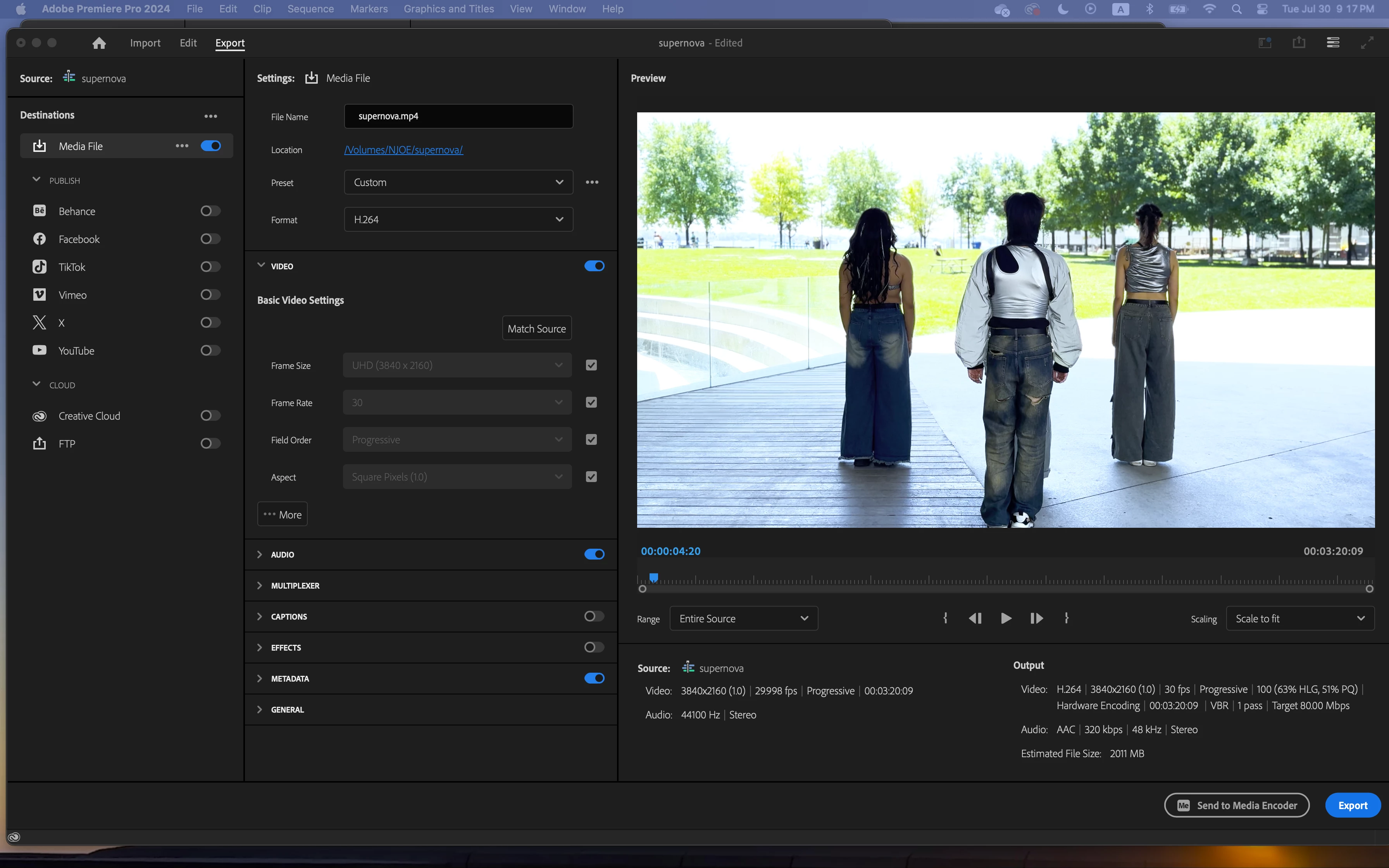
This is what my "Export" window looks like:
 

This is what ends up exporting:
  

This topic has been closed for replies.

1 reply

R Neil Haugen
Legend
July 31, 2024

First, you need both the Display Color Management and on that Mac, Extended Dynamic Range on.


Next, are you using an export preset that includes HLG in the preset name?

Everyone's mileage always varies ...
Participating Frequently
July 31, 2024

The custom export preset just seems to say "H.264" and after ticking both those boxes, below is what my Export window looks like.


Also, for additional context, the clips I'm working with were filmed in HDR Cinematic Mode on an iPhone 🤦

R Neil Haugen
Legend
July 31, 2024

Choose an export preset with HLG in the preset name. As otherwise you will not probably get correct settings through the entire preset for an HLG HDR export.


Everything in color management must match precisely.

Everyone's mileage always varies ...