digitalb94773660
Participant
November 21, 2016
Answered

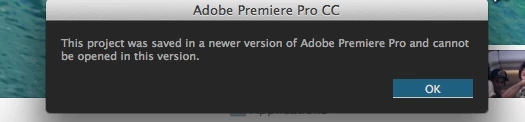
Yet another "The project was saved in a newer version of premiere pro and cannot be opened in this version."

  • November 21, 2016
  • 3 replies
  • 3226 views

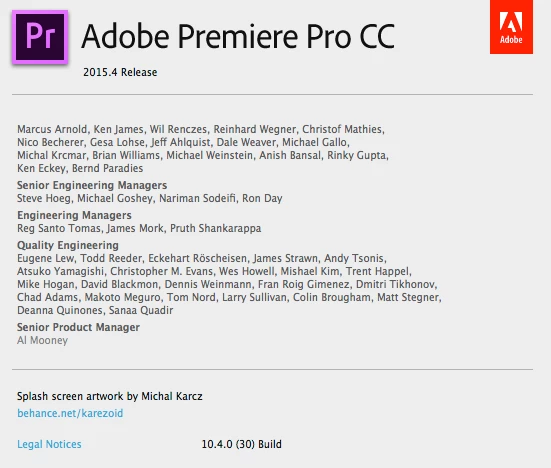
Just had another editor do a pass on my project, which has major deadlines coming up. Double checked the timeline with him on his computer before taking the drive back to the render machine, which has the latest PPCC installed. However, I'm getting the good old "saved in a newer version" error, and I can't import a sequence or any of the project into a new project. Ideas? Is there a later build I don't know about?
    This topic has been closed for replies.
    Correct answer digitalb94773660

    Okay, the problem was solved, although Vidya's instructions did not solve the issue directly (and to answer Peter's question, I did try importing and it didn't work.)

    I was using OS 10.9.5, and the CC app did not show that there was a new update because the new update was not compatible with 10.9.5, only 10.10. I discovered this only because when going to the premiere direct download link that I found online, I got the following notification in my browser:

    I would suggest that Adobe make an update to the CC app itself in anticipation of future OS and version updates that when CC is installed in an outdated OS, CC's Apps tab should *still* show that there is a new update available (even if it is uninstallable) and when the user tries to install it, they receive the warning about the unsupported operating system. Right now there is no notification system within the Apps that would have denoted that the reason I could not see the update was because of my OS. A simple popup warning would solve this for any other issues having this problem.

    3 replies

    Legend
    November 21, 2016

    Is there a later build I don't know about?

    That would be the logical conclusion.

    Peter J Kovacs
    Inspiring
    November 21, 2016

    Have you tried importing the project instead of just trying to open it? I've had success creating a blank project and then just importing the PRPROJ file.

    Vidya Sagar
    Participating Frequently
    November 21, 2016

    Hi Digitalb,

    There is a new update for Premiere Pro CC. The latest version is CC 2017.0.1(11.0.1).

    Install this version & open the project.

    Instructions: Update Creative Cloud apps

    Please let us know the status.

    Thanks,

    Vidya Sagar.

    digitalb94773660
    Participant
    December 2, 2016

    Hi, is there a direct download link? My CC app says everything is up to date, and it says I can't do a clean uninstall of CC to reinstall because I have CC applications installed.