Hi @Bed30321077z973,
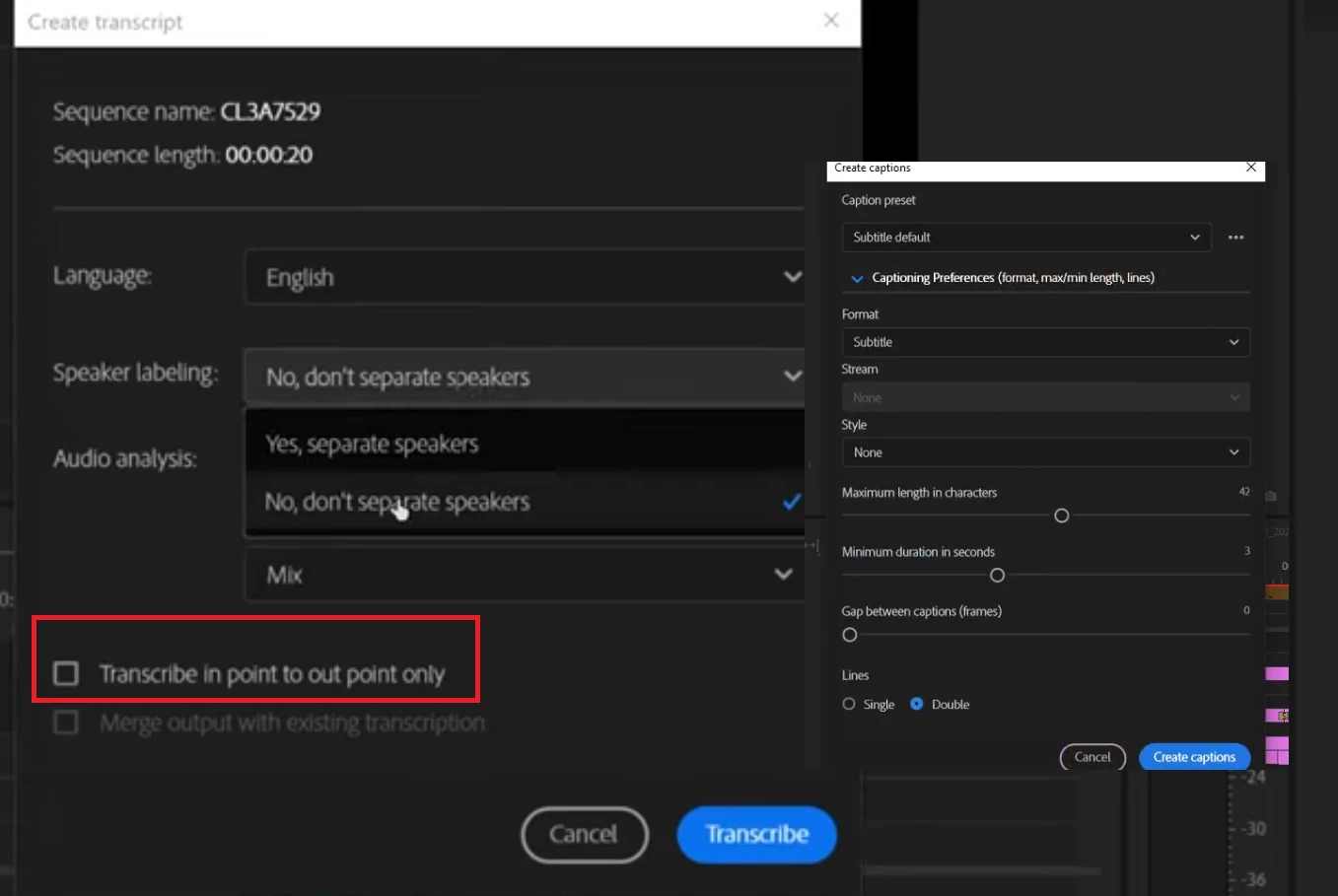
it looks like you are currently working in the "Captions" tab of the Text panel (that's why you see the "Create captions" dialogue in the right side of your screenshot). To see the transcription settings, you need to switch to the "Transcript" tab of the Text panel.
The option to "Transcribe in point to out point only" is only available for static sequences. To create a static sequence, go to the top right of the Text panel/Transcript tab -> click on "..." -> select "Generate static transcript". This will create a static transcript of your sequence audio, and as the name hints, it will not update the transcript when you make changes in your timeline. But you will be able to transcribe only the in/out range of your sequence, and the dialogue for that will be shown once you click on "Generate static transcript" – or, if you already created a static tranascript, click on "Re-transcribe sequence" in the "..." menu.
If you want to transcribe a single clip only, you can right-click on the clip in the Project panel and select "Transcribe" from the context menu. This will transcribe your source clip and it doesn't matter in which sequence the clip exists. Wherever you put that clip, it's transcript will follow since it is a dynamic transcript. If you want to know more about how to work with dynamic transcripts and use text-based editing, you'll find more info here: https://helpx.adobe.com/premiere-pro/using/text-based-editing.html.
Hope that helps!
Best,
Kerstin




 AdChoices