
Inspiring
October 28, 2024
Answered

Zoom two-speaker 'gallery view' recording - can I rescale only one of the speakers' cam view?

  • October 28, 2024
  • 3 replies
  • 1156 views

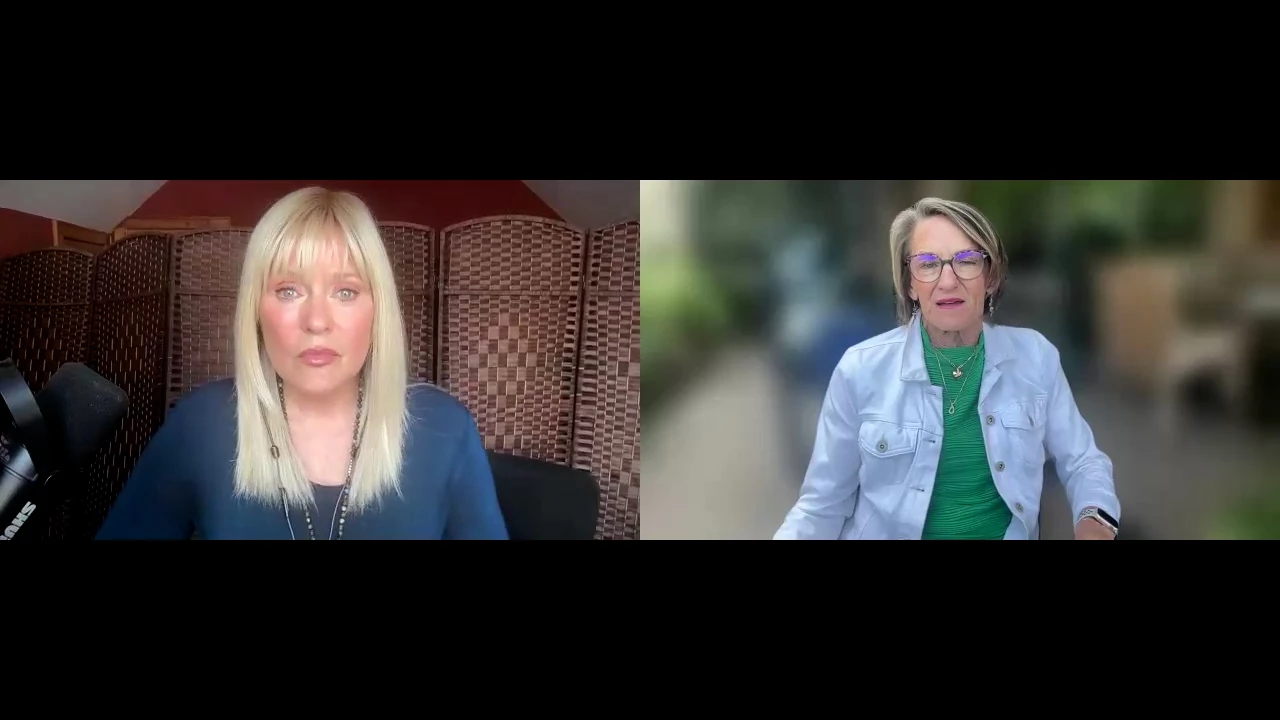
I edit interviews recorded remotely with Zoom Meetings. In the 'gallery view' video recording the interviewee's webcam shot often leaves them way in the background, especially in relation to the interviewer.
So my request for help is - is there a way to scale up the camera/person on the right so I can get both participants the same size?

Thank you.


This topic has been closed for replies.
Correct answer R Neil Haugen

That's going to add a few steps is all.


Drag the Transform effect to the clip, in the ECP, use the Transform effect's mask to isolated the right half of the image. Set feather to 0.


Now use the controls of the Transform effect for scale and positioning.

3 replies

Inspiring
October 28, 2024

posted in error

Inspiring
October 28, 2024

For anyone who hasn't worked with Zoom remote Meetings, the 'gallery view' recording is one file. One MP4. They aren't real camera shots, just webcam views from seperate devices. Zoom software turns that into the MP4 file.
There lies the challenge to scale up only one area of a video.


R Neil Haugen
R Neil HaugenCorrect answer
Legend
October 28, 2024

That's going to add a few steps is all.


Drag the Transform effect to the clip, in the ECP, use the Transform effect's mask to isolated the right half of the image. Set feather to 0.


Now use the controls of the Transform effect for scale and positioning.

Everyone's mileage always varies ...
Inspiring
October 28, 2024

Many thanks for your help @R Neil Haugen.  I'll try that tomorrow.
Much appreciated.

Community Expert
October 28, 2024

You'd have to get the footage into the timeline and then scale.

Inspiring
October 28, 2024

Well yes, I can't do anything with it unless it's in the timeline. I'm asking how to rescale just the right camera view. The lady on the right. I need to bring her closer so she approximates the size of the lady on the left.


R Neil Haugen
Legend
October 28, 2024

Drop her clip on the new item sequence, to make a 'temp' sequence to work in.


Use position/scale controls in the ECP to get her to correct 'size' and place. Copy the effect.


Select the clip in the bin, paste. I think that will work. If not, use the Transform effect instead.


Oh, and naturally, simply delete the temp sequence.

Everyone's mileage always varies ...