Participant
October 30, 2024
Answered

シェイプの上に動画を見えるようにする方法を教えてください

  • October 30, 2024
  • 1 reply
  • 196 views

分かりづらい質問で大変申し訳ございません。

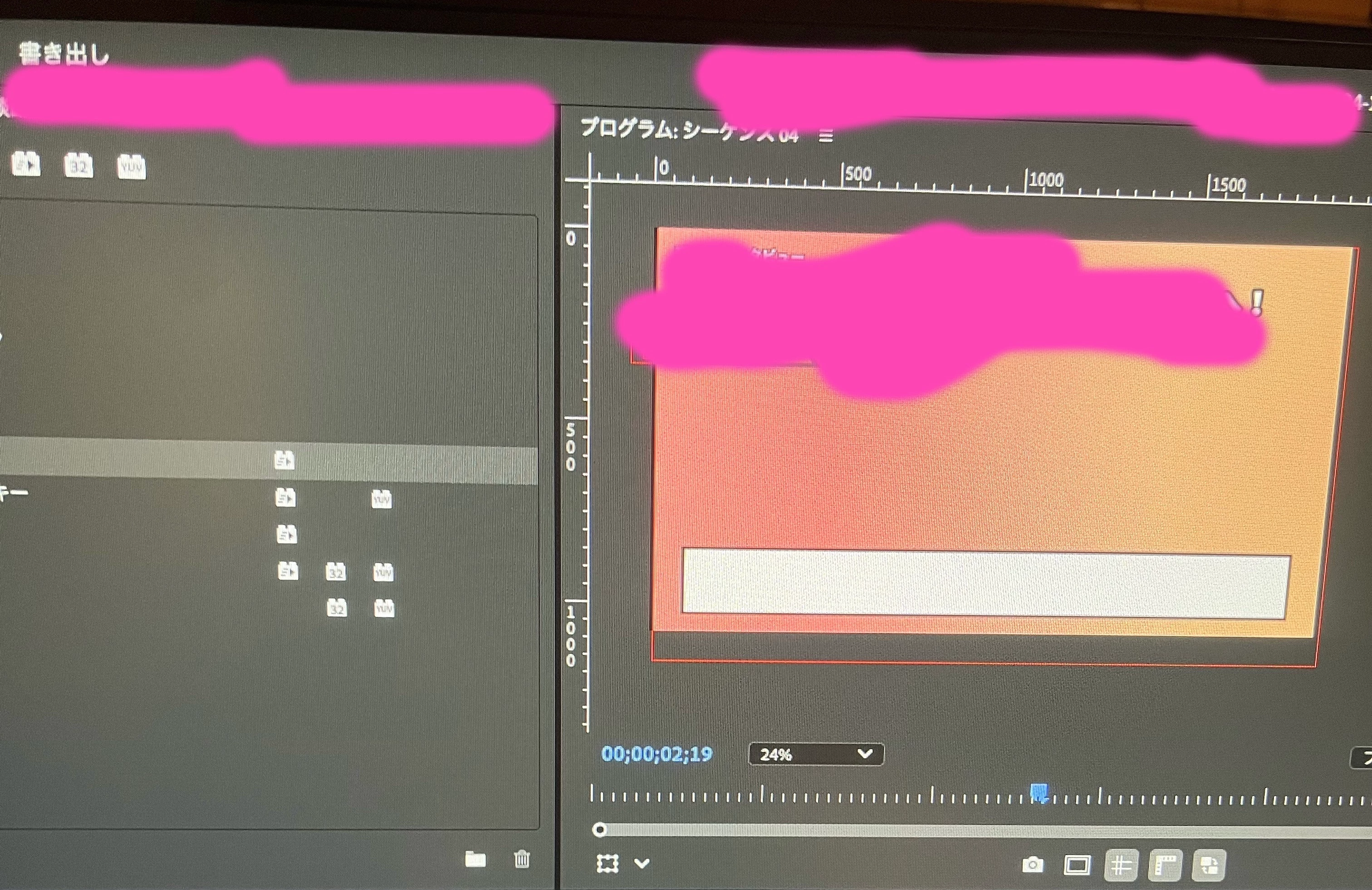
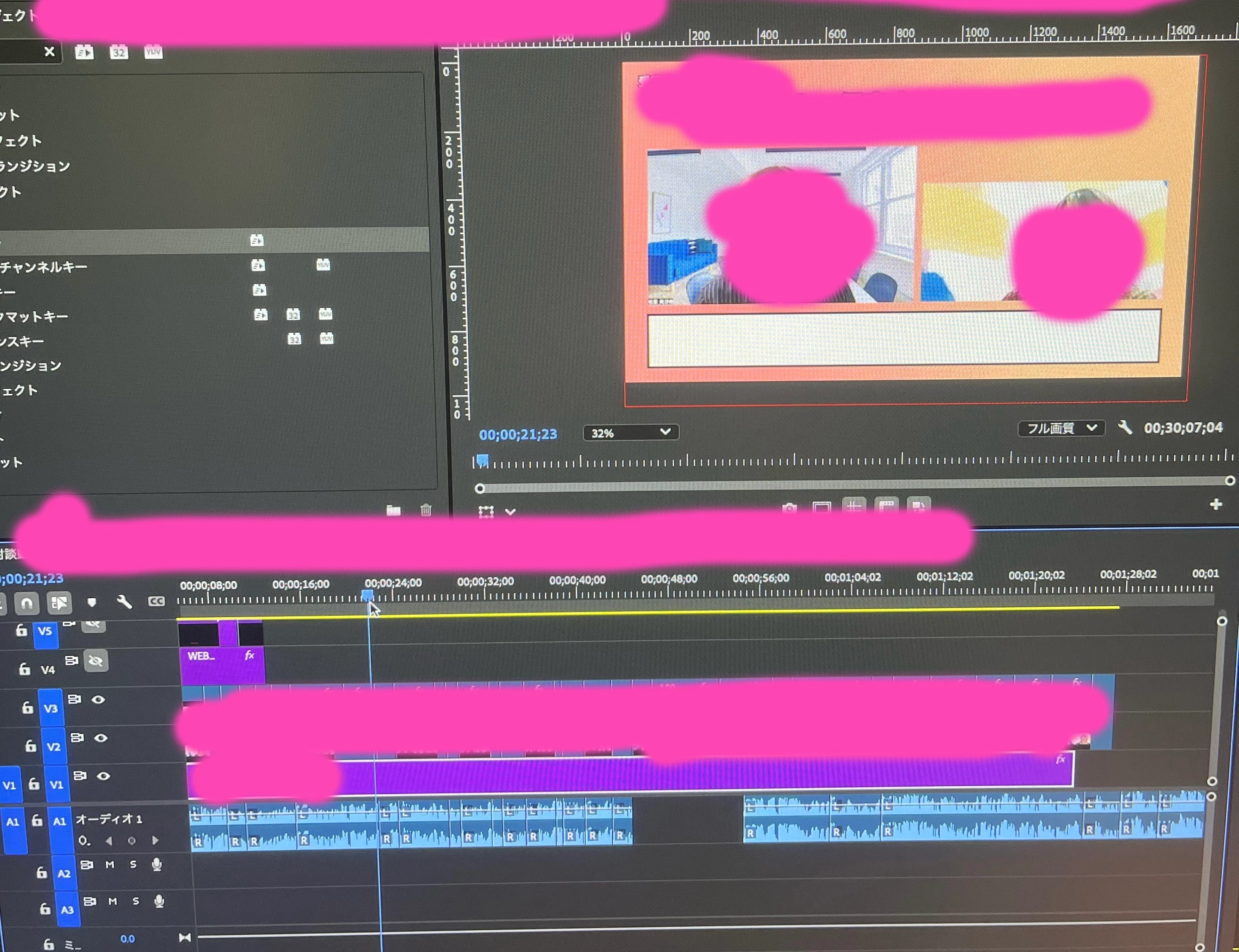
下記の1枚目の写真のようにする方法を教えていただけたら幸いです。

色々調べたのですがお願いいたします。


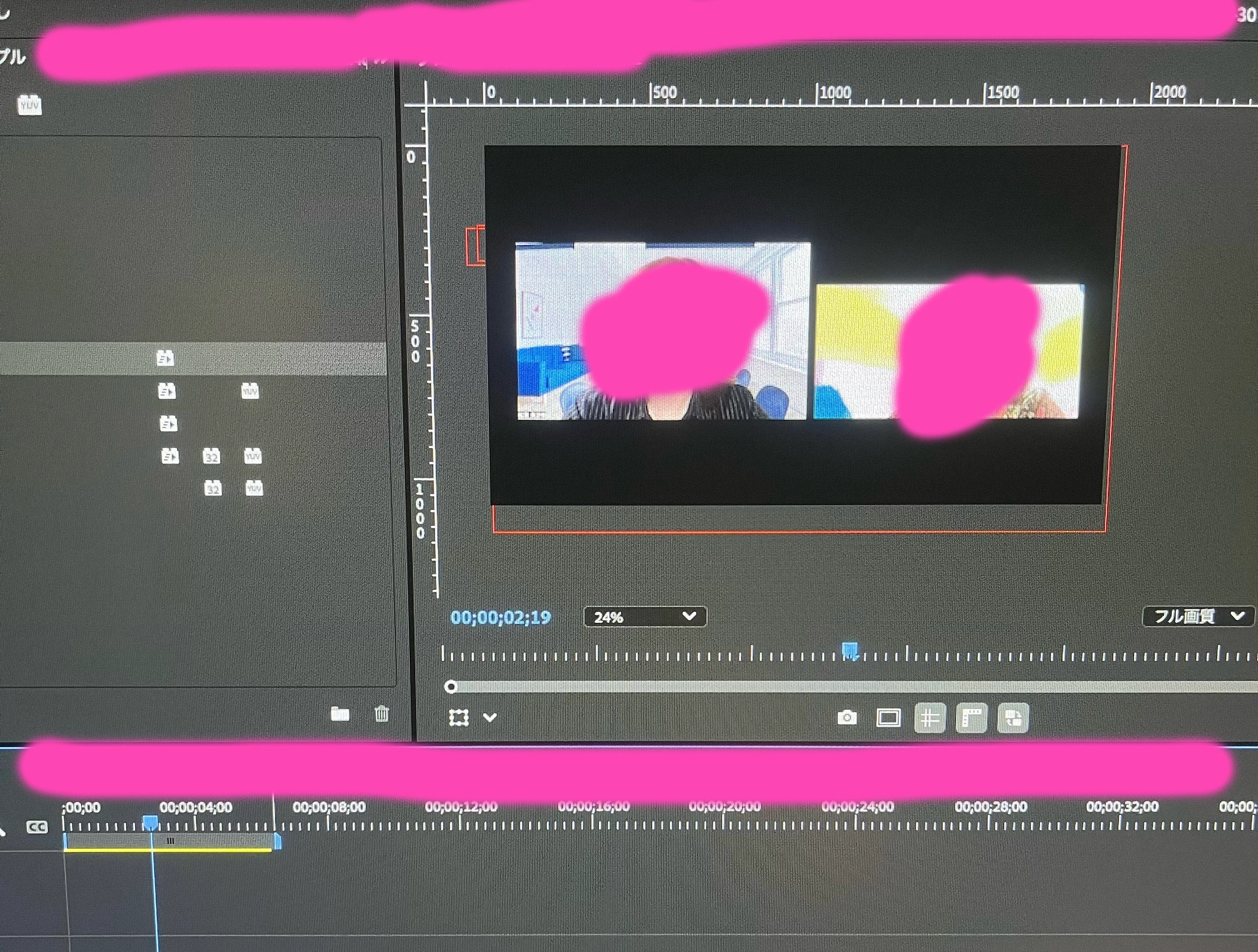
2枚目の写真のシェイプの上に

3枚目の動画が見えるようにしたいです


別動画に入れ替えたら動画見えなくなり困っております。

クリップを動かしても2枚目の写真のようになってしまいます。


ご教示のほど何卒よろしくお願いいたします。


Correct answer PaulMurphy

To display the video of faces over a background in your sequence, make sure to place the clips with the faces on a video track above the background clip.

If the area around the faces is black and not transparent, you’ll need to isolate the faces using masks. Here’s how:

  1. Select the clip with the face in the timeline.
  2. Go to the Effect Controls panel and apply the Alpha Adjust effect.
  3. Use the mask tools (rectangle, ellipse or pen) within the Alpha Adjust effect to create a mask around each face.
  4. Repeat for each clip that needs to show a face over the background.


This will allow the background to remain visible while showing only the faces from the overlaid clips.

1 reply

PaulMurphyCommunity ExpertCorrect answer
Community Expert
May 18, 2025

To display the video of faces over a background in your sequence, make sure to place the clips with the faces on a video track above the background clip.

If the area around the faces is black and not transparent, you’ll need to isolate the faces using masks. Here’s how:

  1. Select the clip with the face in the timeline.
  2. Go to the Effect Controls panel and apply the Alpha Adjust effect.
  3. Use the mask tools (rectangle, ellipse or pen) within the Alpha Adjust effect to create a mask around each face.
  4. Repeat for each clip that needs to show a face over the background.


This will allow the background to remain visible while showing only the faces from the overlaid clips.