


Question
テキストスタイルをプロジェクトの中に入れると一つ一つビンへと小分けになります
premiere Pro 初心者のため分かりづらい説明でしたら申し訳ございません。
作成したテキストスタイルをプロジェクトの中にトラックアンドドロップで入れると、以下画像のように一つ一つのビンに小分けされてしまうようになりました。
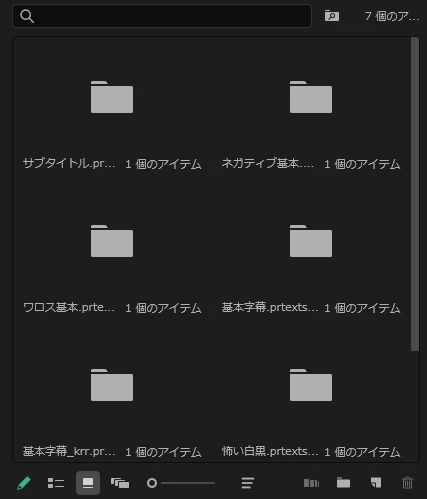
以前はこのようにならなかったのですが、解決方法がありましたらご教示いただけると幸いです

premiere Pro 初心者のため分かりづらい説明でしたら申し訳ございません。
作成したテキストスタイルをプロジェクトの中にトラックアンドドロップで入れると、以下画像のように一つ一つのビンに小分けされてしまうようになりました。
以前はこのようにならなかったのですが、解決方法がありましたらご教示いただけると幸いです
Already have an account? Login
Enter your E-mail address. We'll send you an e-mail with instructions to reset your password.
 AdChoices