



33406530a7dg
Participant
February 13, 2026
Question

ラウドネスはピッタリにしないと納品できないですか?モノラル書き出しについて。

  • February 13, 2026
  • 1 reply
  • 0 views

YouTubeなどを中心に動画編集をしているエディターです。

恥ずかしい話、そこまで音の編集に詳しくなく、

ラウドネスなどを気にせず、これまで編集をしてきました。


今回、担当している動画の納品書をいただきまして、

そこにモノラルでラウドネスを-14LKFS(LUFS)と指定がございました。


チュートリアルなどを見て、ラウドネスの正規化を使用して

-14LKFS(LUFS)に合わせようとしましたが、

実際は-14.20LUFSという数値になりました。


書き出しデータをPremiereに取り込んで

エッセンシャルサウンドのラウドネス一致から測定しています。


こちら、ラウドネスは一致していなくても大体合っていれば、

納品して大丈夫でしょうか?


また、モノラルの書き出しも初めてで、

オーディオの取り込みはモノラル、

シーケンスのマスターはマルチチャンネル、トラックはモノラル。

トラック上にはA1・2にナレーション、A3・4にSE、A5・6にBGMという形です。

ソースオーディオを1chにして

書き出しているのですが、合っていますでしょうか?


当初ソースオーディオは2chにしていたのですが、メディアエンコーダーの書き出しの時に、

ソースオーディオを一致させてくださいと表示がでたので、書き出し時のみソースオーディオを1chにしています。


ソースオーディオを2chにしないと、プレビュー時にイヤホンの両耳から聞こえないので、

そうしてますが、そもそも、ソースオーディオを1chにして書き出しても、2chにして書き出しても、

mac上のQuicktimeで再生しても特に変化はないので、どっちでもいいんじゃないかと思ってるのですが、間違っていますでしょうか?


本当に素人でこんがらがっています。


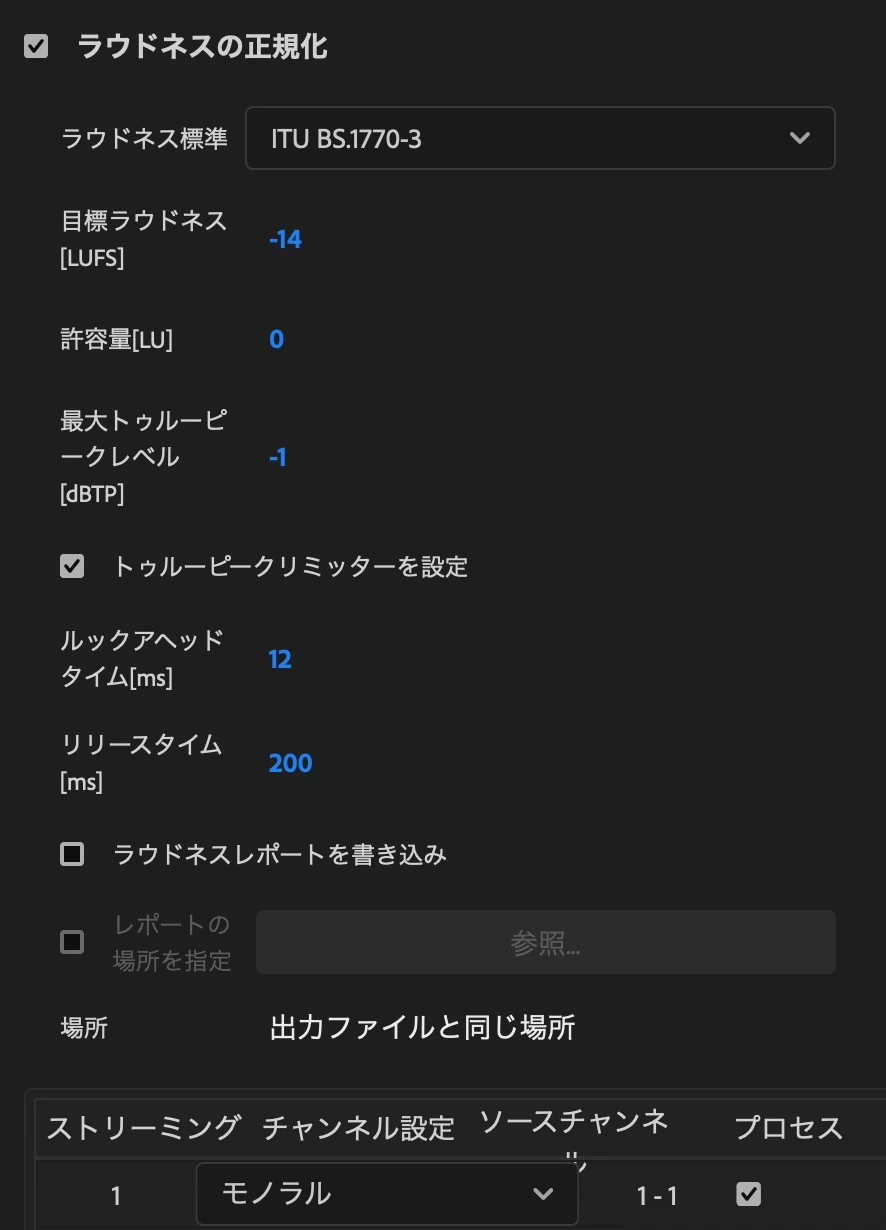
書き出し時の設定もお送りします。

最後のモノラル部分、ソースオーディオを増やすと増やせるのですが、

増やしても変わらないので、1chのみにしています。


おそらくどこからツッコめばという状況かと思うんですが、

ご確認よろしくお願いします。
 

1 reply

Community Expert
February 15, 2026

Your loudness settings look correct.


-14.20 LUFS is only 0.2 LU lower than -14 LUFS. This is a very small difference.


On YouTube, audio louder than -14 LUFS is reduced. If your file is slightly lower than -14 LUFS, YouTube will not change it.


Whether this is acceptable depends on your client’s delivery specification. If the specification requires exactly -14.0 LUFS with no tolerance, you should confirm with the client.


In most cases, a 0.2 LU difference is considered very small.


I cannot say exactly why normalization did not land on -14.00 LUFS without seeing your audio. Small differences can happen because of limiting, encoding, or how the file is measured.


Your mono setup is not ideal and may be contributing to the issue.


Instead of setting the sequence Audio Mix to Multichannel and exporting 1 channel, create a sequence with Audio Mix set to Mono.


This has two benefits.

  • You will hear the audio in both ears while editing.
  • Stereo clips will be properly mixed down to mono, instead of dropping one channel.

Note: You cannot change the Audio Mix of an existing sequence.


If needed, create a new sequence set to Mono and copy your clips into it.


When exporting, set Basic Audio Settings > Channels to Mono to match the delivery requirement.