

Participant
September 23, 2023
Question

Auto transcribe in the correct language

  • September 23, 2023
  • 2 replies
  • 812 views

In the beta App, i can't select the language to transcribe and when I do static transcribe,
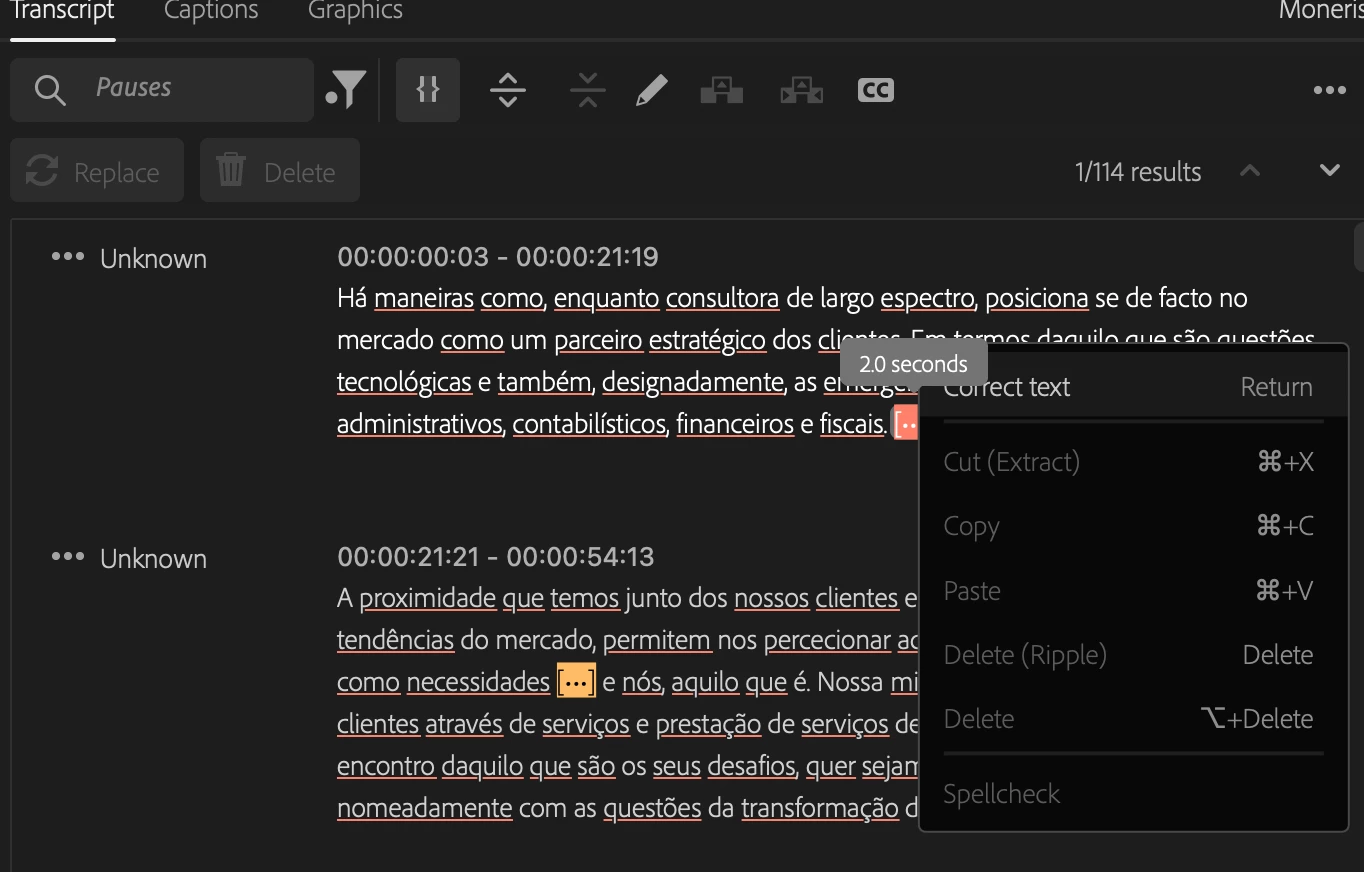
I can't edit it. In the normal version, this doesn't happen. Please update this for other languages.

This topic has been closed for replies.

2 replies

Stan Jones
Community Expert
Community Expert
September 23, 2023

> when I do static transcribe, I can't edit it. 


I missed this part. There's a bug that prevents editing in the Text panel. Editing in the Program Monitor is the workaround.

https://community.adobe.com/t5/premiere-pro-beta-bugs/can-t-change-text-in-caption-window-bugs-out-every-letter/idi-p/14101653


They'll let us know in that thread when it's fixed.


Stan


Stan Jones
Community Expert
Community Expert
September 23, 2023

If you don't set the language before auto-transcribing, it may not prompt you.


Right-click on one of the files in the Project Panel and pick Re-transcribe. It should give you the option.


But also change it in Edit -> Preferences -> Transcription.


Stan


in5FAEAuthor
Participant
September 23, 2023
I have tried and set the language but can’t get it to do it correctly now.

Ended up going back to the normal premier

Tiago Rocha