


Participating Frequently
October 3, 2024
Answered

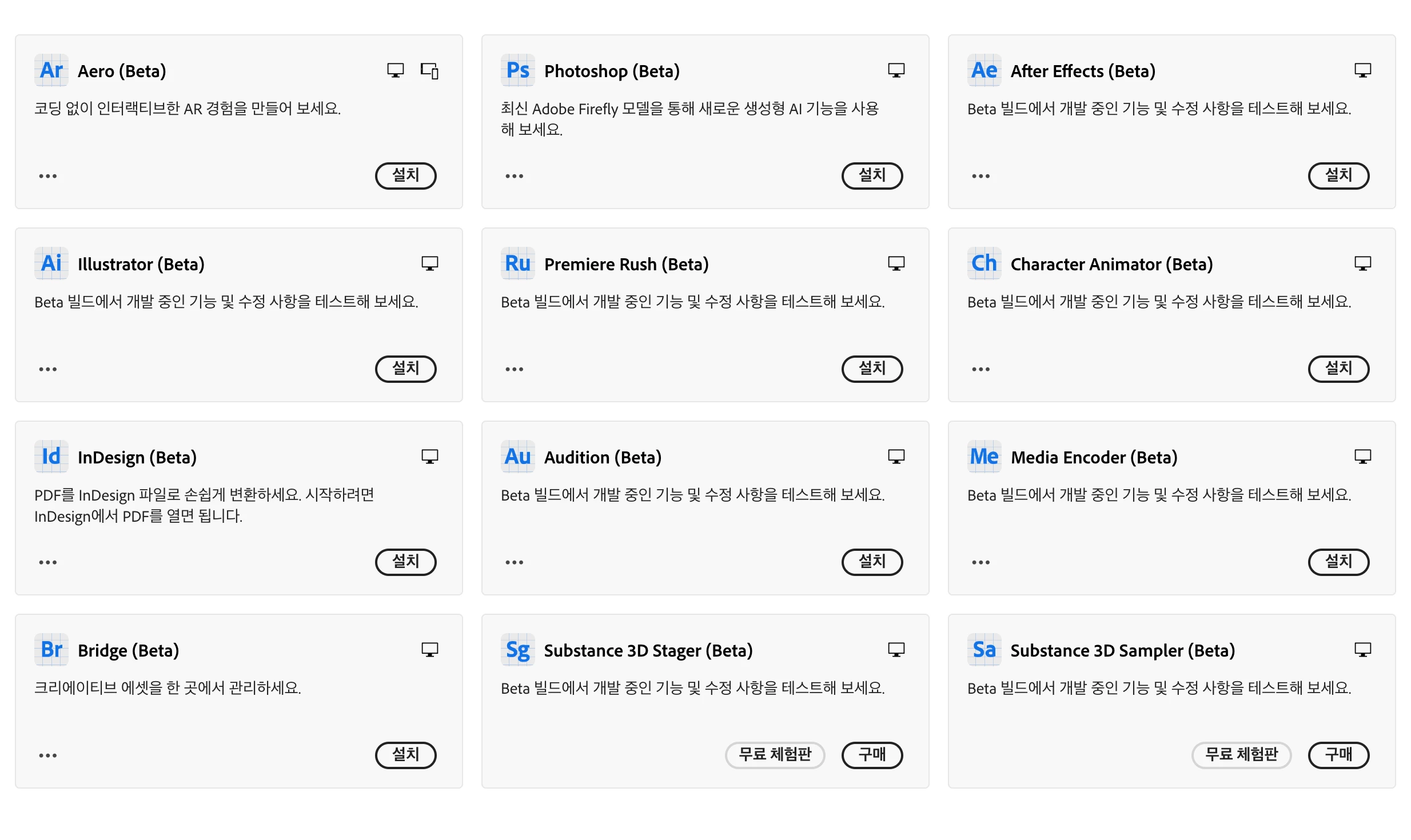
Beta version installation box not found
  • October 3, 2024
  • 2 replies
  • 333 views

I installed beta on other computers, so I'm using it well,
When I bought a new computer and tried to install the beta version, I have all the other programs, but I can't see the beta version only in Premiere Pro. Where can I install it? 

This topic has been closed for replies.
Correct answer MyerPj

Don't be so stingy with the small screenshot. Include more of the UI, so we can see where you are at. Which version of Creative Cloud do you have installed. I've had good results using the "Beta" header tab, but for awhile PP beta was at the very bottom of the All apps list. 

2 replies

MyerPj
Community Expert
MyerPjCommunity ExpertCorrect answer
Community Expert
October 4, 2024

Don't be so stingy with the small screenshot. Include more of the UI, so we can see where you are at. Which version of Creative Cloud do you have installed. I've had good results using the "Beta" header tab, but for awhile PP beta was at the very bottom of the All apps list. 

Minu03Author
Participating Frequently
October 9, 2024

Thank you. It was a bug. A few days later, now I see it between beta versions... haha...

Ann Bens
Community Expert
Community Expert
October 3, 2024

This is a bug:

Open All Apps and scroll all the way down, there you will find Premiere Pro beta.